In today’s fast-paced world, typing thousands of lines of code is a thing of the past, and no-code website builders are your here and now!
But will any no-code solution do? No, because to truly accelerate the web design process, what you need is a game changer. Enter Kirki — your one-stop, no-code solution for accelerated web development in WordPress.
Join us today to explore what makes Kirki the key to web design efficiency!
What Makes Kirki the Key to Web Design Efficiency
Kirki is a powerful no-code website builder that boasts several features in its vast repertoire, making it the ultimate tool to accelerate web design. Let’s take a look at what these are.
1. Truly Synchronous Styling
Say goodbye to inconsistent website designs with Kirki. Using its Class Manager, you can experience truly synchronous styling where you update the look of common elements across your entire website in one click.
To implement this, select your element and from the Classes section in the Design tab, define a sub-class. Then use the Design tab to customize its look.
To have other elements of the same type adopt the same style, simply assign them the same sub-class. Any style change made to one element will automatically reflect across all others sharing that class instantly.
You can also build on existing styles by defining child classes, making your cohesive web design process even more effortless!
2. Reusability at Its Finest
Speaking of web design efficiency, what better way to pick up the pace than using reusable blocks?
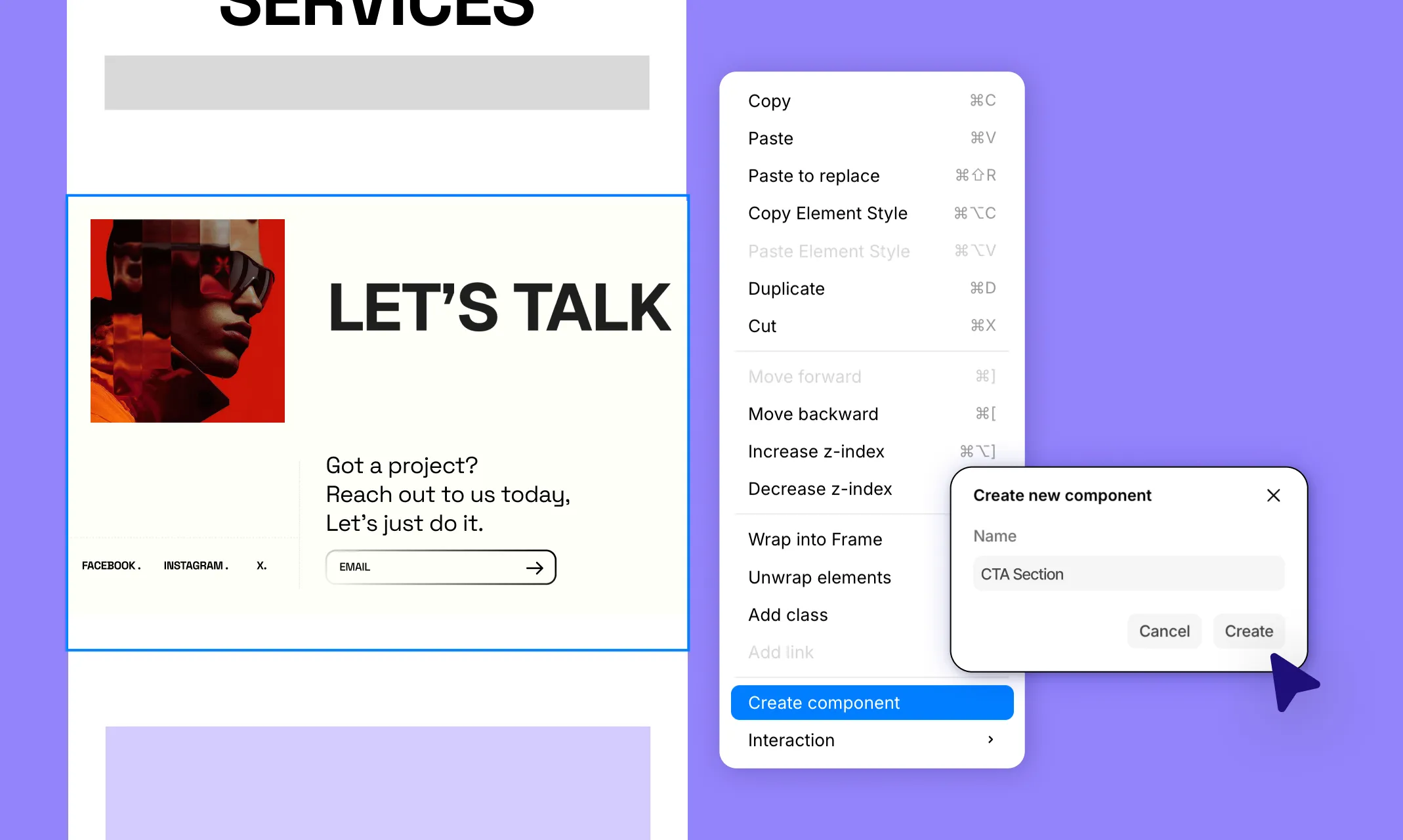
Kirki offers reusability at its finest through Components, helping you preserve both the style and content of your sections for later use.
To create a Component, simply right-click any element or group of elements on the canvas and select Create component. Give it a name and click Create. Your Component is now saved in the Assets tab and ready to be reused anywhere on your site.
Once created, you can set any Component as a header or footer by clicking “…” next to it in the Assets tab and selecting Set As > Header or Footer, making it appear automatically across all pages.
Even after creating your Component, you can edit its main instance and all instances throughout the website will reflect the changes automatically. You can also detach a specific instance if you want to edit only that one independently.
So while synchronous styling is handy for unifying the look of common elements, Components are great when you need to reuse an entire section exactly as it is, such as headers, footers, CTAs, and more!
3. Built-in CMS for Dynamic Content
Kirki doesn’t just accelerate static design efficiency but also significantly boosts the dynamic aspects of website creation.
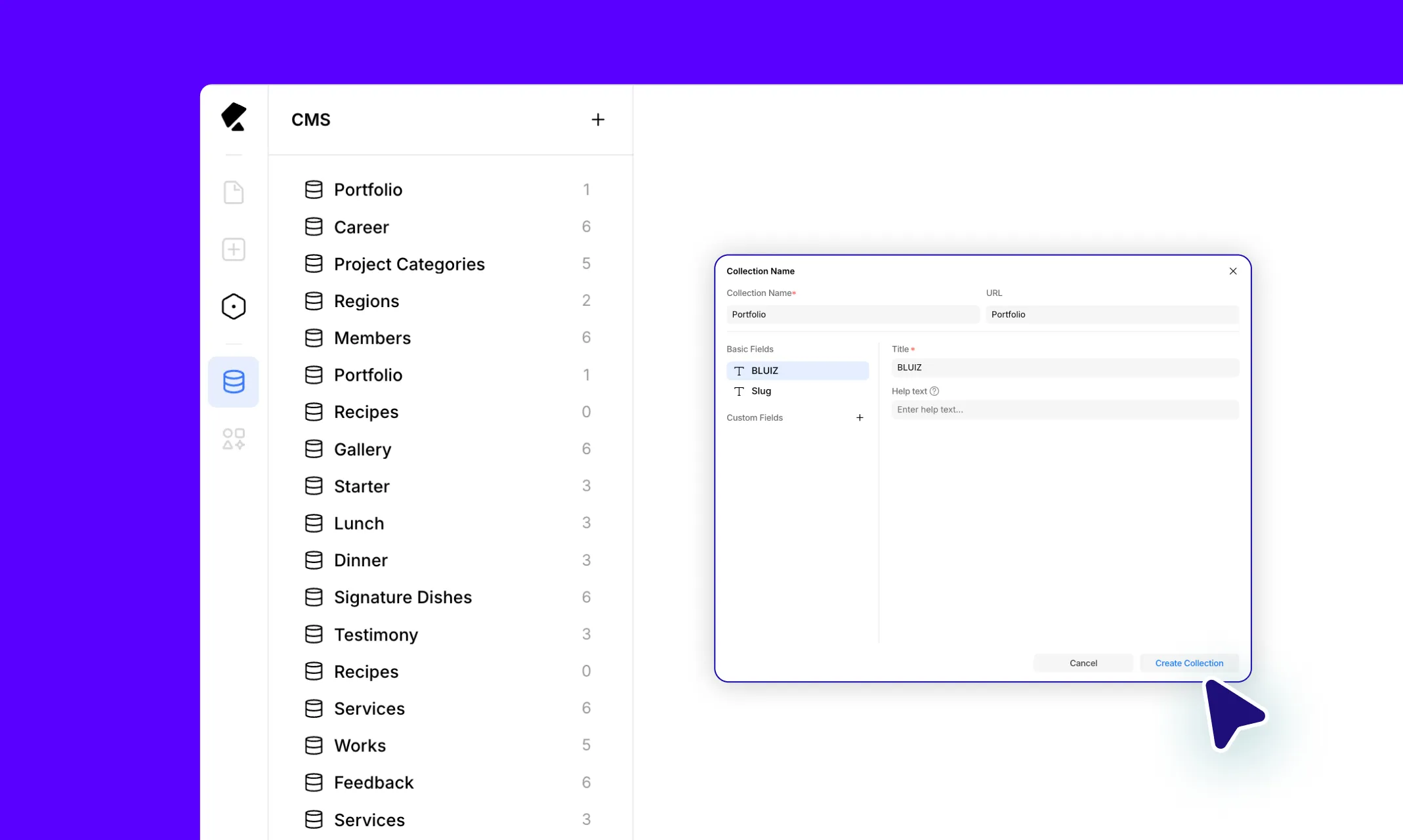
Using its built-in CMS, you can create and manage data collections for any need, from online portfolios to full-fledged recipe blog sites and more. Then, using collection lists or single-page templates, you can display them dynamically with just a few clicks.
This approach is not only more efficient but also highly scalable, ensuring that any edits need to be made just once, with changes reflected across the entire site automatically.
To get started, open the CMS panel from the left sidebar icon and create a new collection using presets or custom fields. Add your collection items and then connect your collections to Collection elements on the canvas or single-page templates to display your data dynamically.
To finish off, configure SEO for your template pages using dynamic field tags in the Page Settings > SEO tab to boost their visibility on search engines!
4. Instant Design to Development Handoff
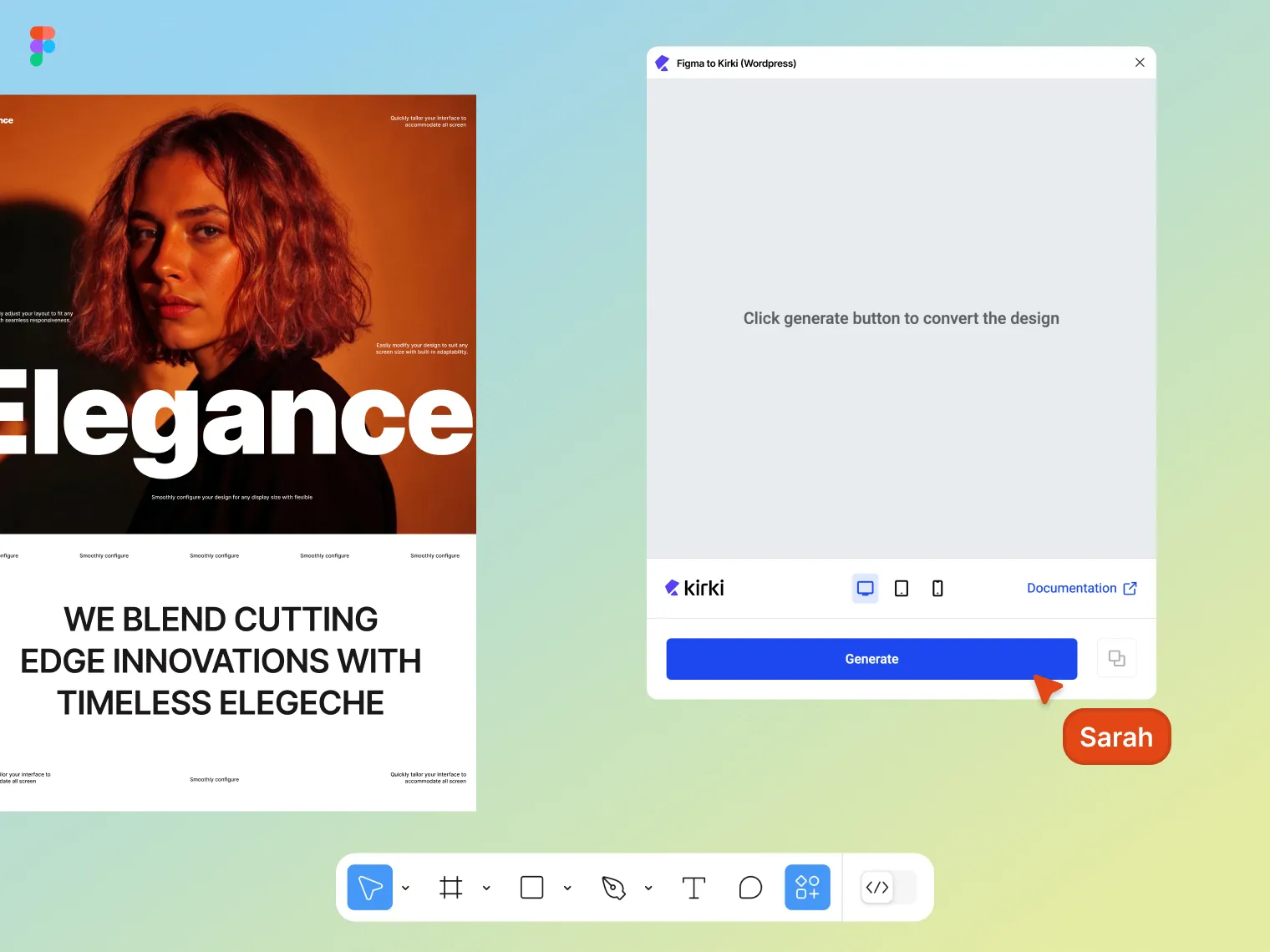
Did you know you can go from design to development in an instant using the Figma to Kirki tool?
With this powerful feature, you can experience accelerated web development while ensuring pixel-perfect accuracy and auto-responsiveness.
Here’s how it works:
Step 1: Install the Figma to Kirki plugin from the Figma resources tab.
Step 2: Select the page or section you want to convert and generate your design.
Step 3: Copy the generated design and paste it directly onto your canvas in Kirki. Apply any final adjustments and hit publish!
5. Vast Selection of Presets
With Kirki, you’ll also find a vast selection of presets to choose from. Whether it’s single elements or fully designed sections, Kirki’s Insert panel covers all your needs in a time crunch.
These presets are also fully customizable, giving you complete freedom to match their style and behavior to your website’s aesthetics and needs.
6. Native Quality Assurance Tools
Quality assurance is a crucial last step when publishing your website. However, performing it manually can be quite time-consuming, especially for larger or more complex sites.
This is why Kirki offers the built-in Audit tool, making light work of automatically analyzing your web pages and informing you of missing links, alt texts, and class names.
This eliminates the time you would have spent hunting for these issues, allowing you to focus on other more important aspects of your website.
7. Customizable UI for Better Accessibility
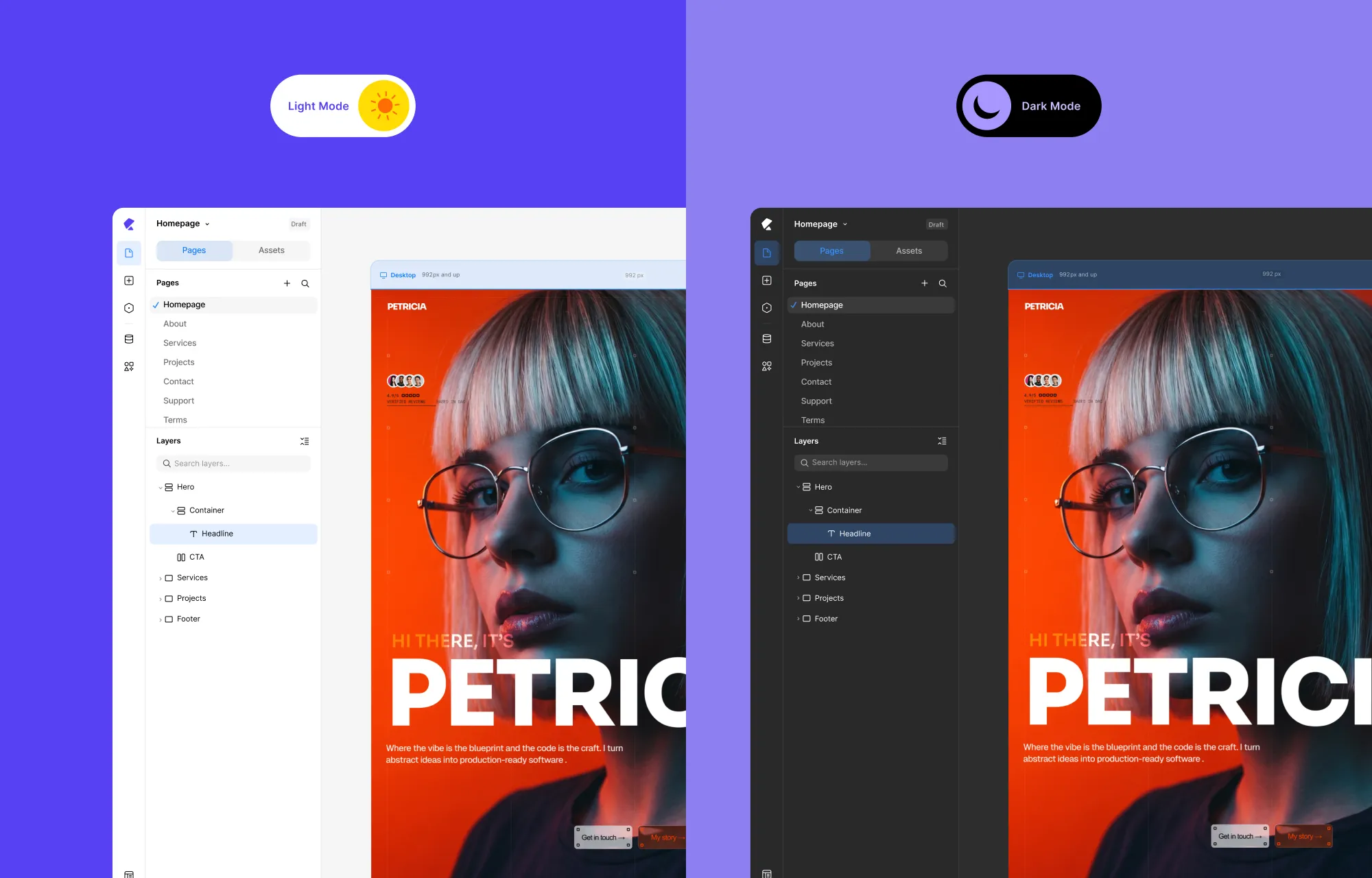
No matter how powerful a website builder is, it’s all for naught if users don’t find it usable.
To ensure an optimal user experience for everyone, Kirki provides a range of Accessibility options allowing you to customize its UI to suit your needs. You can switch between dark and light mode, adjust for color vision challenges, and tailor the interface for a more comfortable and efficient design experience.
With a UI that considers visibility and color vision challenges, Kirki expands the range of users who can comfortably and efficiently design their WordPress websites.
Why Web Design Efficiency Matters
So why does web design efficiency matter? There’s of course the obvious answer — efficient web design means saving time. But it’s more than just that.
Here’s why you should design your websites efficiently:
Cost Efficiency: Building websites efficiently helps save time and resources, which can lower overall development costs.
Reduced Stress: Using tools that streamline the building process simplifies your workflow and significantly reduces stress.
Improved Productivity: With greater efficiency, you have more time to focus on other important aspects of your website and business.
Enhanced Creativity: More time means more opportunities to experiment and showcase your creativity through your design.
Greater Flexibility: Efficiently building your website means you can more easily expand or adapt it based on your evolving needs.
Build Your Website Smartly With Kirki
Now that you know exactly what makes Kirki the key to web design efficiency, what are you waiting for?
Get Kirki today and unlock the door to building your website smartly, effectively, and without limits!

