When crafting WordPress websites, you shouldn’t have to juggle multiple third-party plugins just to get them to look and behave the way you want. Not only are they expensive, but they also increase the risk of security issues and other complications.
Instead, today we’re going to walk you through how you can go about building a website in WordPress with no extra plugins — without breaking a sweat or your bank!
Why Avoid Extra Plugins in WordPress
Before we dive into the meat of the matter, it’s important to understand why you should avoid extra plugins. Here are a few key factors:
Cost: Oftentimes, the number of extra plugins can stack up, and before you know it, their combined price tag is heftier than the cost of your entire website builder. This can be a real concern, especially for individuals or small businesses working with limited budgets.
Performance Impact: Too many extra plugins can slow down your website, affecting load times and the overall user experience.
Security Risks: More plugins mean more vulnerabilities, which can expose your site to hacking and malware.
Compatibility Issues: Different plugins can conflict with each other, particularly when updates to WordPress or the plugins themselves cause a drop in compatibility. This can result in errors or worse, cause the entire site to break.
Disjointed Support: Relying on different plugins often means dealing with different support teams and documentation, which can be confusing and time-consuming when issues arise.
Building a Website in WordPress with Kirki
Now, circling back to the topic at hand – building a website in WordPress with no extra plugins.
It all boils down to finding the right tool – a one-stop solution that meets all your website-building needs without relying on third-party plugins.
Take the Kirki WordPress website builder, for instance. It’s already packed with built-in capabilities that eliminate plugin dependency while simplifying your workflow and enhancing site performance.
Let’s explore some of the native features Kirki offers that would’ve otherwise required you to depend on extra plugins:
Freeform Infinite Canvas — A New Way to Build
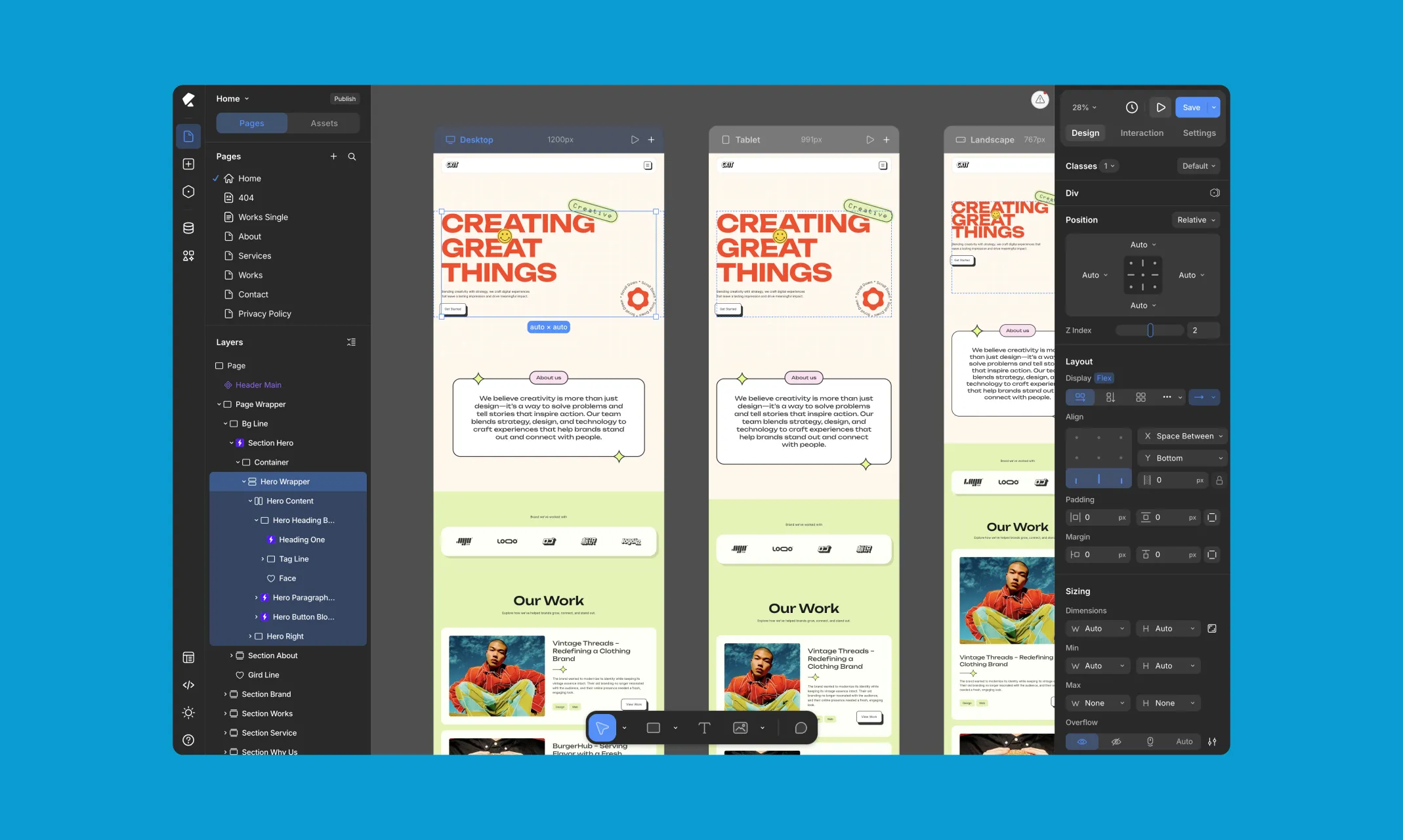
Kirki introduces something entirely new to WordPress website building – an infinite canvas that gives you complete freedom to design without boundaries. No more rigid grids or layout constraints holding your creativity back.
What makes it even more powerful is the ability to view and edit all your responsive breakpoints side by side on the same canvas simultaneously, Desktop, Tablet, Landscape, and Mobile, all visible at once. Design across every screen size at the same time, see changes reflected instantly across all breakpoints, and eliminate the back-and-forth of switching modes entirely.
Real-Time Collaboration & Comments
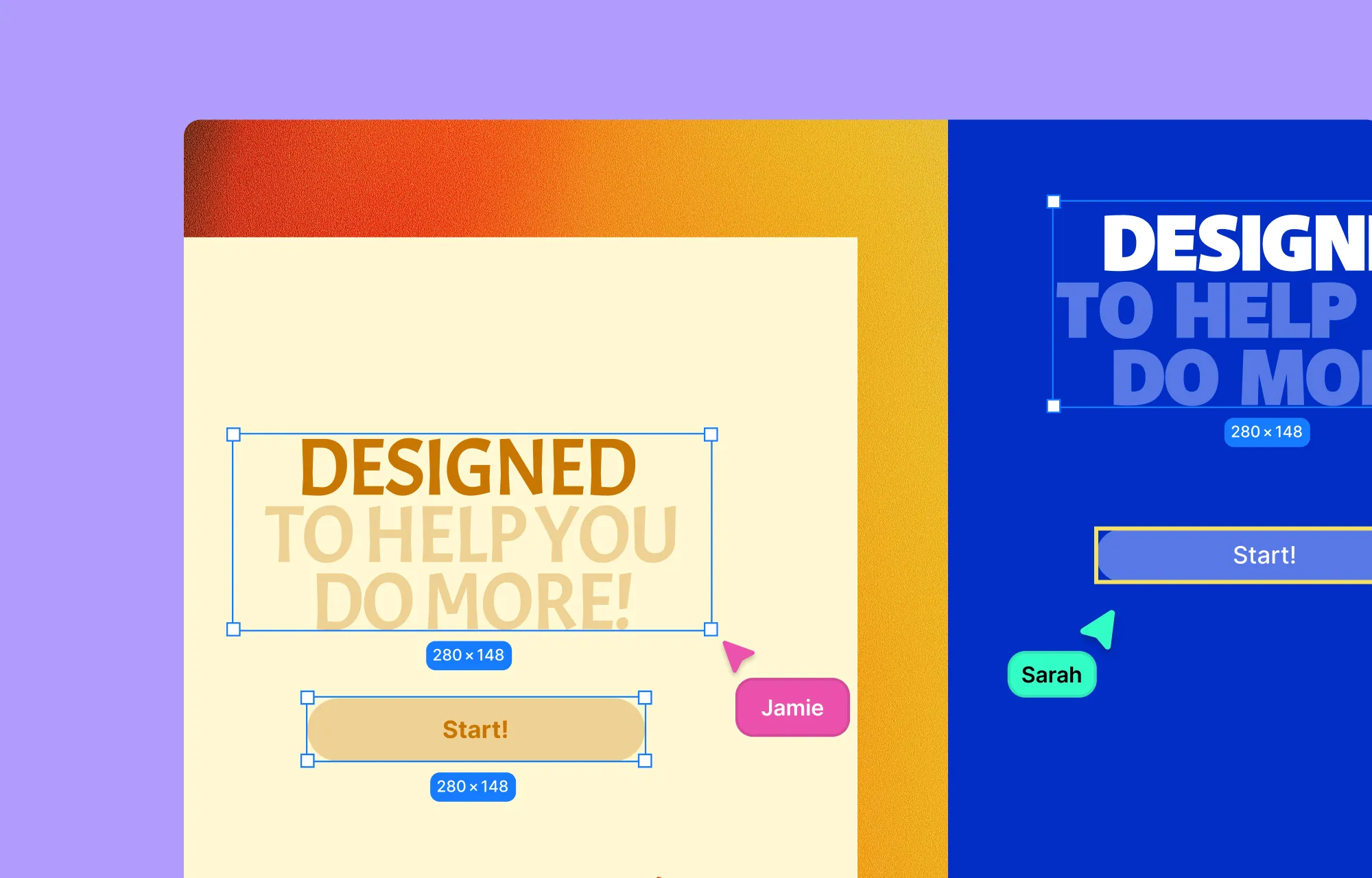
Building a website is rarely a solo endeavor, and Kirki is built for teams. With real-time collaboration, multiple team members can work on the same project simultaneously, seeing each other’s changes as they happen with no syncing or conflicts.
Need to give feedback or flag something for a teammate? Kirki’s built-in comments feature lets you leave contextual notes directly on the canvas, keeping all communication tied to the design itself and your entire workflow in one place, no extra project management plugins needed.
Instant Figma to WordPress Handoff
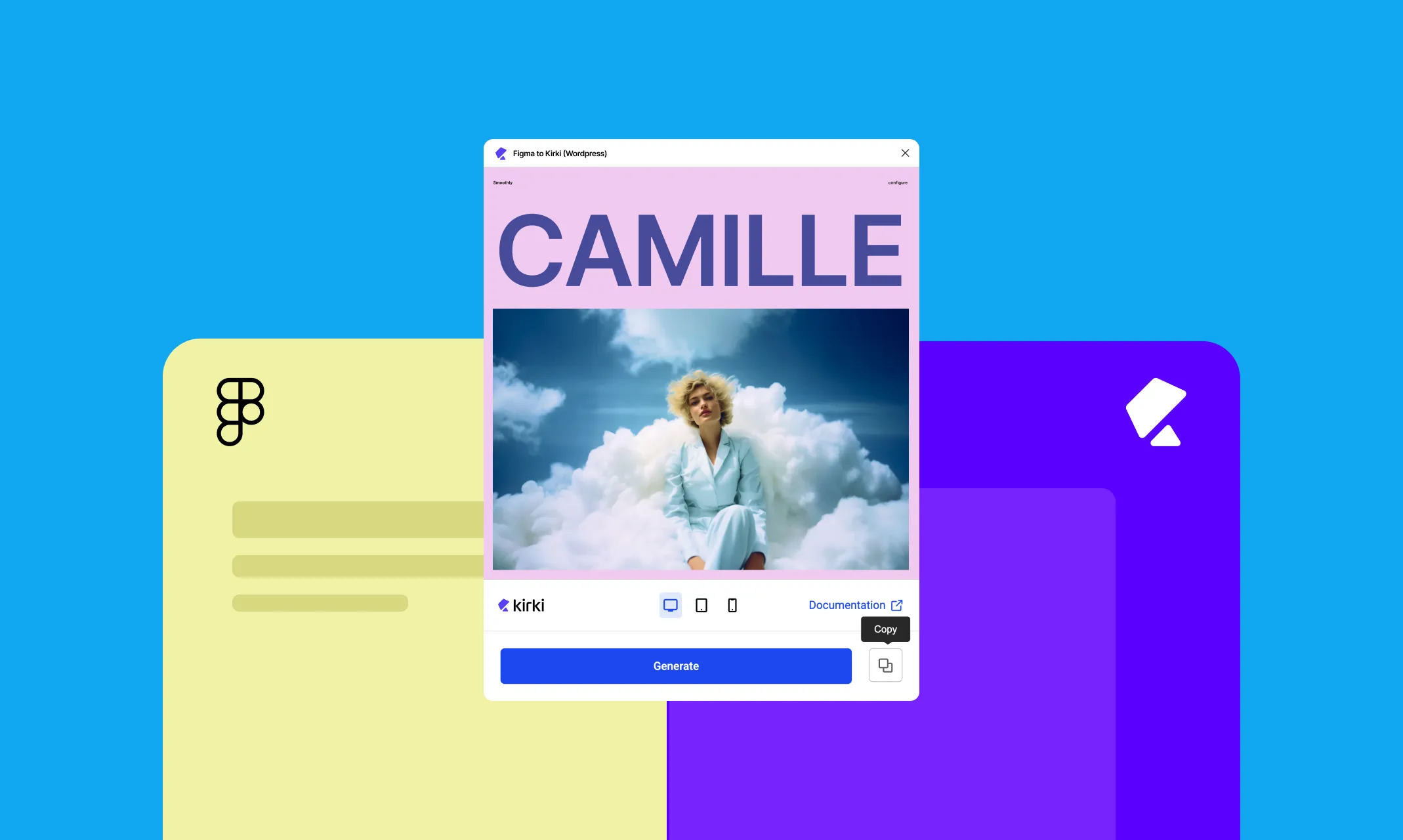
Kirki streamlines Figma to WordPress handoff with its built-in Figma to Kirki tool. Gone are the days of manually converting your designs into code or depending on unreliable third-party tools.
With Figma to Kirki, you can ensure your designs are replicated with pixel-perfect accuracy and auto-responsiveness, all in just a few clicks!
Native Dynamic Content Manager
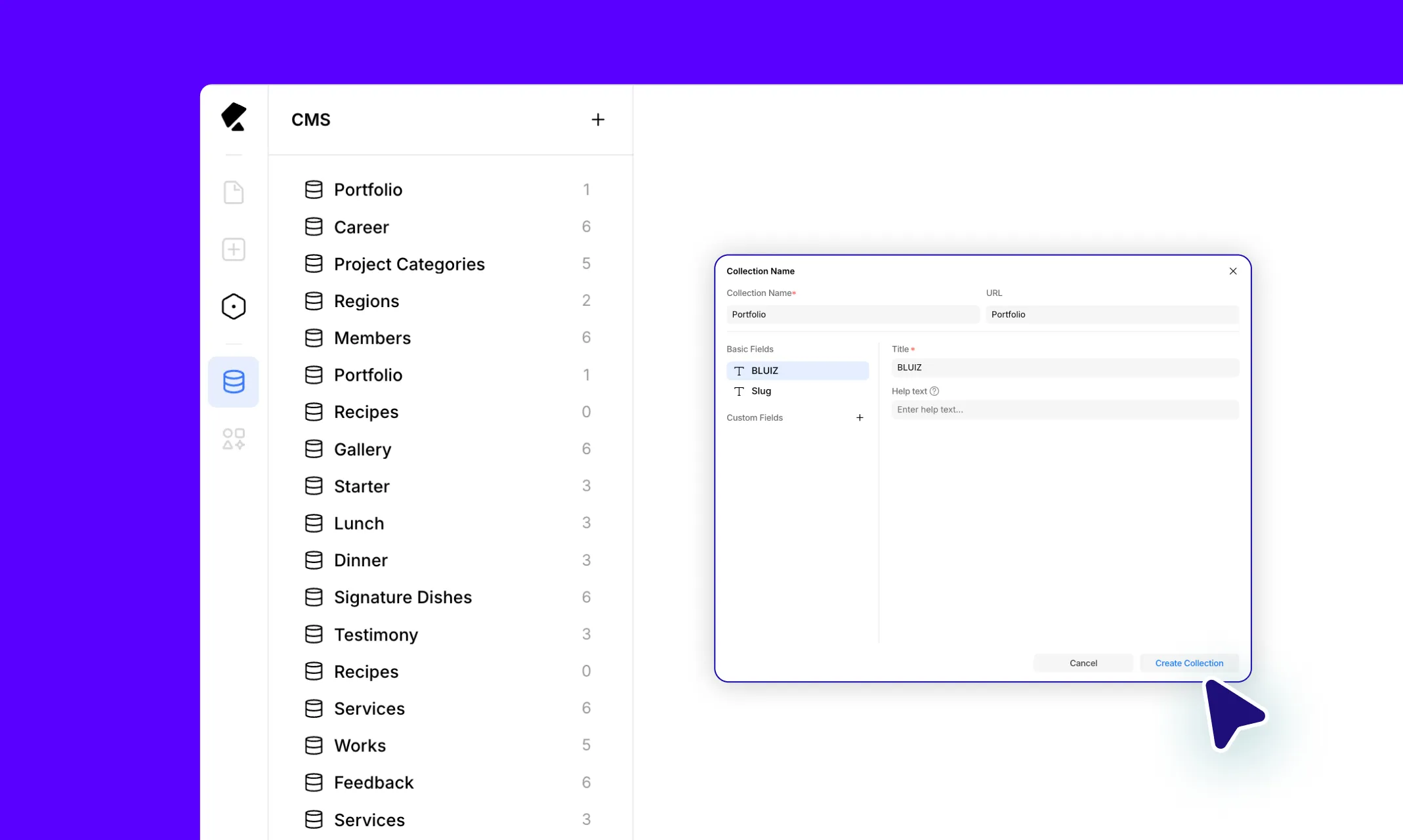
Kirki also comes with a full-fledged Dynamic Content Manager built right in. With this powerful tool, you can create collections for any purpose, whether it’s eye-catching portfolios, expansive recipe websites, or anything else you can imagine.
Once you’ve set up your collections using the various collection fields or presets, you can dynamically display them as lists or single-page templates with ease.
For collection lists, you can customize them with options to filter, sort, or limit the items you want to showcase. And for single-page templates, you can enhance SEO using dynamic field tags to boost visibility, all without a single external plugin.
Intuitive Form Builder With Data Manager
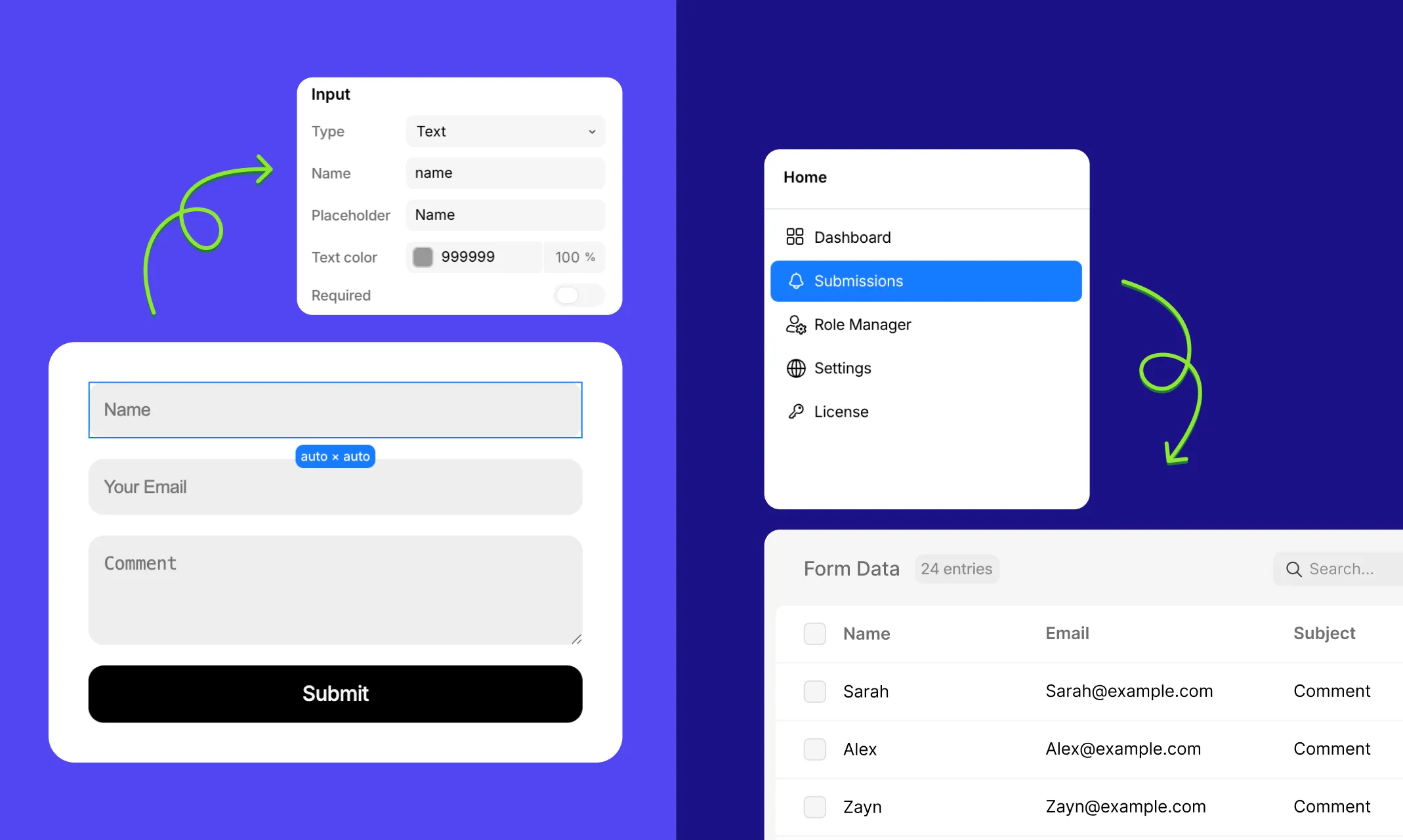
A WordPress website is typically not complete without forms, and Kirki provides an intuitive Form Builder that makes crafting them a breeze.
With its visual drag-and-drop interface and a robust set of form elements, including Input, Textarea, Select, Checkbox, Radio, and Submit, you can seamlessly create forms for data collection, lead capture, consent, and more.
Kirki’s Form Builder also integrates with reCAPTCHA, allowing you to easily protect your website from spam submissions and automated threats. And for lead generation, you can connect with powerful platforms via Webhooks or set up Email notifications so you never miss a submission.
Last but not least, Kirki includes a native Submissions panel, accessible directly from the Kirki dashboard, through which you can view and manage all collected form data from one central hub!
Powerful Pop-up Builder
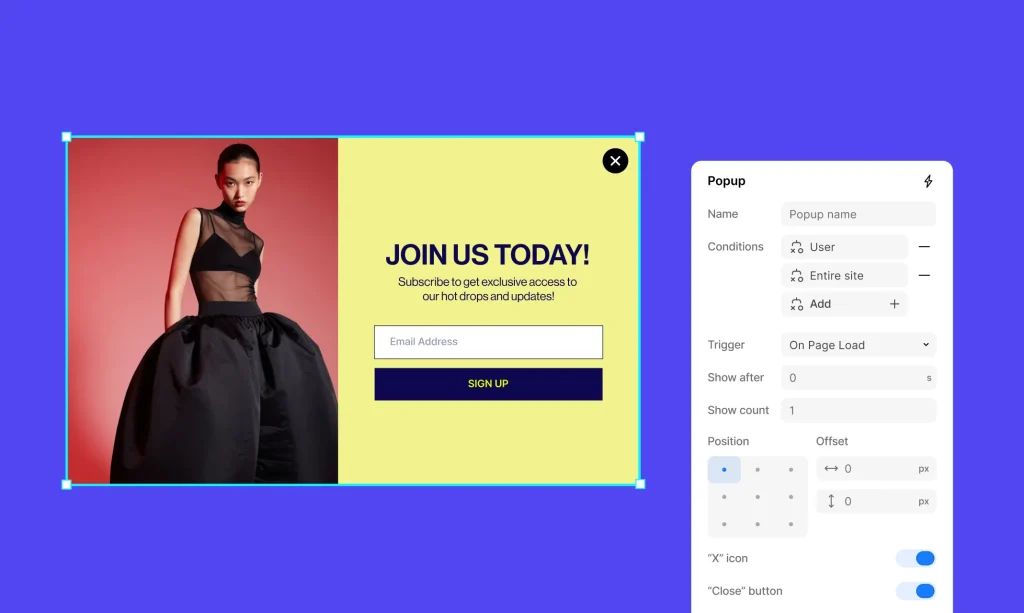
When executed properly, pop-ups can be the secret to a successful website. And with Kirki’s native Pop-up Builder in your toolkit, you can create engaging pop-ups without the need for extra plugins, keeping your WordPress website lightweight and efficient.
Simply design and position your pop-up visually, set triggers, and apply visibility conditions, and just like that, you’ll be set to start capturing leads, promoting deals, converting visitors, and more!
One-Stop Media Manager
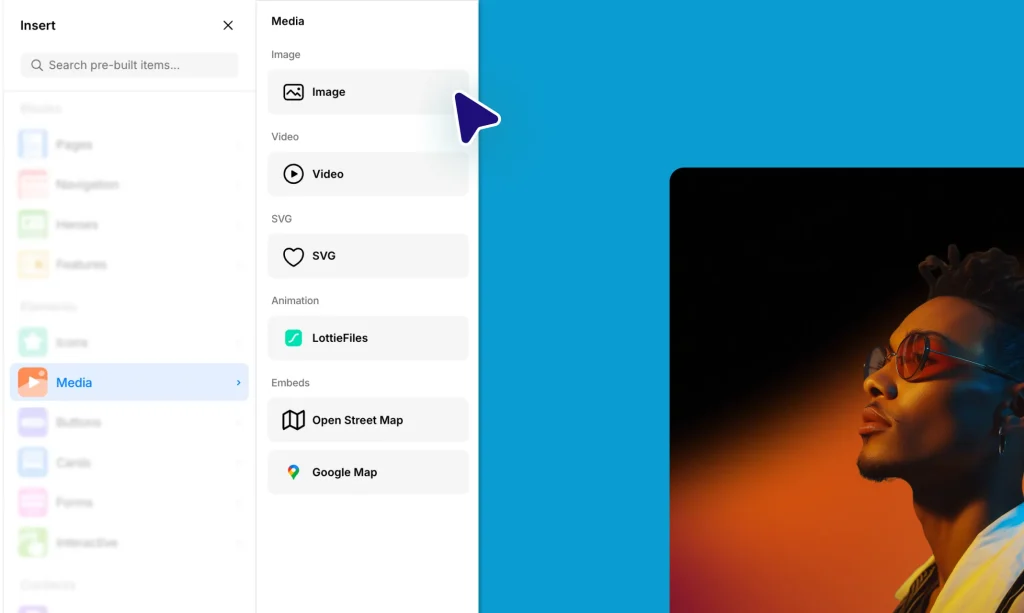
Working with various media is an essential part of website building. However, making everything look exactly how you want and ensuring it matches your overall design often requires third-party tools, which can be cumbersome to manage.
Luckily, with Kirki, you’re equipped with a one-stop Media Manager that offers powerful built-in capabilities, including:
Native Image Editor: Make quick adjustments to your images, apply filters, and crop images, all directly within Kirki.
SVG Shape Editor: Customize and add SVG shapes to your design and clip images into different shapes for a unique look.
Icon Library: Access a vast library of icons to enhance your visuals.
Integration With Image Libraries: Seamlessly connect with external image libraries like Pexels and Unsplash, allowing you to access and use high-quality images directly from within the builder.
Kirki’s all-inclusive media hub alone eliminates the need for numerous media-related third-party plugins, easily streamlining your workflow and reducing website load!
Advanced Built-in Typography
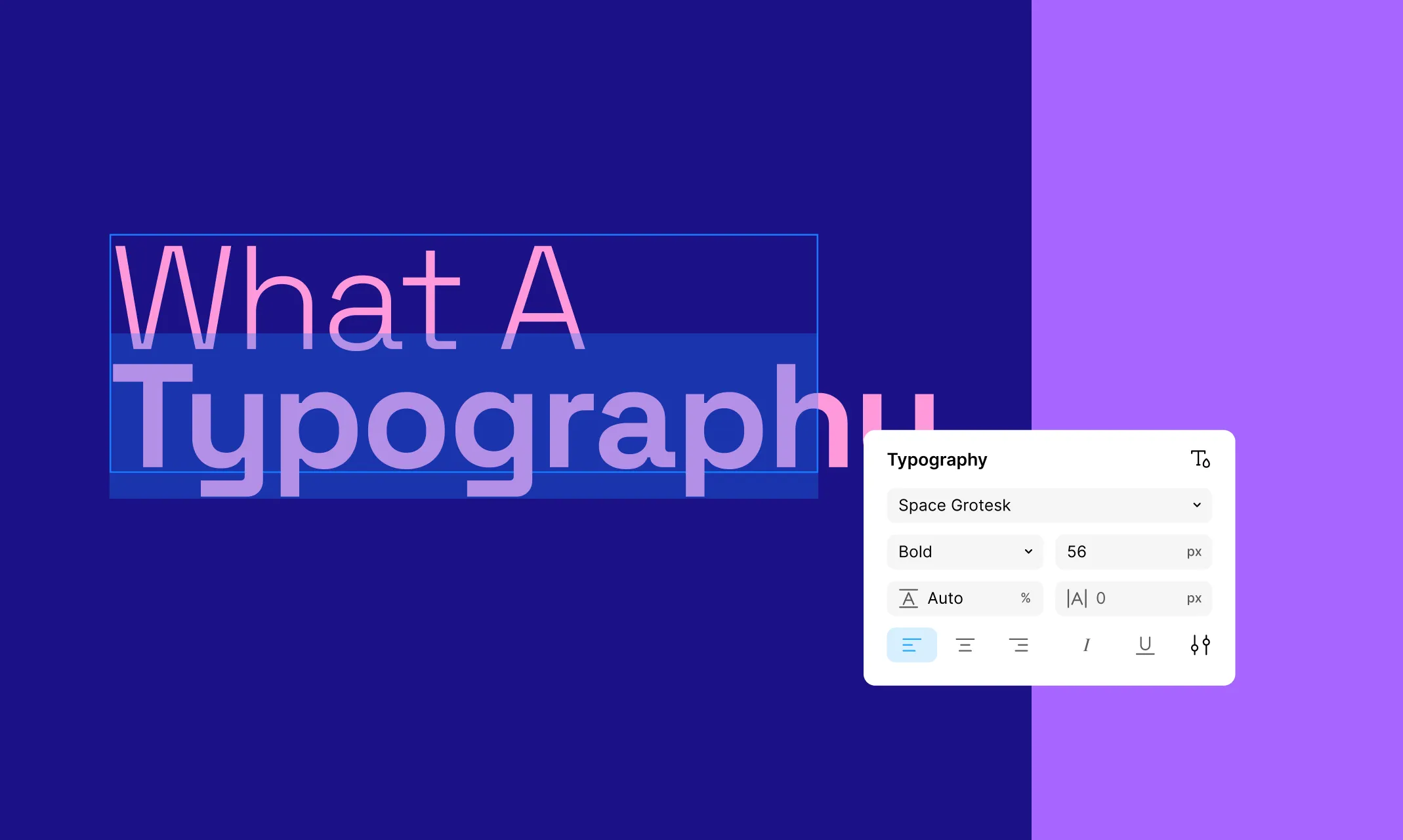
Kirki eliminates the need for typography plugins with a powerful built-in type system. Access Google Fonts, use system fonts, or upload your own custom fonts in TTF or OTF format directly from the font picker in the Design tab.
For advanced control, Kirki’s Advanced Typography panel gives you access to Clamp for fluid responsive font sizing, Word Break, Text Overflow, Decoration, Case transformations, Paragraph Indent, Writing Mode, and OpenType Features like Ligatures and Kerning — all without a single extra plugin.
Built-in SEO Options
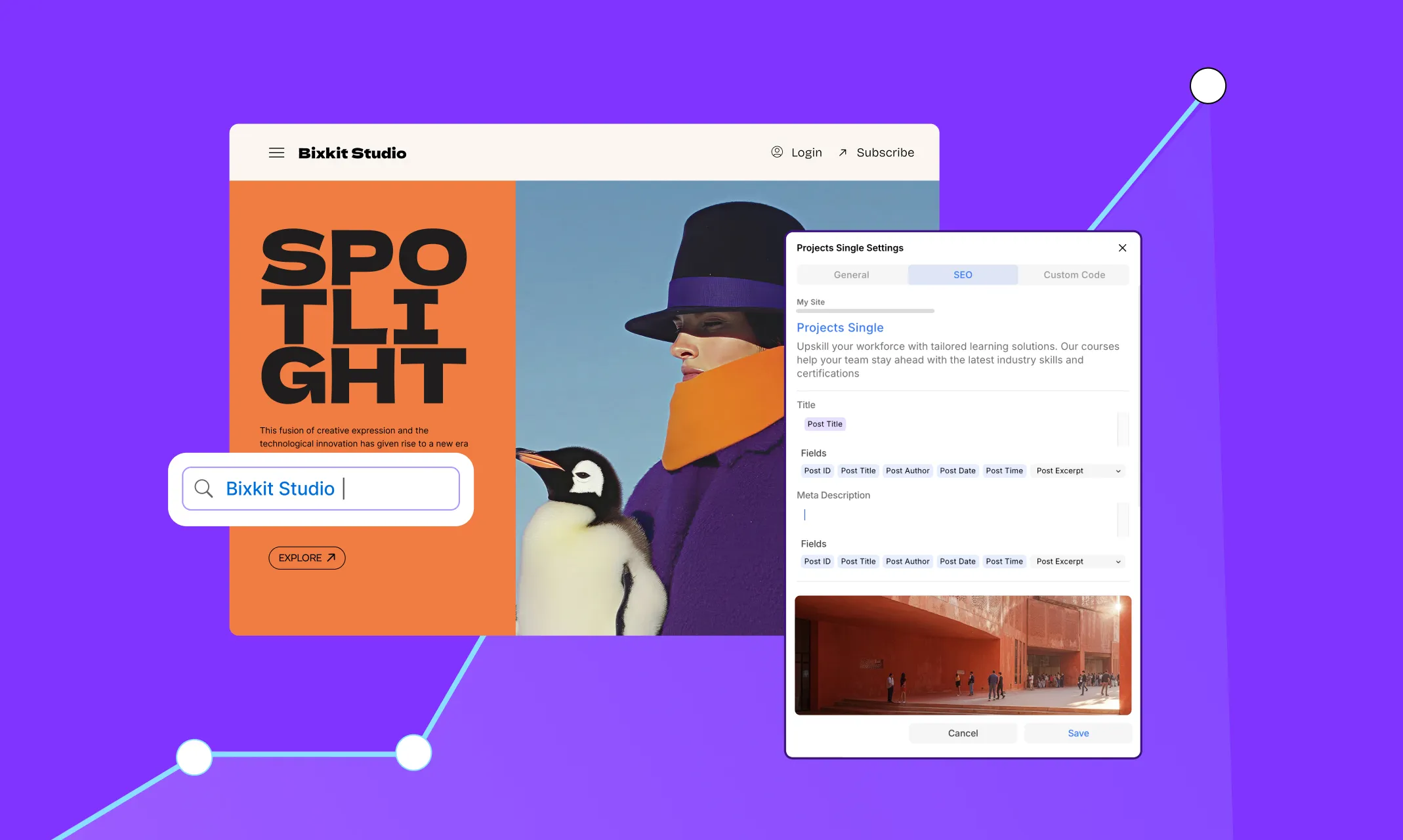
Unlike many solutions out there, Kirki reduces plugin dependency even further with built-in SEO options.
You no longer have to rely on external SEO tools to optimize your website’s visibility. Instead, configure the meta title, meta description, open graph image, open graph title, and more right from within the Kirki editor via the Page Settings → SEO tab.
And for dynamic single-page templates, you can set meta details using dynamic field tags just once — ensuring they’re unique for every individual item page automatically.
Accessibility Options For All
Building a website in WordPress can often involve navigating inaccessible tools, leading to a frustrating experience. Many users end up seeking third-party accessibility solutions to enhance usability.
Kirki addresses this with built-in Accessibility options that cater to vision challenges including color vision deficiencies, allowing you to tailor the Kirki interface to create a smoother, more comfortable building experience.
To maintain website accessibility for your visitors, Kirki also provides:
Color Contrast Checker: Easily select colors while ensuring your website remains readable for all users.
Alt Text For Images: Enhance accessibility for visually impaired visitors effortlessly.
In-House Role Manager
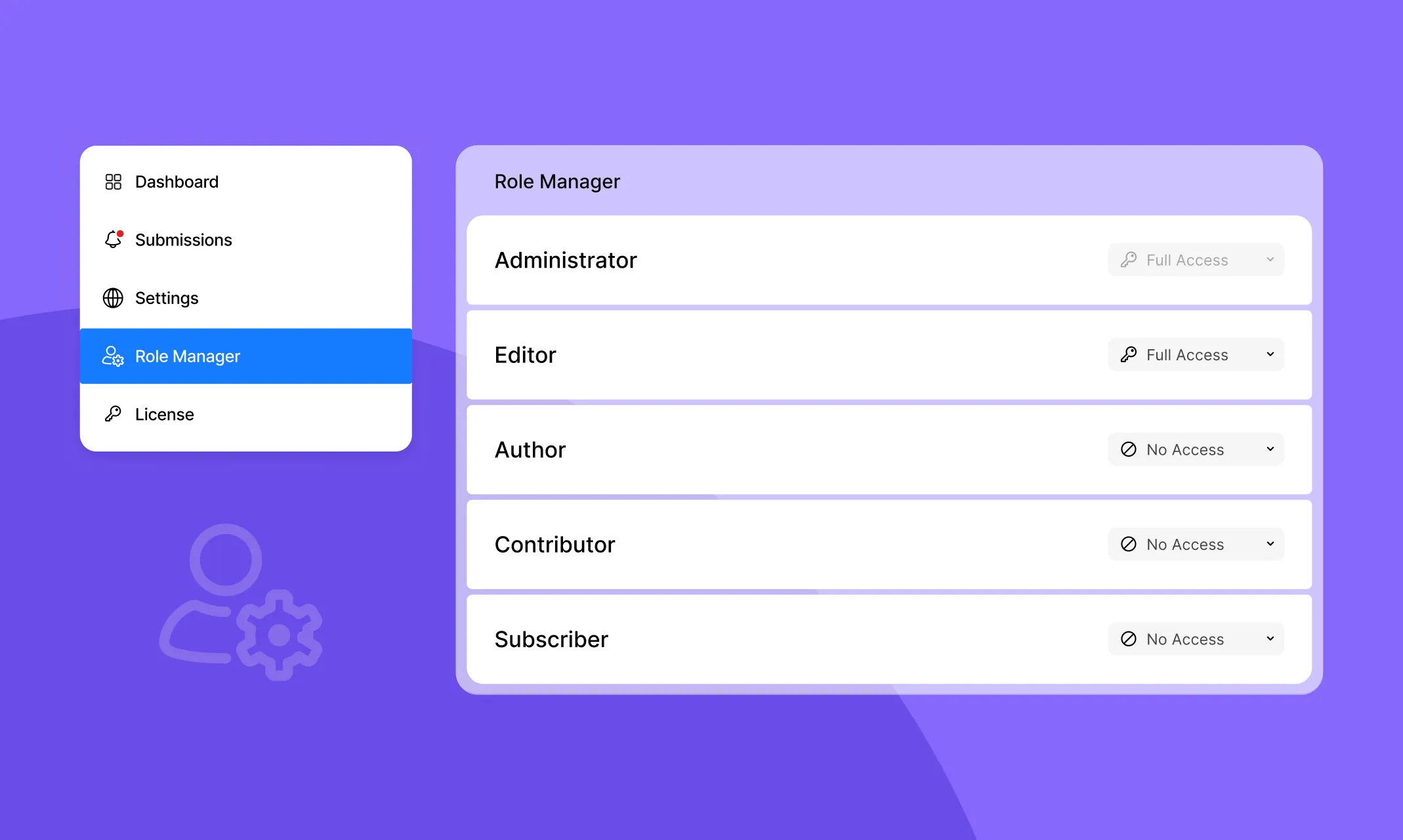
Once you’re done building your website, keeping it secured is essential.
Kirki has you covered with its native Role Manager, which allows you to natively control role-based access to your website based on user roles, ensuring the right people have the right level of access, all without needing a separate user management plugin.
Get Started with Kirki: Your One-Stop Solution
And there you have it! Building your website in WordPress with no extra plugins isn’t just a dream; it’s a reality with Kirki.
From its freeform infinite canvas and real-time collaboration to its native Dynamic Content Manager, Form Builder, Pop-up Builder, Media Manager, built-in SEO, and Role Manager — Kirki truly is the all-in-one solution that makes plugin dependency a thing of the past.
So what are you waiting for? Get started with Kirki today and say goodbye to plugin dependency for good!

