
Everyone wants their website to thrive, but what exactly sets successful sites apart? A big part of the answer is consistency. It seems simple but a uniform design can make all the difference!
Don’t just take our word for it — dive in with us as we explore how cohesive design impacts website success and how you can effortlessly harness its benefits too.
Impact of Cohesive Web Design
Contrary to common belief, cohesive design in websites goes far beyond aesthetics. Here are all the ways it can elevate your site:
Seamless User Experience
A great user experience is essential for any website’s success, and cohesive design is key to ensuring that experience is positive.
With a cohesive web design, users find the content easier to read and navigate, making them more likely to stay, explore, and engage.
Lowered Bounce Rate
Few things drive users away from a website faster than an inconsistent UI. Mismatched styling and confusing navigation can quickly frustrate visitors, causing them to leave almost immediately.
A cohesive design greatly enhances the user experience, making the website more intuitive and visually appealing. This positive experience encourages visitors to stay longer, significantly reducing the bounce rate. As a result, it also increases the chances of return visits and can have a positive impact on conversion rates.
Strengthened Credibility and Trust
A poorly designed website signals a lack of professionalism, making it difficult for users to trust the brand.
On the other hand, a cohesive web design automatically boosts your website’s credibility. It creates a positive first impression through design consistency and organization, building trust with visitors from the very first glance.
Solidified Visual Identity
A cohesive design with consistent use of colors, fonts, and sections across your website pages helps solidify your brand’s visual identity.
A strong visual identity is key to making your website stand out and improving brand recognition over time.
Improved SEO and Visibility
An enhanced user experience and a lowered bounce rate are factors that search engines take into account, often resulting in higher rankings on search results.
Because cohesive design in websites improves both of these factors, it leads to a positive impact on your website’s visibility.
Similarly, consistent navigation makes it easier for users to find the information they need, leading to more pages being viewed, which also sends a positive signal to search engines.
Cohesive websites also feature well-structured pages and optimized media, leading to faster load times, another crucial factor for improving SEO.
Together, these factors combine to improve your website’s visibility and organic reach significantly.
Designing Cohesive Websites Effortlessly With Kirki
Cohesive design in websites impacts their success significantly across many different aspects. But this begs the question — how do you go about implementing it?
Imagine having to manually match every color, font, and structural element across all your pages, repeatedly. That’s both time-consuming and difficult to maintain.
Fortunately, this is where no-code website builders come to the rescue! With the Kirki WordPress website builder, which offers several powerful features dedicated to crafting cohesive websites efficiently, you can ensure consistency across all your pages without writing a single line of code.
Let’s take a closer look at what Kirki offers to achieve cohesive web design effortlessly.
Variables: Defining Reusable Global Styles
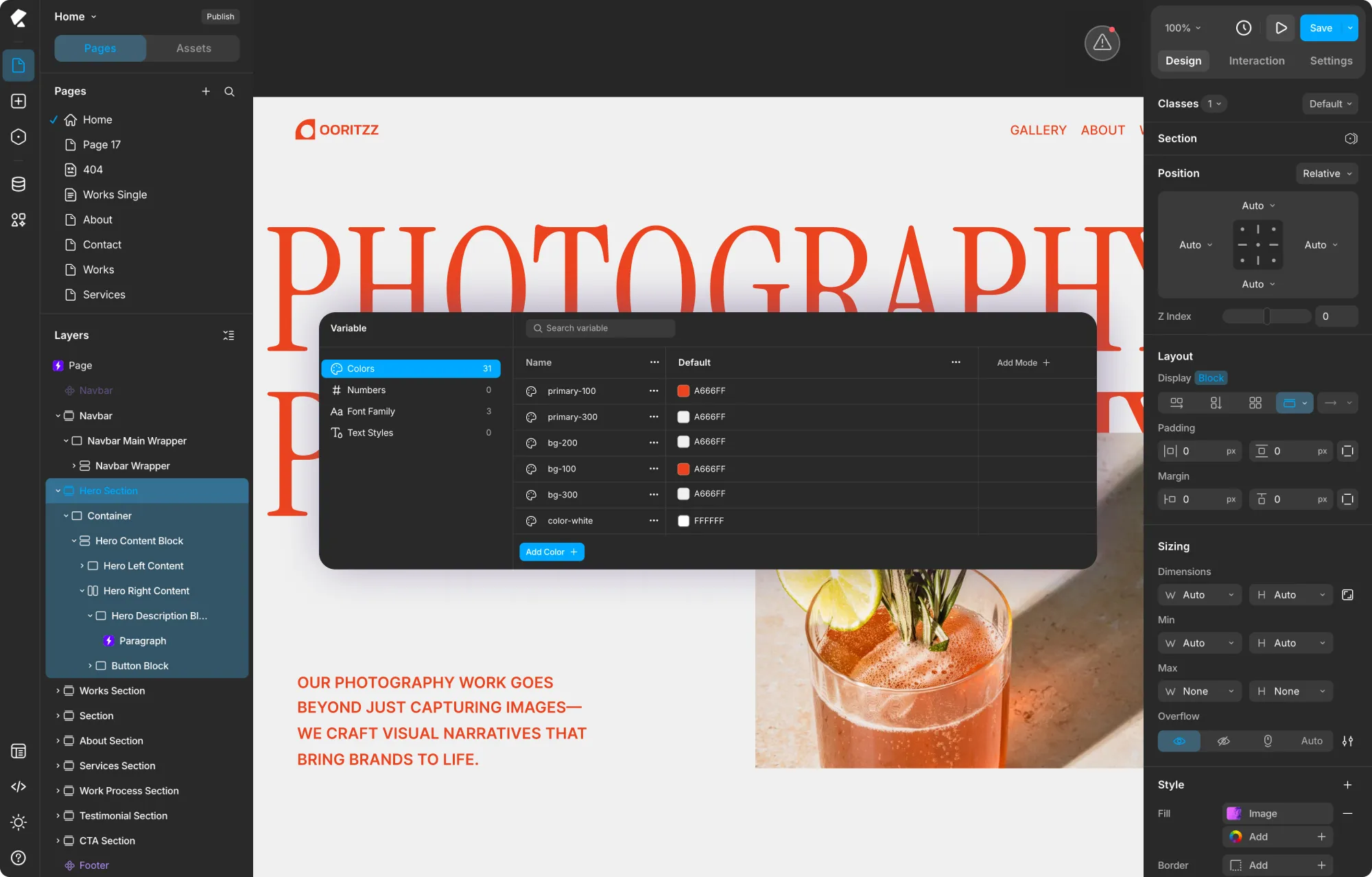
First up is Kirki’s built-in global styling feature called Variables!
Using Variables, you can define reusable global style attributes including Colors, Numbers, Font Families, and Text Styles, and apply them consistently across your entire website. When you edit a Variable, the change automatically updates everywhere it was applied, ensuring perfect uniformity with zero manual effort.
This approach not only makes it easier to fine-tune your website design but also saves you valuable time and streamlines the design process. Variables also help you stay aligned with your visual branding more easily by allowing you to save and reuse your site’s brand colors, fonts, and sizing consistently.
You can access the Variable panel from the Variable icon in the left sidebar of the Kirki editor.
For more information, check out our article on global styling using Variables in Kirki!
Class Manager: Synchronously Styling Elements
Imagine having multiple occurrences of the same element with different content — designing or editing their style one by one can be a hassle, not to mention the inconsistencies that might arise.
Luckily, you can avoid all of that using Kirki’s Class Manager!
Using the Class Manager, you can assign the same class to same-type elements or groups of elements and style them synchronously. Whenever you customize the style of one of these elements, all elements sharing the same class will automatically reflect the change, no matter where they appear across your site.
📝 Note: For synchronous styling to work correctly, ensure that these elements have an identical class inheritance hierarchy.
You can also build on a common style using nested child classes. For example, after synchronously styling several same-type elements, if you want one element to stand out with a slight variation, simply define a new sub-class following the existing one. Any changes made to this sub-class will apply only to that specific element, while all others remain unaffected.
Components: Saving and Reusing Sections Sitewide
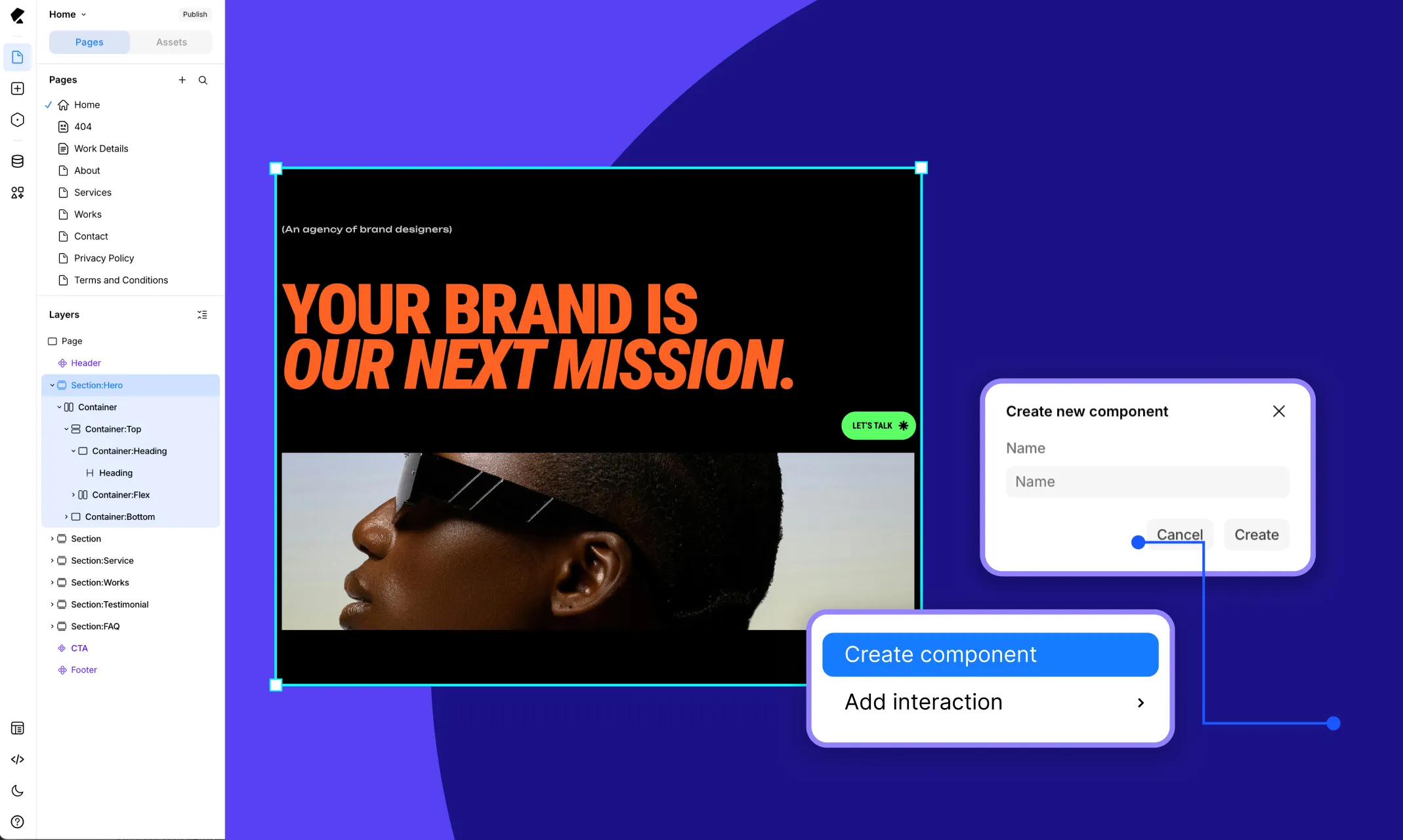
Last but not least is Kirki’s Components, which take the concept of reusable blocks to new heights!
With Components in your toolkit, you’ll never have to design identical sections over and over again. Plus, you won’t have to manually update each occurrence whenever a change is made.
Simply select any element or group of elements on the canvas, right-click, and choose Create component. Give it a name and click Create. Your Component is now saved in the Assets tab and ready to be reused anywhere on your site.
To edit all instances at once, go to the Assets tab, click the “…” next to the Component, and select Edit. Any changes made in this mode will automatically update the main instance and all its occurrences across the entire site. When done, click Save from the banner at the bottom of the canvas.
Craft Successful Websites With Cohesive Design
Variables, Class Manager, Components — this is just the tip of the iceberg when it comes to what Kirki is truly capable of!
So what are you waiting for? Get the Kirki WordPress website builder today to simplify cohesive web design and start building successful sites with ease!

