
Gated content is all the rage on websites today, tapping into your audience’s curiosity to drive engagement and generate leads!
If you want to reap those same rewards, keep reading as we break down exactly what gated content is in websites and how to implement it effortlessly in WordPress with no code and no extra plugins.
What Is Gated Content in Websites
Gated content refers to exclusive information that’s only accessible after a user takes a specific action, such as signing up, subscribing to a newsletter, or providing their contact details.
Articles, video tutorials, downloadable resources, and other valuable materials can all serve as the exclusive content you use to engage and convert your audience.
Here are some real-life use cases of gated content:
Articles, Reports and Whitepapers: One of the most common forms of gated content, ideal for sharing in-depth insights, expert analysis, and original research in exchange for user information like an email address.
Video Tutorials, Product Demos and Webinars: Engaging and exclusive video content works as a powerful incentive for users to subscribe or share their contact information.
Free Product Trials: Limited access to your product or service, offered in exchange for user details, is a sure-fire way to generate qualified leads.
Ebooks: Downloadable resources that users can access after sharing their information make for an effective tool to build your mailing list.
Premium Content Library: Restricted access to an entire library of exclusive content encourages sign-ups and builds a loyal, engaged audience.
Benefits of Using Gated Content in Websites
The concept of gated content is simple: offer exclusive content in return for user contact information. But its benefits go well beyond lead generation:
Generate Qualified Leads: When a user willingly shares their information in exchange for your content, it signals genuine interest, making them a far more qualified lead than a passive visitor.
Enhance Engagement: By providing valuable content behind a gate, you encourage users to explore your content further and actively engage with your brand.
Boost Content Value: Gated content is often perceived as more valuable because of the steps required to access it, which can boost your brand’s credibility and desirability.
Gain Valuable First-Party Data: Collect accurate information directly from your audience, helping you better understand your demographic and their interests.
How to Add Gated Content to Your Website
Now that you’ve got the basics of gated content down, let’s talk about how to actually add it to your WordPress website, without breaking a sweat.
When it comes to WordPress, there are tons of third-party plugins you can use to get the job done. But what if you had an all-in-one solution that cuts out the extra clutter and keeps your site lean and fast?
The Kirki WordPress website builder is exactly that — a powerful no-code platform that lets you effortlessly build, manage, and scale websites without the usual hassle. One of its many powerful features is Visibility Conditions, which lets you add gated content to your site in just a few clicks, with no extra plugins or complicated setups needed.
Using Kirki Visibility Conditions to Add Gated Content
Now without further ado, let’s dive into how to use Kirki’s Visibility Conditions to add gated content to your website.
Applying Visibility Conditions to Gated Content
For example, let’s say you want your gated content to be visible only to registered and logged-in users. Here’s how to set it up:
Step 1: Select the element or section you want to gate on the canvas.
Step 2: Open the Settings tab in the right panel. Scroll down to Visibility Conditions and click the “+” icon to add a new condition.
Step 3: A Visibility Condition modal will appear. From the Field dropdown, select User and then choose Role.
Step 4: From the Operator dropdown, set the comparison type to Contains. From the Value dropdown, choose Logged In.
Step 5: Click Save to apply the condition.
And just like that, your gated content is only visible to users who are registered and logged in!
Adding a Login Prompt for Non-Logged-In Users
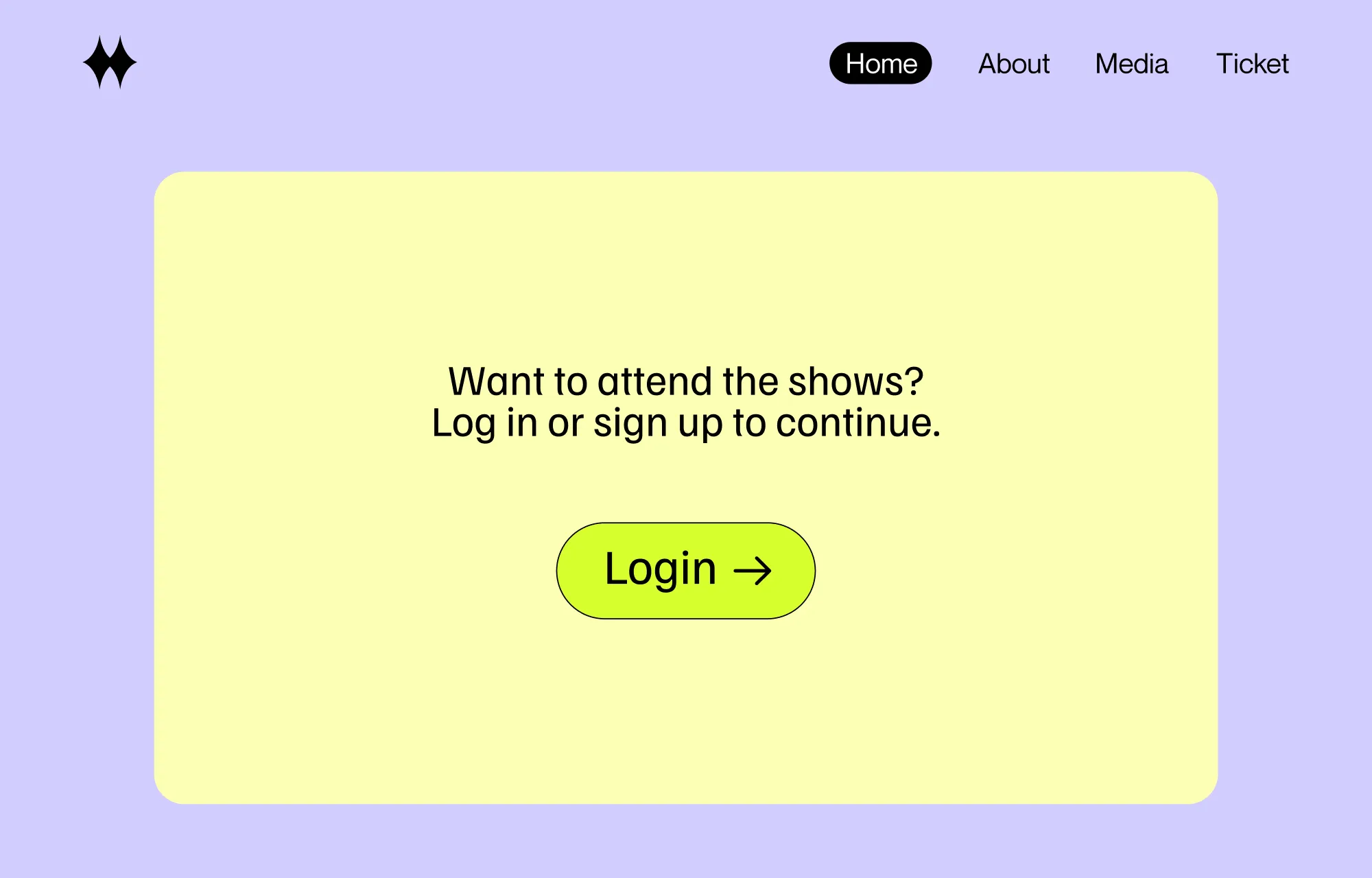
Right now, if someone who isn’t registered or logged in lands on your page, it’ll appear blank with no message. Adding a prompt is key to encouraging them to take action and access your gated content.
This prompt should only be visible to users who aren’t logged in, so let’s set that up with Visibility Conditions too:
Step 1: Design a prompt section on your page asking users to log in or sign up. Add a button to make the action easy for users.
Step 2: Select the entire prompt section, open the Settings tab, and click “+” next to Visibility Conditions to add a new condition.
Step 3: From the Field dropdown, select User then Role.
Step 4: From the Operator dropdown, set the comparison type to Not Contains. From the Value dropdown, choose Logged In.
Step 5: Click Save to apply the condition.
Now, unregistered or logged-out users will see the prompt encouraging them to sign up or log in, while logged-in users will access the gated content automatically.
Note: This is just one of the many use cases for Visibility Conditions. Check out our in-depth article on What Are Visibility Conditions for more details.
Gated Content Best Practices
Now you know how to add gated content to your website with no code and no extra plugins using Kirki! Before we wrap up, here are a few best practices to make the most of your gated content:
Choose the right content type: Pick a format that resonates with your audience, whether it’s blog posts, downloadable ebooks, engaging videos, or something else. Base your choice on what your audience values and needs most.
Share relevant, high-value content: Make sure your gated content is genuinely worth the exchange. It should be exclusive and offer something your audience truly cares about that they can’t easily find anywhere else.
Create landing pages that convert: A landing page is the key medium for communicating your offer, so make it compelling and clearly highlight your gated content. With Kirki’s flexible editor, pre-built templates, sections, and more, creating high-converting landing pages is easier than ever.
Show a teaser to spark interest: Offer a preview or snippet of your content to build curiosity and motivate users to take action.
Simplify your forms: Keep any forms short and simple to avoid unnecessary frustration and reduce form abandonment. With Kirki’s built-in visual Form Builder, you can easily craft user-friendly, secure, and powerful forms in just a few clicks.
Ensure prompt delivery: Make sure users get their content instantly once they complete the required action, whether through on-page access, redirection, email delivery, or another method.
Spread the word across multiple channels: Don’t just wait for your audience to stumble onto your site. Promote your gated content proactively across email, social media, and blog posts to reach a wider audience.
Boost Your Leads Effortlessly With Kirki
And that’s a wrap! Gated content is a powerful way to engage your audience, build credibility, and generate high-quality leads. When done right with the right tools, it’s both effortless and effective.
With Kirki, adding gated content to your WordPress website is as simple as setting a Visibility Condition — no plugins, no code, no complications.
So what are you waiting for? Harness the power of gated content and start boosting your leads effortlessly with Kirki!

