It’s been a while.
For many of you, Kirki has been a quiet but reliable part of the workflow – and that’s not changing.
Over time, however, the way websites are built has become increasingly fragmented, requiring multiple tools across design, content, and functionality.
Kirki is evolving to bring that entire experience into a more unified, streamlined workflow.
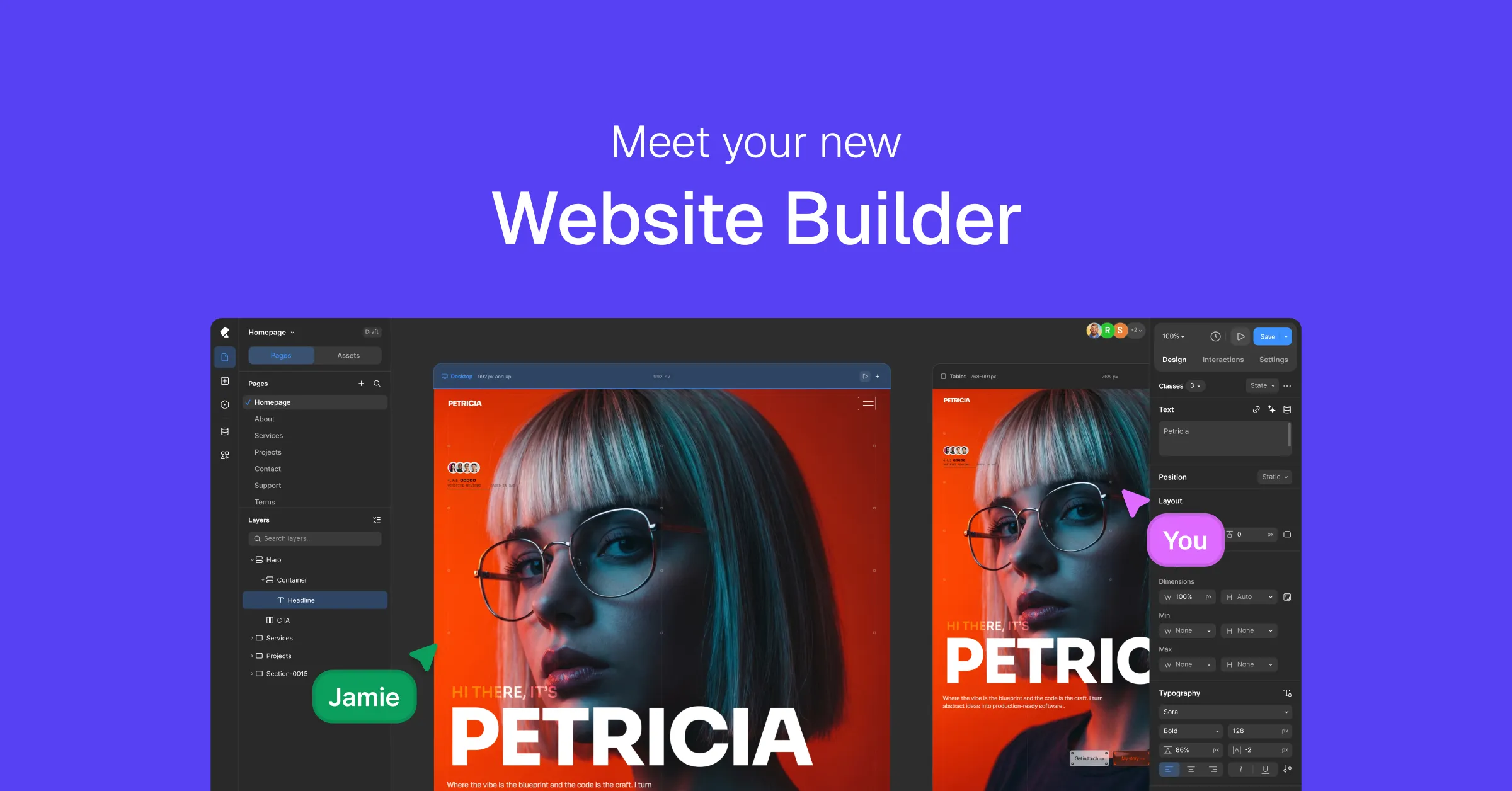
Today marks the next step in that journey forward, as Kirki evolves from a customizer framework into a full-fledged freeform website builder.
Why Kirki Is Evolving
Kirki started as a way to simplify a complex, time-consuming process: adding customizer controls to themes.
But that’s only one part of the website creation process.
Developers who also build websites still need separate tools to design layouts, customize media, add dynamic content, and more.
The result is a fragmented workflow. This fragmentation slows down execution and adds unnecessary complexity to the overall building experience.
So instead of limiting Kirki to just one layer of ‘building for the web’, we’re expanding it to support the full experience.
Not as a replacement for what it already does, but as a natural extension of it. The goal is simple: reduce friction and bring everything into a single, cohesive workflow.
You can still define flexible controls for your themes. But now, you can also design, build, and refine entire websites – visually, in one unified environment.
What’s New in Kirki
So what’s new in Kirki, you ask?
The short of it is the Kirki Builder.
The long of it is a one-stop visual website creation environment; an ecosystem designed to bring the entire web development stack into a single, unified space:
This means fewer tools, fewer workarounds, and a more streamlined way to build websites from start to finish.
The Infinite Canvas
At the center of it is an open, infinite canvas, a first for WordPress, removing the rigid boundaries of traditional boxed-in editing. You can zoom in for focused work and zoom out for a full bird’s-eye view of your entire design. Instead of working within predefined structures, you can design freely on a canvas that adapts to the way you build.
Side-By-Side Responsive Views
The infinite canvas also opens the floor to side-by-side responsive views, allowing you to design across breakpoints simultaneously without switching between them. This reduces repetitive switching and significantly speeds up responsive design workflows
Familiar & Intuitive Editor
The editor is also designed to feel modern and intuitive. Everything is placed where you expect it to be, so you spend less time searching for controls and more time building.
From there, you can drag and drop elements directly onto the canvas, visually design layouts, and collaborate in real time with others working on the same project.
And More
Beyond the core design experience, the Kirki Builder also includes deeper functionality like:
- A Dynamic Content Manager to create structured content and build scalable websites.
- Variables for efficient, global styling control.
- Visual Interaction Builder for creating complex animations.
- And more.
Known as an all-in-one solution, the Kirki builder brings everything you need to build dynamic, interactive websites.
Kirki Now Offers Both Free & Pro
With this update, Kirki is now available in both Free and Pro versions.
Don’t fret – your existing Kirki customizer experience remains exactly as it was, fully functional and free to use.
Nothing you already rely on is taken away, redefined, or restricted behind a paywall. But at the same time, Kirki now gives you the option to do more.
With the free version, you can continue using the Customizer as you always have, while also getting access to the core tools you need to build websites visually with no code.
But for those who need more advanced capabilities, Kirki Pro unlocks a deeper level of control and collaboration.
With Kirki Pro, you can:
- Build dynamic websites with a powerful, built-in Dynamic Content Manager
- Collaborate with your team in real-time, directly on the canvas
- Create engaging layouts with advanced interactive elements and text animations.
- Access even more customization features, including Dev Mode, Custom Attributes, Visibility Controls, etc
- And more
Update to the latest version of Kirki as usual from WP Admin. And to upgrade to Kirki Pro, visit Kirki’s pricing page and purchase a plan of your choice.
FAQ
1. What will happen to existing Kirki sites?
Your existing Kirki sites will continue to function as they currently do. No features are altered or removed; simply extended to include the new Kirki Builder.
2. Could I encounter any problems after updating Kirki?
Updates are designed to be as smooth as possible, but as with any major update, we recommend you try it out on a staging site initially and keep backups.
3. Who can I contact for help if something doesn’t work as expected?
If you run into any issues, you can contact our support team through [email protected]. We’re always here to help.
4. Where can I find more information on using the latest version of Kirki?
To help you get started with the latest version of Kirki, you can check out the official documentation, step-by-step video guides, and blogs.
Final Note
Kirki has always been about making things simpler.
Before, it was to simplify the process of adding customizer controls to themes.
Now, it extends to simplify the web creation experience as a whole.
Whether you’re creating themes, building websites, or both, Kirki now brings everything together in one cohesive ecosystem.
If you’re ready to explore what’s new, update to the latest version of Kirki and start building.

Please create one tutorial building a site from scratch to finish. I am even finding it hard to create a header
Thank you for your feedback! Video tutorials are already in the works, including guides for building a site from start to finish. In the meantime, you can check out our documentation.
hello. Before the Video Tutorial done, the team can make a few text guide to the basics just to understand the basic
Hi! Thanks for the suggestion. While we’re working on the video tutorials, you can go through the Kirki documentation to understand the basics: https://kirki.com/docs/system-requirements