You have an idea. Not a rough sketch, not a scaffold to build on, but a clear vision of exactly
what you want your WordPress website to be like.
The problem is getting there. The builder you pick will either bring that picture to life, or spend the next six months fighting you on it.
Two names usually come up: Elementor, the one everyone defaults to, and Kirki, the one built as a full-scale website builder, not just a page builder.
Both let you design visually – but only one of them actually builds what you had in mind.
Here’s how they compare.
1. Which One Feels More Modern?
Kirki’s infinite canvas reflects modern design tools, while Elementor’s single-page view is the same old approach WordPress builders have used for years.
Kirki: Gives You an Infinite Canvas
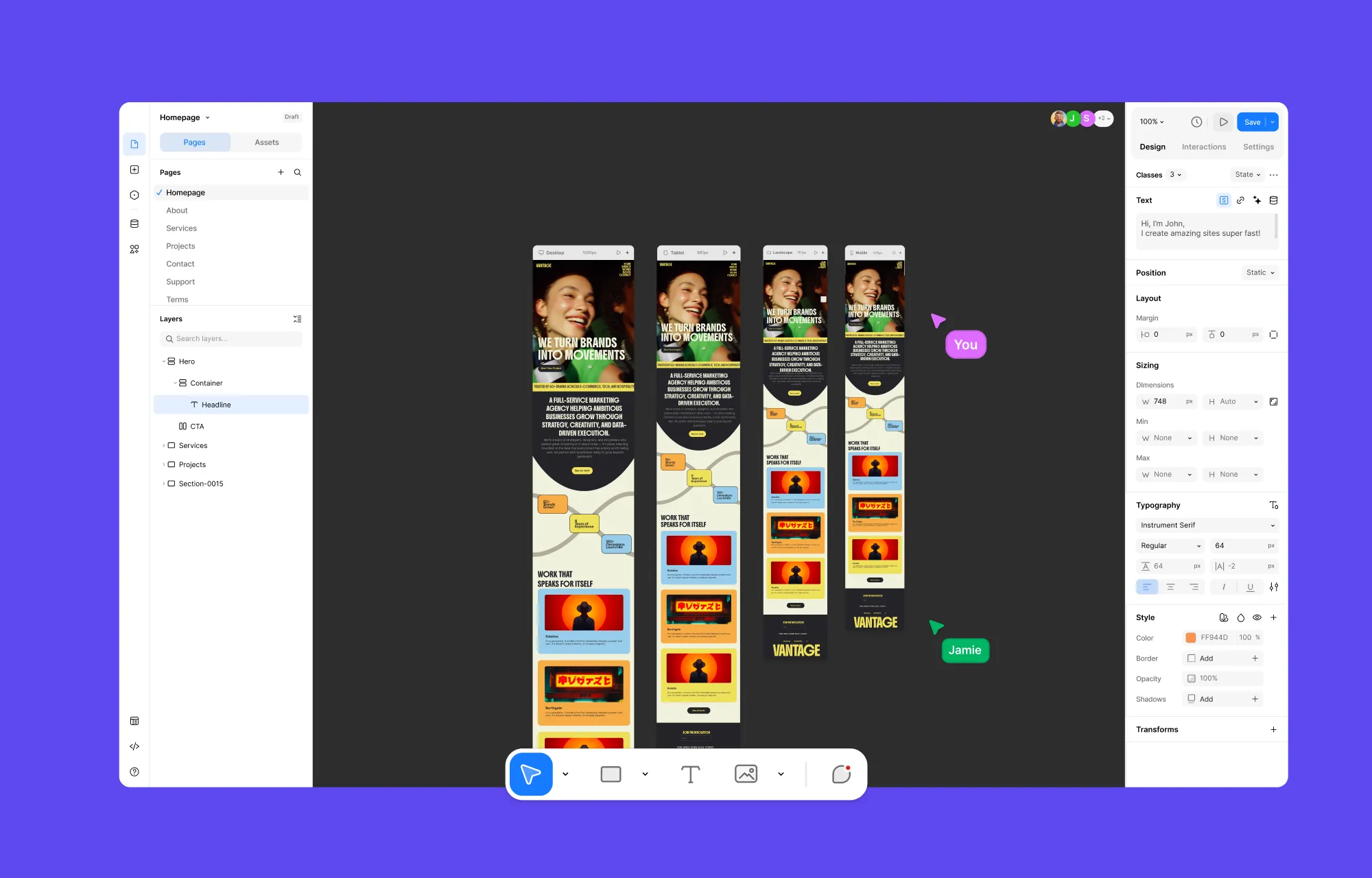
Kirki was built on a question: what if we weren’t bound to the traditional page box?
The answer: the first Infinite Canvas Builder for WordPress.
So in Kirki, the page box still exists – but your view is no longer tied to it. Zoom in, zoom out, pan as far as you want, and see every section flow together, all at once. That same freedom extends to placement, too, so you can drop elements anywhere on the canvas, not just locked into a fixed layout.
And with side-by-side breakpoint views, there’s no switching between viewports one by one either. Design, pan, spot an issue, fix it – all as you go, not as a chore tacked on at the end.
Elementor: Powerful, but Finite

Elementor is not a bad tool. Millions of sites run on it, and that’s not an accident – it’s mature and does what it says on the tin. The catch is everything the tin doesn’t mention: extra costs, a patchwork of add-ons, and a building experience with a ceiling.
That ceiling entails the page box being your entire world. You build section by section, and you can zoom in for focused design – but never zoom out. Unlike Kirki, there’s no bird’s-eye view of the whole page; you’re always in the thick of it, one section at a time.
Switching between devices is its own chore, too – no single view shows you everything, so you flip between breakpoints one by one, hoping nothing broke since you last checked.
2. Which Builder Offers Deeper Granular Control?
Kirki was atomic from the very beginning, giving you that control and freedom from day one, whereas Elementor added atomic design later, so new sections get that granular control while older ones stay locked to widgets unless manually rebuilt.
Kirki: Atomic From The Start
Kirki starts small. Every element was built to be customized at the atomic level from the ground up – hence the basics come easily, and so does the nitty-gritty.
From an element’s fill color down to its maximum width, blend mode, cursor, and state-specific behavior, nothing’s off-limits.
Want to change how something looks?
- Use prominent visual toggles for sizing, padding, and more, for a hands-on, see-it-as-you-tweak-it experience.
- Find every option you need in one place, on the Design tab, without hunting for properties.
- Work with context-aware setting panels that adjust to what you’ve selected – select text, and you get content, type, and style settings; select a video, and you get video and style settings, but no type settings, since there’s no type to set.
- From the Settings tab, extend functionality without workarounds – add custom attributes, connect third-party scripts, and more.
And when you want to add motion? It’s all tucked into the Interaction tab.
Elementor: Bare-Bones Widgets or Bolted-on Fixes
Elementor’s basic widgets are pretty bare-bones when it comes to its underlying code structure, disorganized with its customizations all dumped into one bucket, and responsive controls that only cover specific properties, not all. Each widget also has its own styling and structure, so even a small tweak means hunting through menus to find one setting.
Elementor’s fix – Atomic Widgets – adds more flexibility, unified panels, and cleaner output. But where Kirki was atomic from the start, Elementor bolted it on like an afterthought: new sections can use atomic elements, while existing ones stay widget-based forever unless manually rebuilt.
So two building blocks now do the same job. A heading widget and an atomic heading sit side by side, one just more modern than the other. Fair enough for compatibility, but the rebuild work lands entirely on you, and if what you need doesn’t have an atomic version yet, you’re back to widgets and their limitations.
3. Which Requires Fewer Addons?
Kirki comes as a genuine all-in-one, needing no add-ons for major website capabilities, while Elementor leans on a stack of third-party add-ons for anything beyond its limited page-builder core.
Kirki: All-In-One, No Tower (Or Extra Costs) to Topple
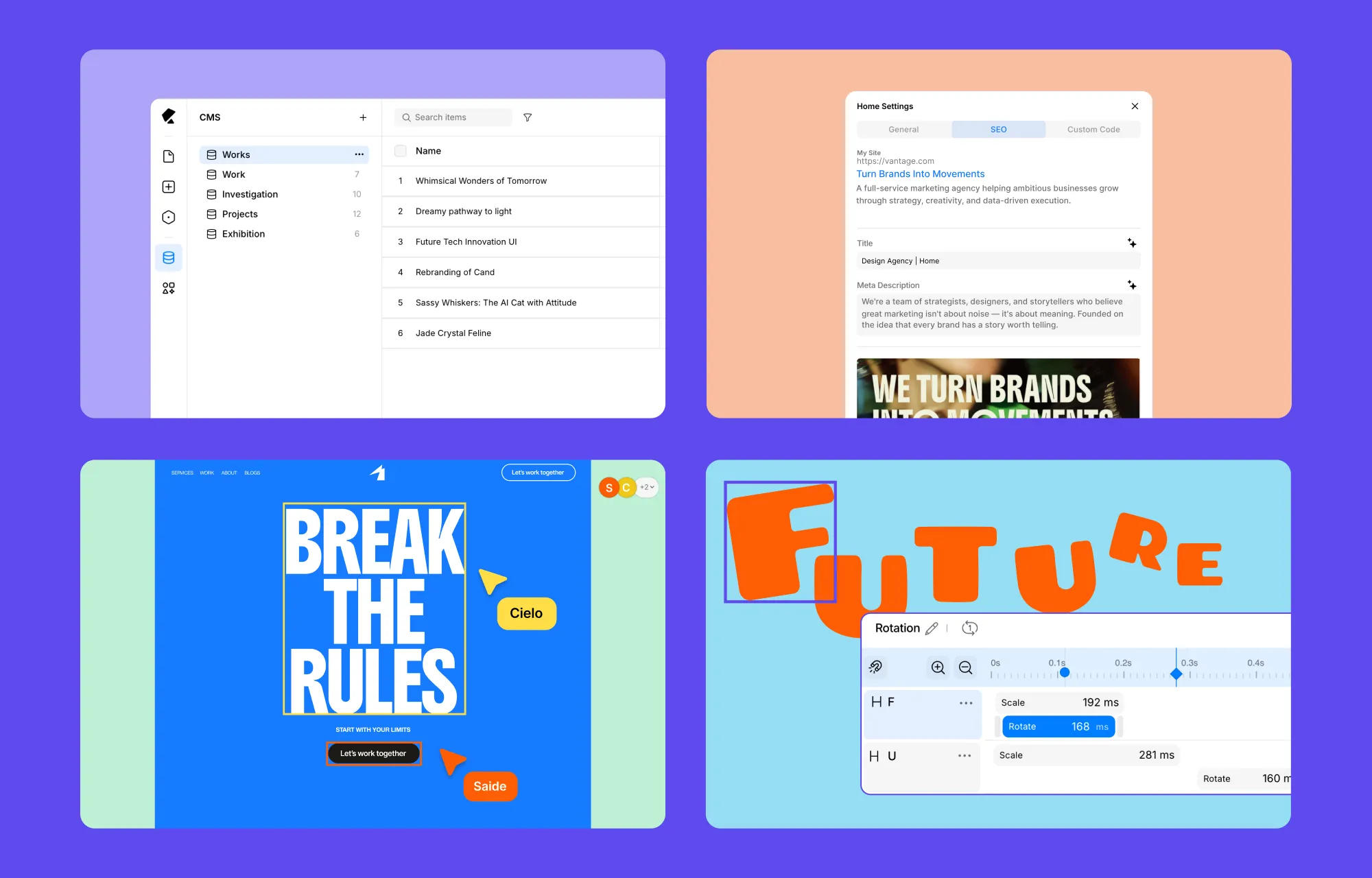
Kirki was built not just as a page builder, but as a website builder – one that results in a fully functional, scalable website all on its own.
Here’s what’s in store for you in Kirki:
- Infinite Canvas
- Dynamic Content Manager
- Interaction Library
- Interaction Timeline Editor
- Real-time Collaboration
- SEO
- And more
That matters because you can set up dynamic content right after designing your page layouts, and collaborate with your team on the same canvas at the same time, without switching tools to do either.
No add-on stacking, no plugin conflicts, and no disjointed support – resulting in websites that perform faster, more reliably, and without the juggle of maintaining separate tools.
Elementor: Never-Ending Addon Jenga
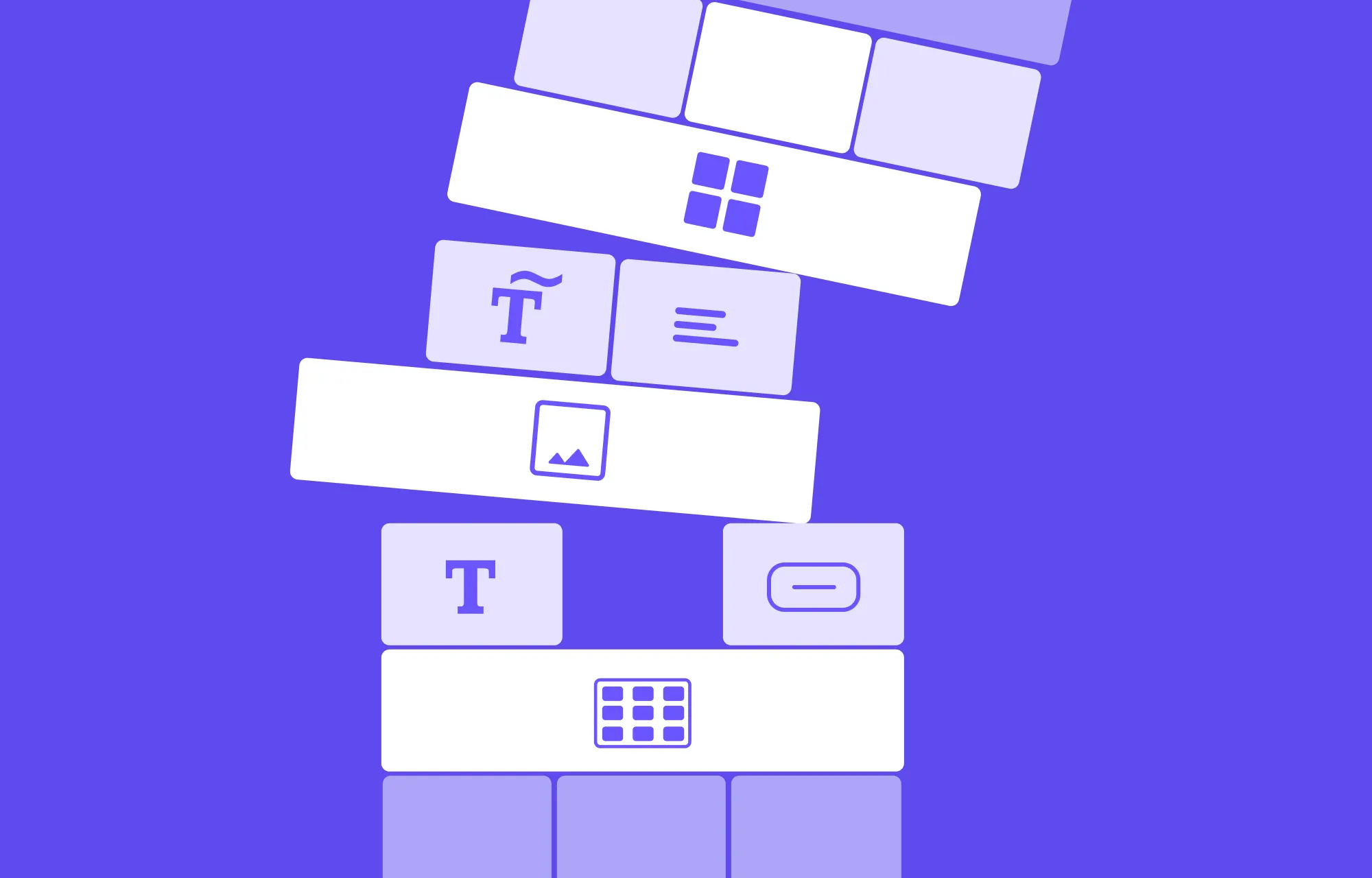
Unlike Kirki, Elementor’s core was never meant to do everything, so you fill the gaps yourself – an add-on for complex animation, another for SEO, another for collaboration and co-editing.
Then Tuesday happens. You update one plugin, and your popup stops triggering. Stacking by nature is precarious; everything’s leaning on everything else, and you don’t know it until it topples.
So you go looking for help. But whose problem is this, really? The popup plugin blames the theme. The theme support says it’s a known conflict with “certain builders.” The forum thread that almost has your answer is two years old and ends with “never fixed, switched tools.”
That’s the real cost of the add-on Jenga – not just the money or the risk of the tower falling, but that when it does, not one block takes responsibility for it.
4. Which Handles Dynamic Content Better?
Kirki ships with a full CMS built in, handling dynamic content natively, whereas Elementor has no native way to manage it, pointing you to external plugins instead.
Kirki: Built-In CMS, No Hunting Required
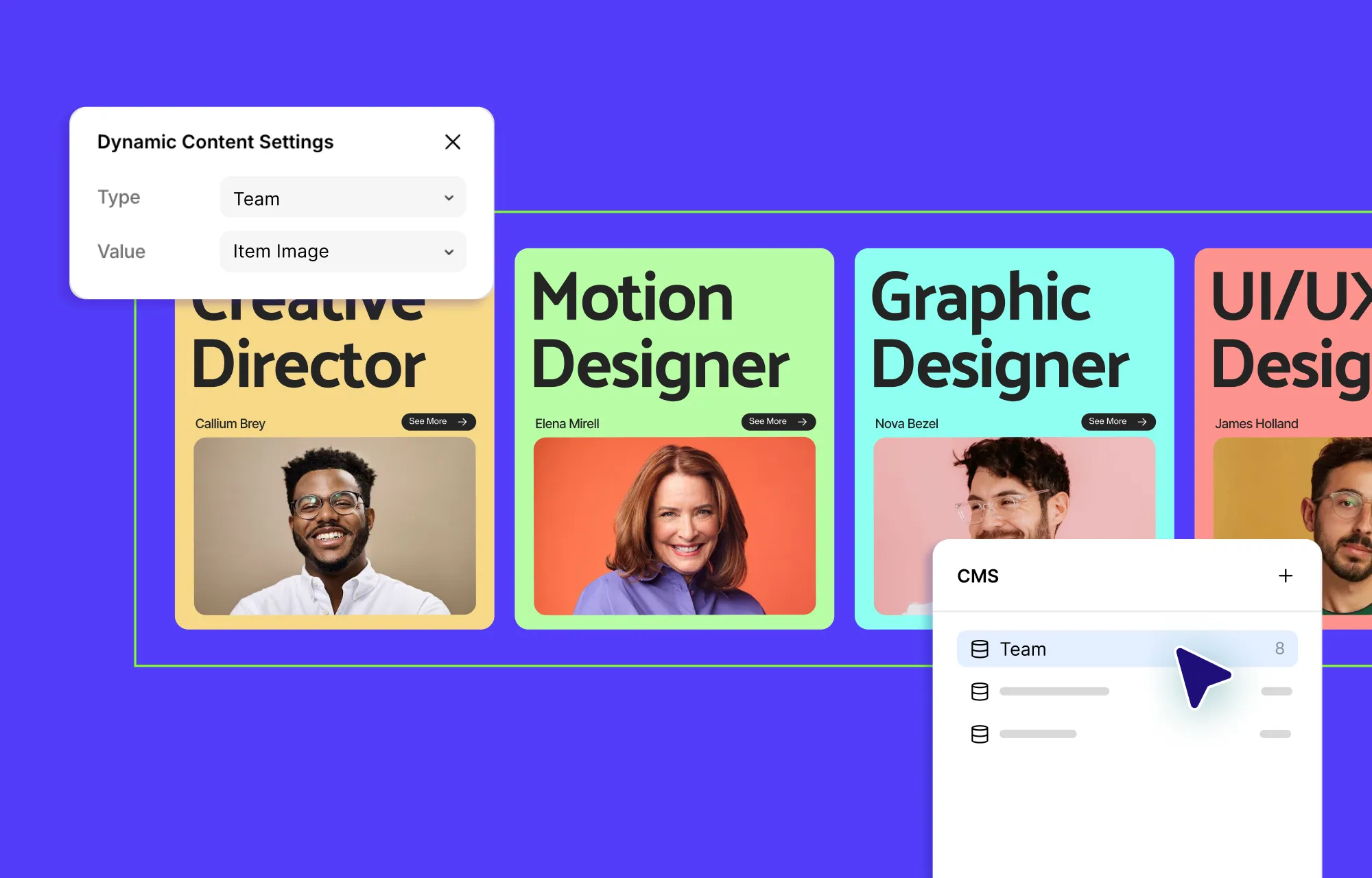
Kirki comes with a Dynamic Content Manager built right in.
Use it to define custom content types for whatever your site needs – blog posts, portfolio pieces, team members, product listings, anything with repeating structure. Add your data once, and display it dynamically across your site through lists and detail pages.
When you need to make a change, do it once, and it updates everywhere automatically.
Go a step further and define relationships between your dynamic collections – link a blog post to its author, or a project to the client it was built for. This cuts down on data duplication, keeps your content accurate, and keeps everything organized as your site grows.
And on the front end, visitors can not only see the content – they can search and filter through it too.
Elementor: Content Management? Bring Your Own
Elementor builds pages, not websites – it doesn’t have the tools needed to build a full-scale website on its own.
Want to add blogs, project listings, or anything else that needs structured, dynamic content? You can pull from WordPress’s default Posts and Pages – but that’s it. Anything beyond that, you’re pointed toward external plugins to fill the gap.
So content management becomes a project of its own – another tool to learn, another plugin to keep updated, another thing that might conflict with Elementor and break your site the moment either one updates.
None of these issues exist with Kirki, which features a native CMS right out of the box.
5. Which Builder Brings the Interactions Home?
Kirki offers a full interaction toolset built for both quick effects and complex sequences, while Elementor is limited to a dropdown of preset animations with just a few sliders and fields to adjust them.
Kirki: Motion Has No Limit – Simple or Complex, Your Call
Kirki gives you two ways to add motion, and neither requires you to look for extra add-ons or use code.
For quick, modern touches, there’s the Interaction Library – Children Reveal, Ticker, Item Stacking, Scroll Parallax, and more. Use any as-is with a single click, or adjust them down to the nitty-gritty.
For anything more complex, there’s the visual Interaction Timeline Editor, where you sequence multi-step interactions visually. Your trigger doesn’t have to be the same as your target – one trigger can drive multiple targets, each carrying more than one action. You can also base an animation on scroll progress instead of time, so motion tracks how far a visitor has scrolled rather than how many seconds have passed.
And with the Custom Timing Editor, you can shape the progression of an animation itself, not just its start and end points.
Simple or complex, the entire toolset lives right inside the builder – making the possibilities limitless when it comes to Interaction in Kirki.
Elementor: Motion Stops at the Basics
Where Kirki gives you a full toolset, Elementor gives you a dropdown.
Take its Entrance Animations, for instance. You pick “Fade In,” “Zoom In,” or similar from a dropdown, then set a duration (another fixed dropdown, not a free value) and a delay – and that’s the extent of your control.
The other animation types aren’t much different. There’s no visual editor to shape the motion, no real choice over triggers, no way to stack effects together. The moment you want more than a name off a list, you’ve hit the ceiling.
6. Which Lets You Collaborate Easily as a Team?
Kirki supports real-time collaboration for as many teammates as a project needs, whereas Elementor supports only one editor at a time, leaving teams to pass the project back and forth.
Kirki: Room for Everyone, All at Once
Kirki offers room for everyone with built-in Collaboration and Multi-user Co-editing in real time.
Teammates, clients, or collaborators can all be on the same page, watching changes happen live instead of waiting for someone to step out first. You can sync cursor activity too, so you always see exactly where everyone else is working on the canvas.
Comments can also sit directly on the section they’re about, and you can tag whoever it’s for so they see it’s meant for them. They can respond and make the change right there, without waiting on anyone to exit first.
And if something does go wrong, versioning has you covered – roll back to an earlier state without losing anyone else’s work.
No more sending over the latest version. No more waiting your turn. Everyone’s already in the room, working together.
Elementor: No Room for a Second Editor
Elementor, on the other hand, was built with one editor in mind, and it shows.
Elementor Notes lets you pin comments to specific elements, while Revision History tracks every version of a page so you can roll back a change that broke something.
Useful, yes, but neither one is real-time collaboration. Elementor doesn’t support multi-user co-editing, so the feedback sits there untouched until one person exits the page and another steps in to act on it, on their own time instead of in that moment.
So, you’re stuck passing the file back and forth, or bringing in a third-party tool just to get two people looking at the same page at once.
That’s not real-time collaboration. That’s just coordination, and it’s on you to manage it.
7. Which One Builds Faster Websites?
Kirki stays fast by default with clean code and an add-on free website, while Elementor’s bloated code and stacked plugins weigh pages down and slow them further.
Kirki: Fast by Default, Not by Maintenance
Add a heading, button, and icon in Kirki, and nothing extra comes along for the ride – no unnecessary div-nesting, CSS, JavaScript, or other code.
With Kirki, you get:
- Clean code, with nothing extra tagging along
- Auto-compressed CSS and JS
- No third-party JavaScript libraries, ever
- Image Compression, converting uploaded images to WebP so they’re lightweight without losing quality
- Lazy Loading, so off-screen media loads only when needed and pages load faster as a result
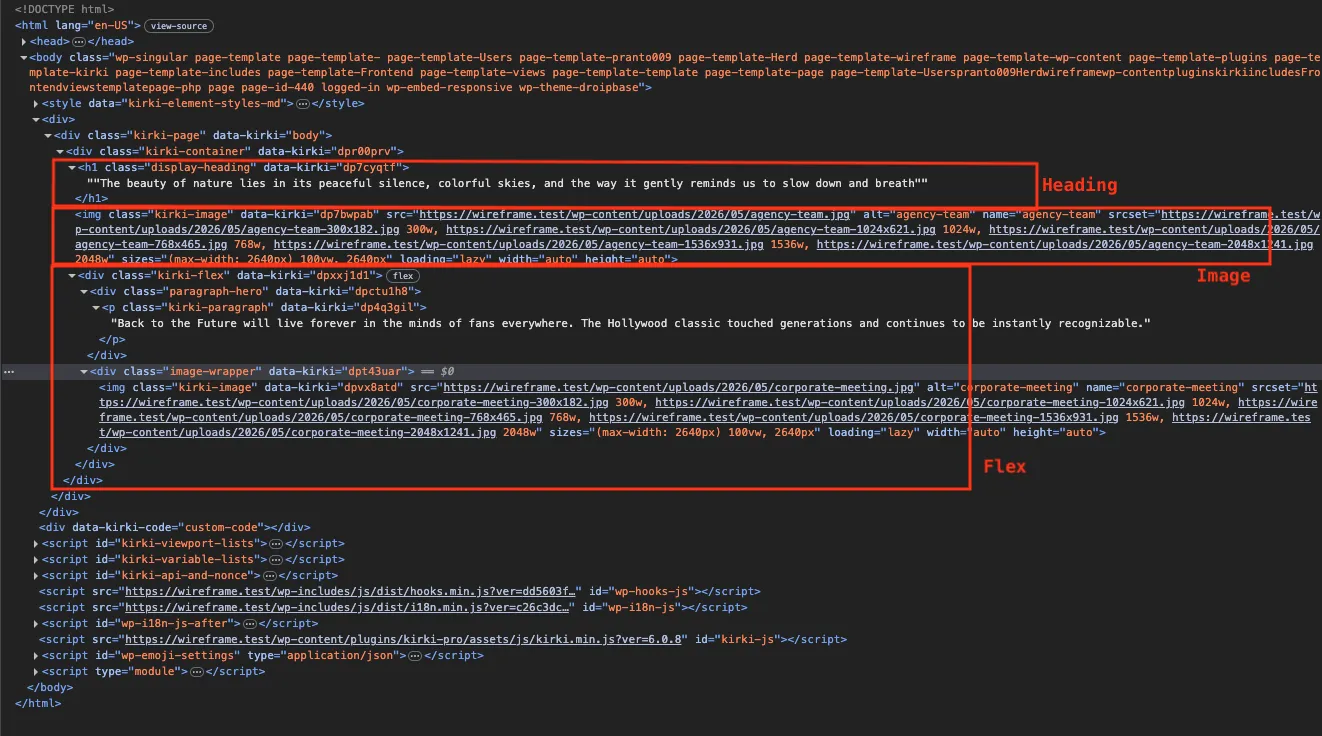
And since Kirki is an all-in-one solution, there’s no plugin stack to worry about either.
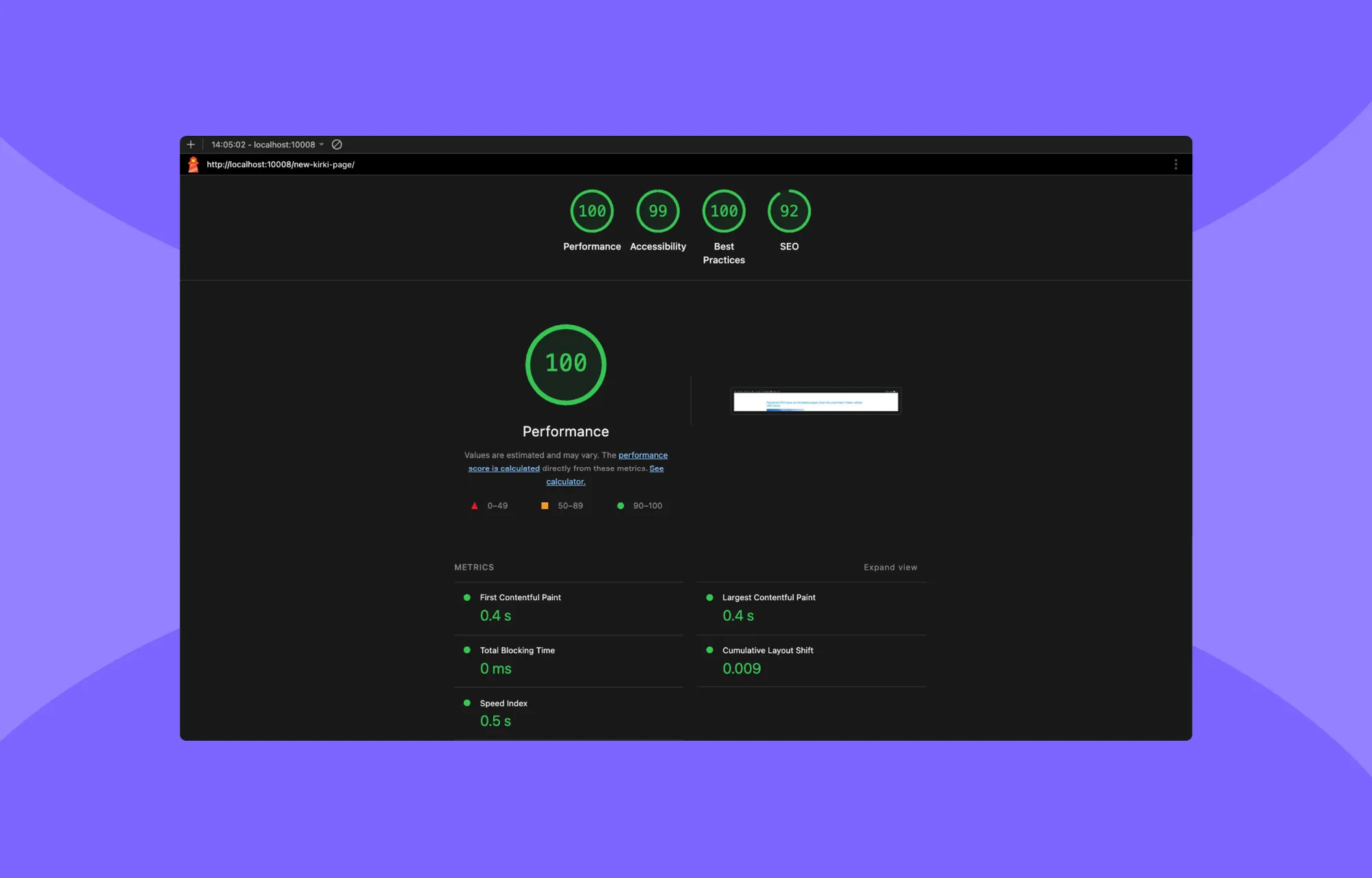
This makes for a website that’s fast by default, not fast because you patched your way there.
Elementor: Every Widget With Its Own Baggage
Add that same heading, button, and icon to Elementor, and each one drags along its own:
- Nested maze of divs
- Extra CSS
- JavaScript
- And code you don’t really need.
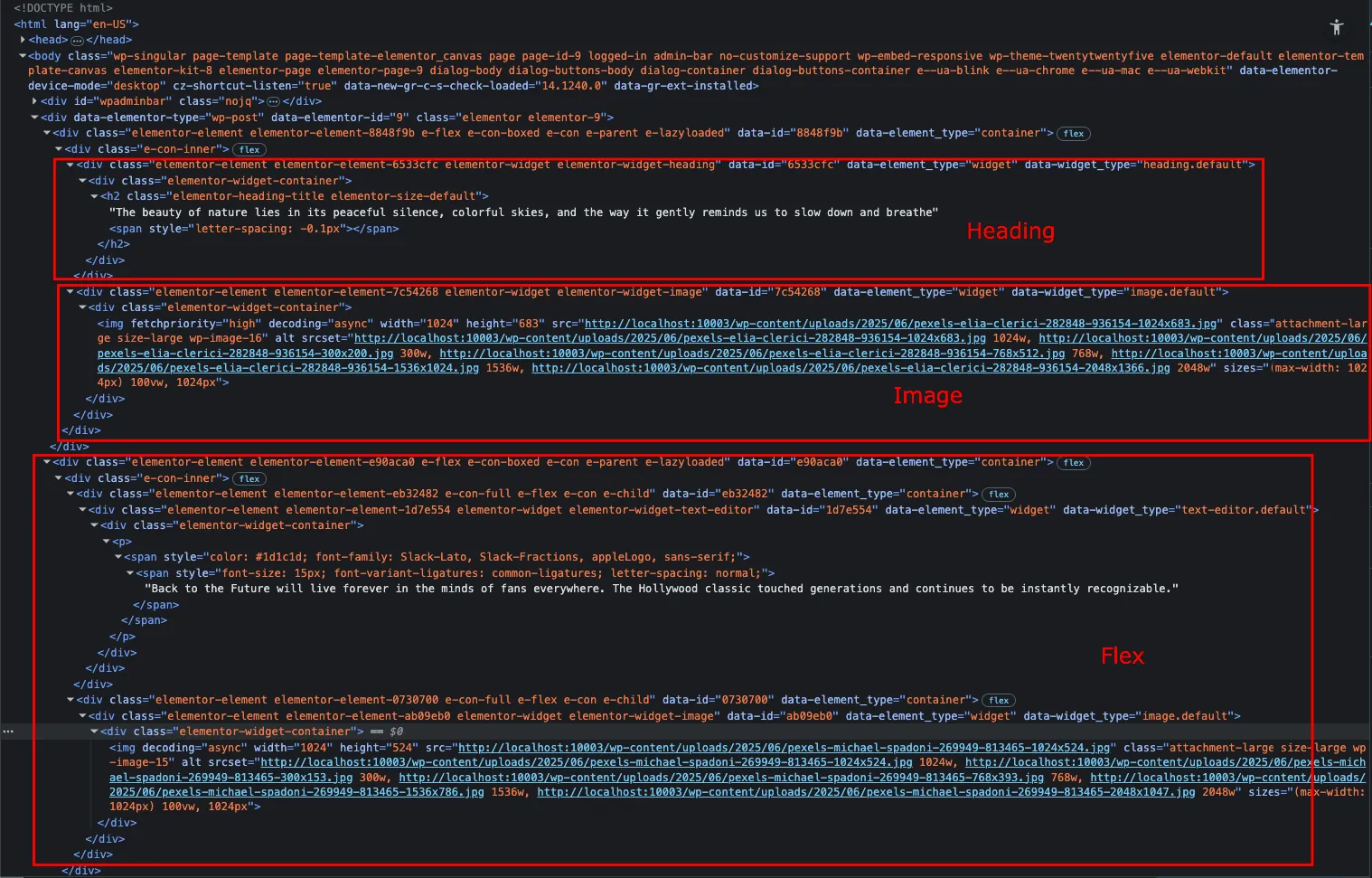
The more you build, the more the browser has to fetch, parse, and render.
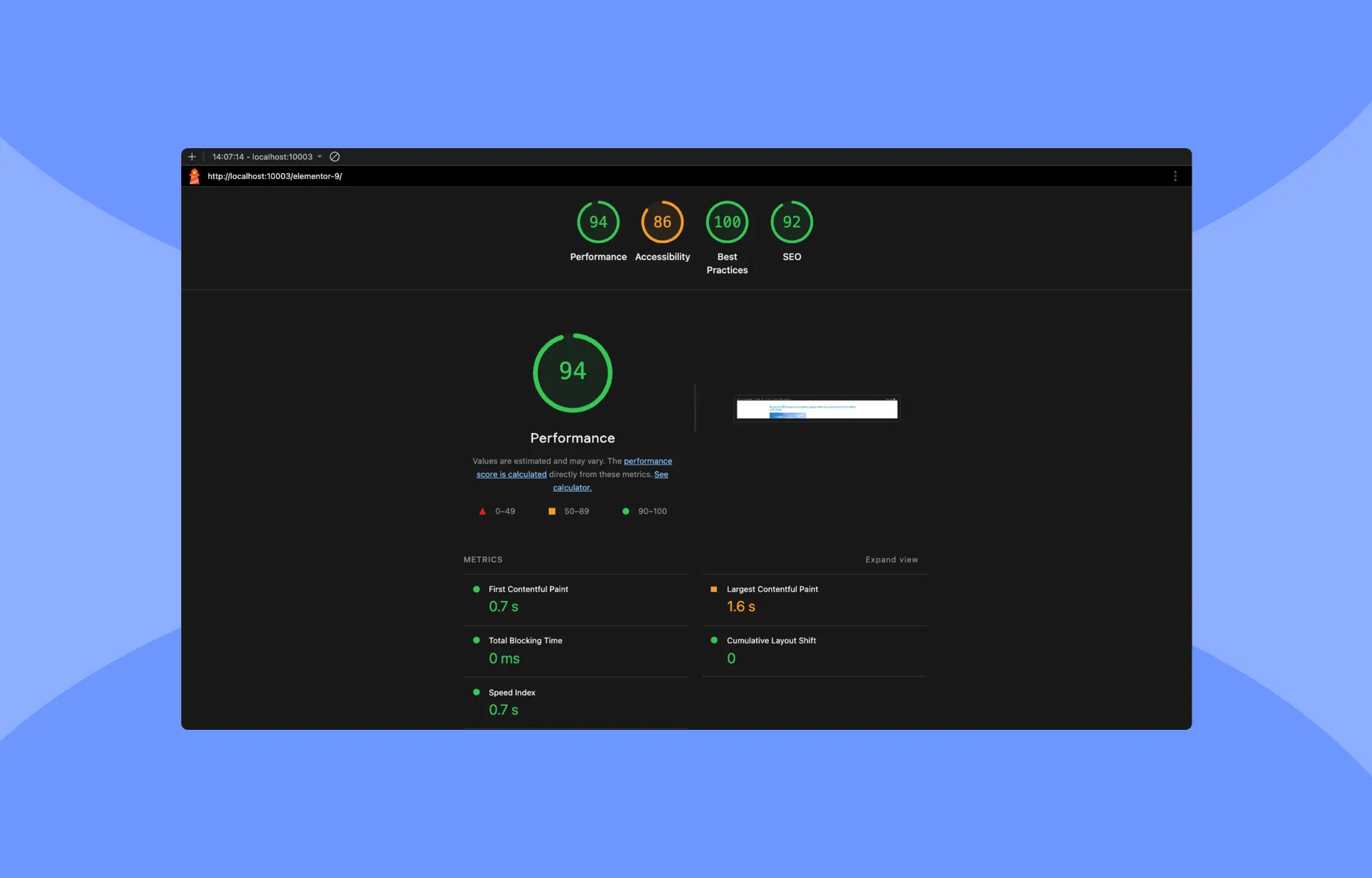
The result? A website that’s slow out of the box and even slower once you factor in the plugin stack that you need to rely on with Elementor, just to build a fully functional website.
8. Which One Is More Cost-Effective?
Kirki unlocks everything in a single Pro plan – so you get more for less, while Elementor spreads its features across multiple tiers and pricing tracks, charging more at every step up, and still leaning on add-ons and third-party plugins to fill the rest.
Kirki: Everything Unlocked, All at Once
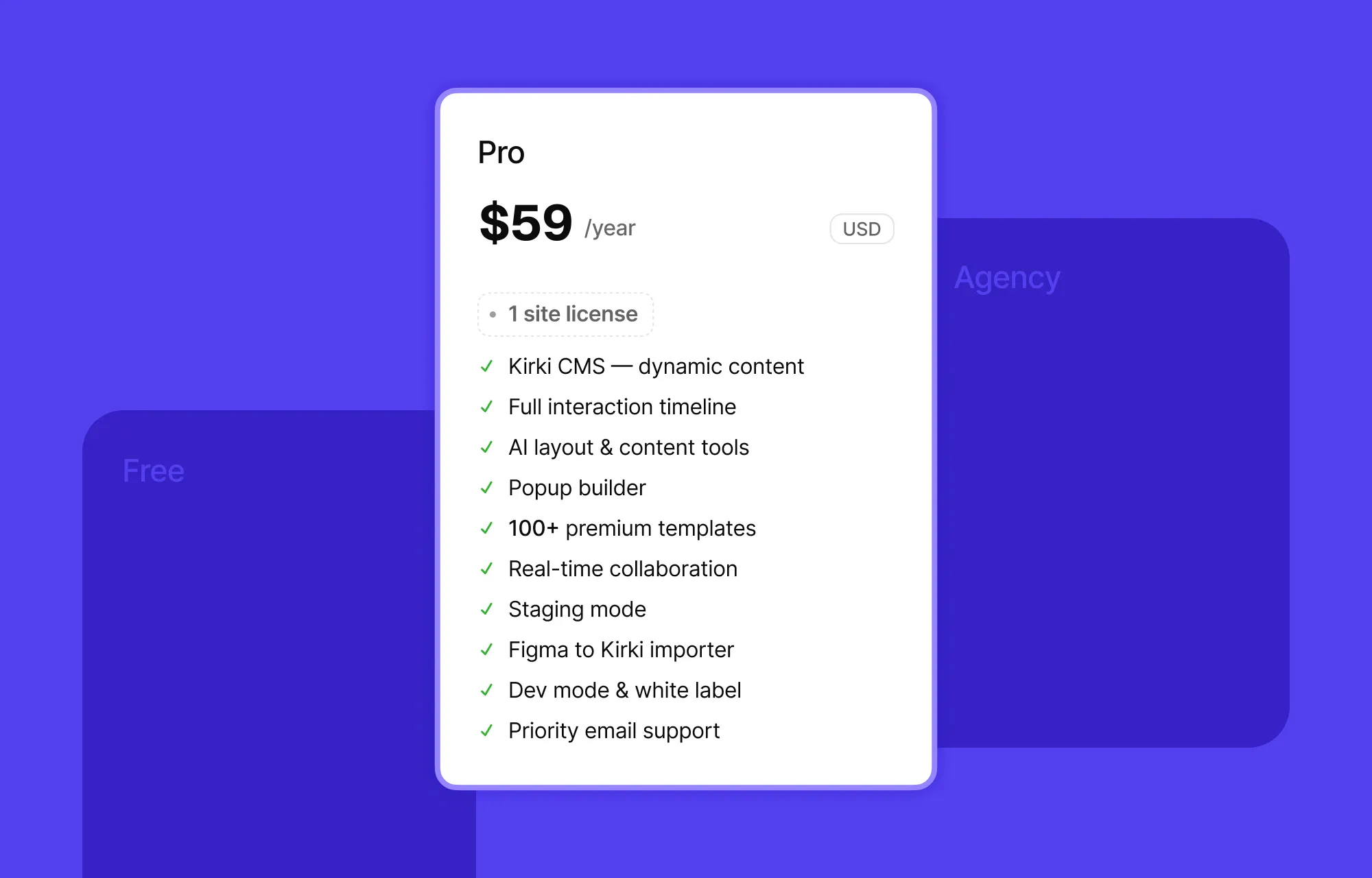
In Kirki, all Pro plans unlock every feature the builder has to offer – what changes isn’t the features, but the number of sites and the time you’re given.
The free plan already gives you what you need to build a functional website – infinite canvas, core elements, unlimited breakpoints, form builder, SEO, and more.
Go Pro and unlock everything at once:
- Dynamic Content Manager
- Visual Interaction Timeline Editor
- Popup Builder
- Real-time Collaboration
- Dev mode
- And more
From there, it’s not about unlocking more capability, just more scale – the next plan up carries the same features across unlimited sites, and a one-time plan carries them across unlimited sites and unlimited time, with no renewals, ever.
Elementor: Pay More, Get…More Limits?
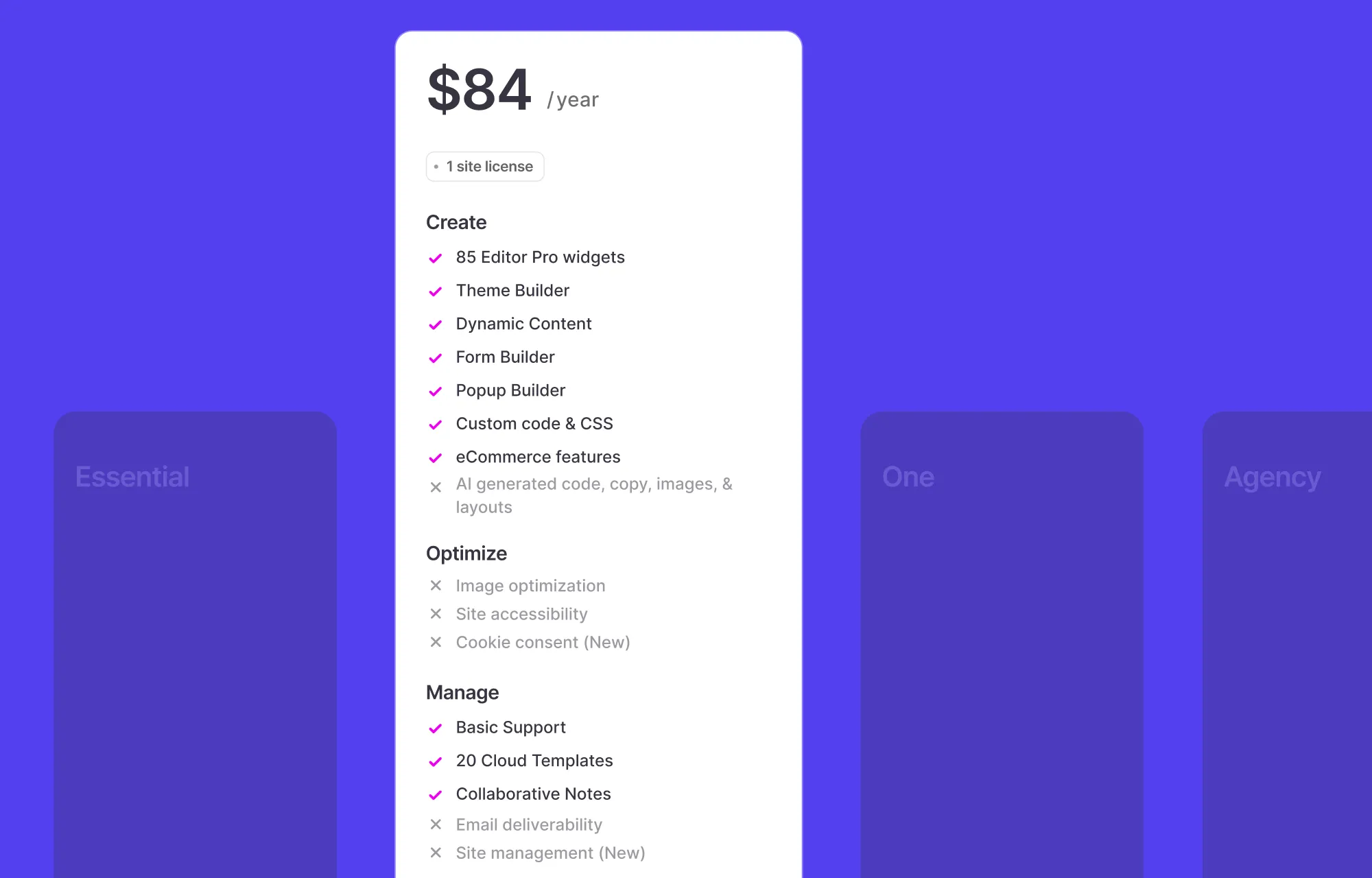
Choosing a plan is its own hurdle in Elementor, because there isn’t one pricing ladder – there are two.
The classic track runs Essential through Expert and levels up based on features and site count. The other track, Elementor One bundle, only offers plans for one site or agencies – but nothing in between.
Whichever track you pick, the price you’re quoted on day one isn’t the price you keep – renewal rates go up once the launch offer expires. And major features sit behind a paywall on the lower tiers, so Elementor’s already decided what you’re capable of building before you’ve even started.
When you go over the fine print, the difference is obvious: Elementor’s is full of asterisks while Kirki’s is just the price, as it is.
Which Should You Choose?
To boil it down, Elementor isn’t bad. But it’s an old answer to a question web design answered long ago. Boxed canvas, paywalls, limited possibilities – finite at every turn, endless only in its add-ons and extra costs.
Kirki was built on one idea: what if the builder bent to your vision, not the other way round? Infinite canvas, atomic-level control, side-by-side breakpoints, all-in-one, zero hidden paywalls.
So, which builds the website you envisioned?
If you don’t mind designing to your builder’s tune and paying a premium for the privilege, go with Elementor.
But if you want to build what you had in your head, Kirki was made for exactly that – not a mold to settle into, not a workaround to negotiate. Just the canvas and your idea, with nothing standing between them.

