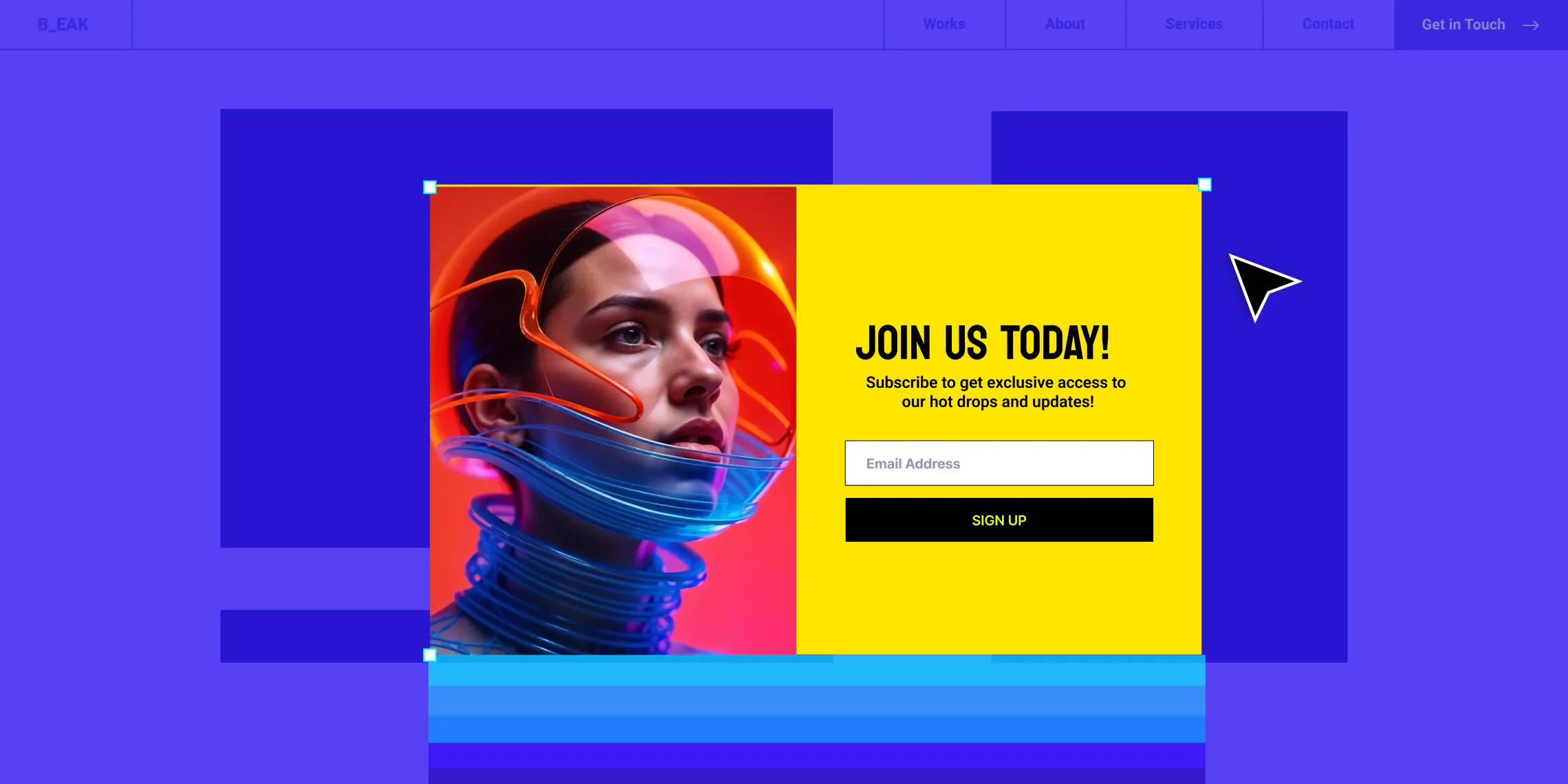
As a marketing strategy, website pop-ups have faced their fair share of users’ ire, though not without reason as there’s a complex nuance to implementing them effectively. So you may wonder, why use website pop-ups at all?
The answer lies in the effect when done right. When executed strategically, website pop-ups can be the secret sauce to grabbing user interest! And with the help of the right tools, crafting them can be a piece of cake.
How Pop-Ups Spruce Up Your Site
When correctly implemented, pop-ups can enhance your website in many ways. Let’s take a look at what these are.
Boosts Conversion Rates Eye-catching and well-planned pop-ups can improve engagement and boost conversion rates, whether it’s visitors signing up for a newsletter, downloading a resource, or making a purchase.
Helps Grow Your Mailing List Pop-ups are an effective tool for growing your mailing list. By offering visitors incentives such as discounts or exclusive content, you can encourage them to submit their email addresses for future campaigns.
Reduces Bounce Rates Exit-intent pop-ups, which appear when visitors intend to leave the site, can persuade them to stay longer or take some action, helping reduce your website’s bounce rate.
Improves User Experience Strategically designed pop-ups can guide visitors through the website, enhancing their overall user experience. By providing relevant info and prompts wherever needed, pop-ups can make navigation smoother and more intuitive.
Helps Promote Special Offers Pop-ups are also an excellent way to highlight special promotions, limited products, and events to pique visitor interest.
On top of all this, pop-ups are very cost-effective compared to other marketing tools, making them a viable solution for businesses of all sizes.
Crafting Effective Website Pop-Ups With No Code Using Kirki
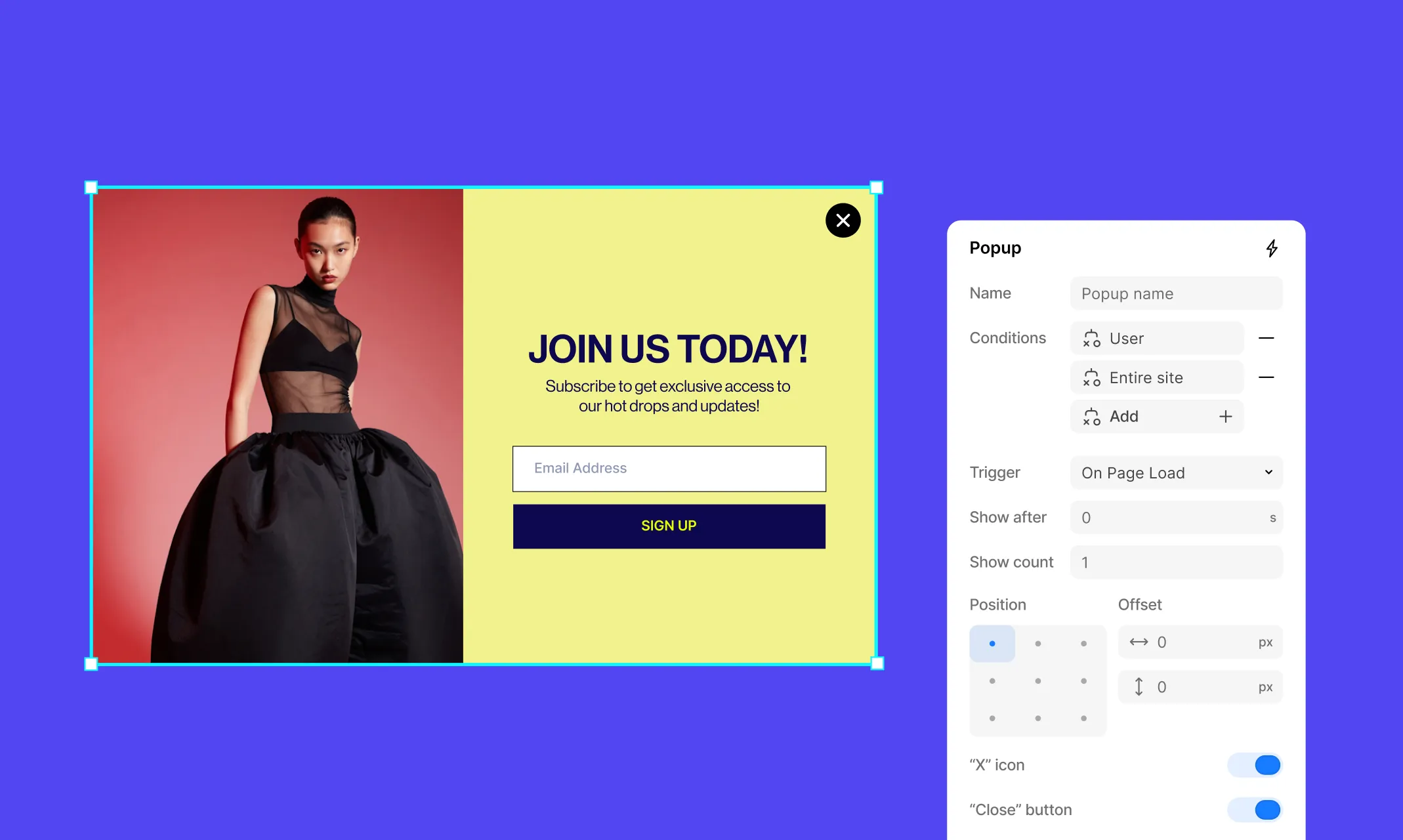
The idea of creating pop-ups can feel daunting and complex — unless you have a powerful no-code website builder like Kirki to save the day!
With Kirki’s incredible built-in Pop-up Builder, you can visually design pop-ups to fit your every need using any element, and tailor every setting down to the finest detail.
So without further ado, let’s dive into crafting effective website pop-ups with no code using Kirki!
Requirements:
- WordPress Website
- Kirki
Step 1: Create a New Pop-up
In the Kirki editor, open the Pages panel from the left sidebar. Click the “+” icon and select Popup from the dropdown menu.
Give your pop-up a name and click on it to open it on the canvas and get started.
Step 2: Design Your Pop-up
Design your pop-up just like any other page in Kirki. Add elements from the Insert panel, arrange them on the canvas, and customize their appearance using the Design tab on the right panel.
Tip: If you’re unsure where to start or short on time, browse the pre-built sections in the Insert panel to find a modal or pop-up layout that gives you a head start!
Step 3: Configure Pop-up Settings
Next, configure your pop-up settings. Click the lightning bolt icon next to your pop-up in the Pages panel to open the Popup settings panel. Here you’ll find all the controls you need:
Name: Give your pop-up a clear, recognizable name.
Conditions: Control where on your site your pop-up will appear. Click Add to open the Condition modal where you can set:
- Target: Choose where the condition applies (e.g. Entire site, specific pages, posts, etc.)
- Filter: Refine the target further
- Display: Choose whether to Show or Hide the pop-up under this condition
Click Apply to save. You can stack multiple conditions together for precise control.
Triggers: Set how your pop-up will be triggered to appear. Choose from the available trigger options in the dropdown.
Show after: Set a time delay in seconds before the pop-up appears.
Show count: Control how many times the pop-up will be displayed to a visitor.
Offsets: Use the position grid and X/Y offset values to precisely place your pop-up on the screen.
Closing Options:
- “X” icon: Toggle to show or hide a close icon on the pop-up
- Close buttons: Toggle to enable or disable close button functionality
- Close by clicking outside: Toggle to allow visitors to dismiss the pop-up by clicking outside it.
Step 4: Trigger Pop-ups From Forms or Links
From form submission: Go to your Form element’s settings in the Design tab, set the After action to Show popup, and specify which pop-up to display on successful or failed form submission.
From a link click: Select any element on the canvas, click the link icon in the Design tab, set the link type to Pop-up, and select which pop-up to trigger from the dropdown.
Dos and Don’ts of Pop-ups
Executing pop-ups is incredibly straightforward with Kirki, but there’s still a nuance to it that you need to get hold of to harness its full potential.
Dos:
- Create meaningful pop-ups that serve a clear purpose
- Strategically place and time your pop-ups based on website analysis
- Design minimal but attention-grabbing pop-ups
- Ensure pop-ups are mobile-responsive
- Maintain design cohesiveness with the rest of your website
Don’ts:
- Trigger pop-ups immediately after the page loads
- Use pop-ups excessively throughout the entire session
- Make pop-ups difficult to close
- Design full-page pop-ups that block all content
- Use aggressive language or pushy tactics
By following these points when crafting pop-ups, you can easily avoid them causing user dissatisfaction and high bounce rates, and instead reap the rewards of an effective marketing tool.
Harness the Power of Pop-ups Today
Pop-ups are the secret sauce to grabbing user interest when strategically executed. And now you don’t even need to write a single line of code to implement them!
So why wait? Harness the power of website pop-ups with Kirki — the no-code WordPress website builder that makes it more accessible than ever!

