


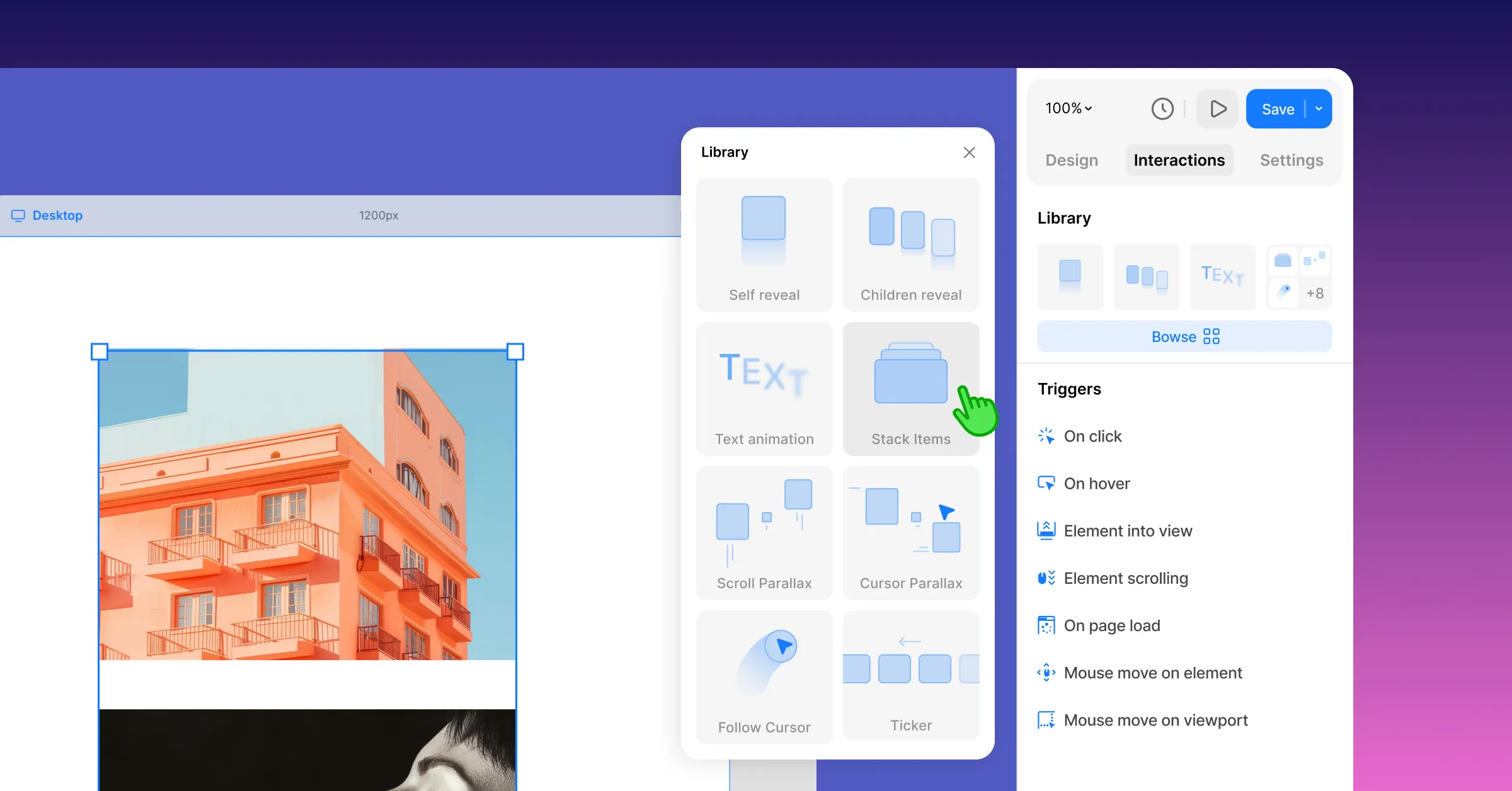
Introducing the all-new Interaction Library – the fastest, easiest way to bring your website to life with motion. Choose from a growing library of ready-to-use interactions and apply them instantly to text, images, buttons, cards, or entire sections. Beautiful, production-ready motion in just a few clicks.
We’ve also added ready-made designs for Dynamic Pages and refined the Dynamic Content workflow to help you build even faster.
We think you’ll love this update! Let’s take a look at what’s new.
All-New Interaction Library
This is the biggest upgrade yet to how you design motion in Kirki. Every premade interaction is built to look and feel professional right away – so you can create a modern, interactive website without any of the complex work.
This will be your new go-to for motion – and fair warning, it’s so easy (and so much fun) that we wager you’ll start finding excuses to use it!
Launching with 8 New Premade Interactions
The Interaction Library launches with 8 animation types, each with ready-to-use presets – and plenty more on the way.
Self Reveal
Reveal any element on the page with fade-in, fade-out, and more with just one click. Great for hero sections, headings, or any element that should announce itself as it appears.
Children Reveal
Instead of revealing an element as a whole, reveal its children in one click – all at once, or one after another in sequence. You can also choose exactly which children take part in the reveal.
Text Animation
Text Animation has also been moved into the new library – and comes with a serious upgrade. Now you can not only animate your text instantly and customize it to your needs, but also adjust offset, skew, and rotation, enable text masking, and more.
Parallax Scroll
Elements move at a different speed than the rest of the page as the user scrolls, creating a sense of depth. A classic effect for adding motion and dimension to featured sections or pages.
Item Stacking
An element’s children can animate into a stack, layering on top of one another – or animate out of a stack, unfolding into their own space. A great way to add drama to feature showcases, galleries, or any section that deserves a second look.
Ticker
Content scrolls continuously across the screen – like a marquee animation – great for logos, testimonials, announcements, or anything that benefits from constant motion.
Cursor Parallax
Elements shift subtly based on cursor position, creating a light, responsive depth effect as the user moves their mouse. Adds interactivity without requiring a click or scroll.
Follow Cursor
Let elements track your mouse, creating a playful, responsive feel as users move around the page – or hide the cursor entirely and make it fully custom instead.
Kirki’s Interaction capabilities don’t stop there. The Interaction Timeline still has your back if you need something more advanced.
Dynamic Content, With Less Friction and More Flow
Dynamic Content in Kirki is powerful – but let’s be honest, it can also be a lot. Our goal? Make it feel effortless, no matter your skill level.
So we went back to the drawing board. Here’s what changed.
Skip the Blank Canvas For Dynamic Pages
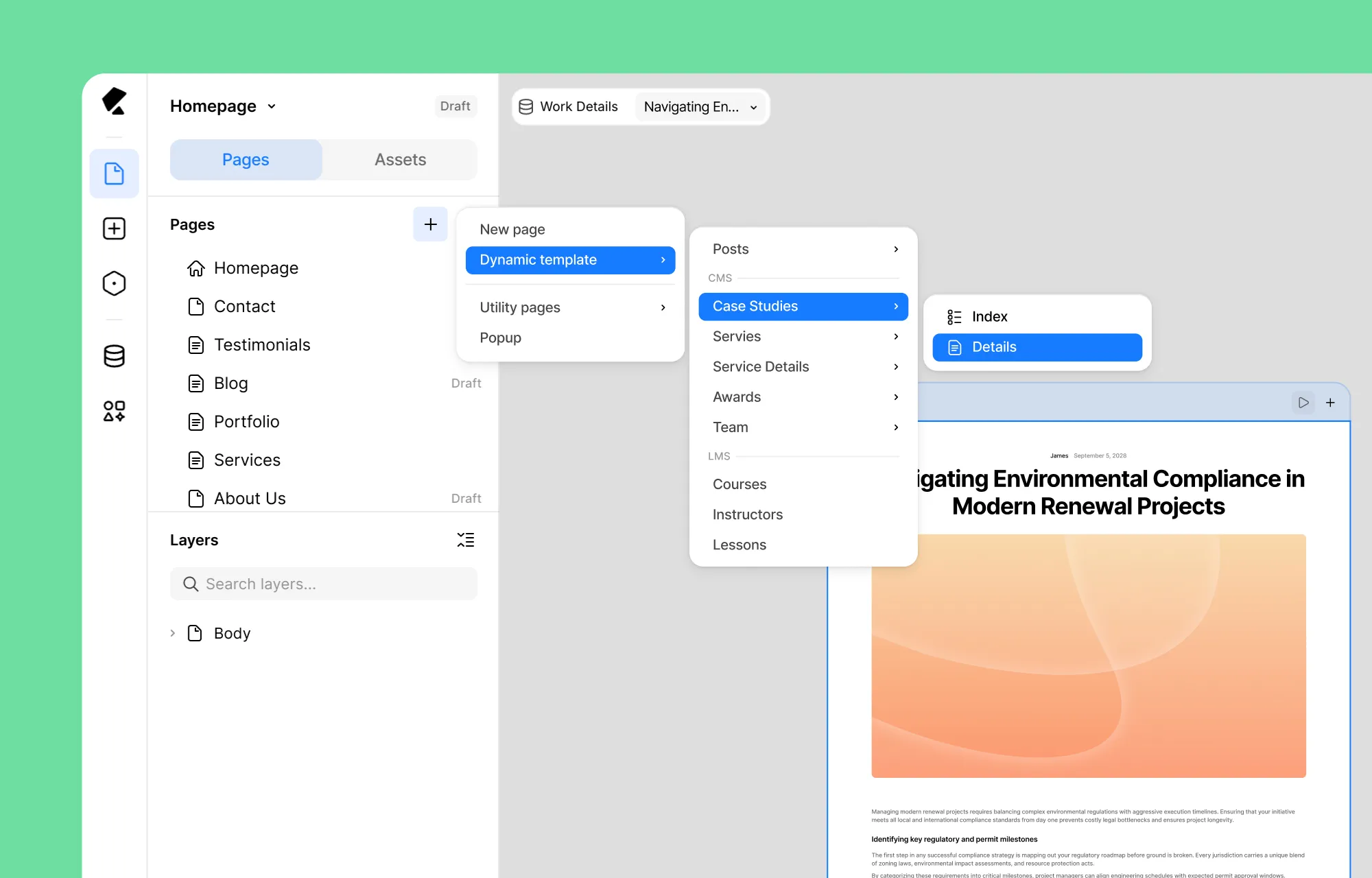
Designing a details page for your collection using Dynamic Templates used to mean starting from a blank canvas.
Not anymore. Every preset collection comes with a ready-made design for its details page right out of the box, with your fields already connected – polished and ready to build on, so you’re never starting from zero.
You also get a ready-made design for your index pages so any collection listing page looks just as polished.
Page Creation Dropdown Menu, Simplified
We’ve even redesigned the page creation flow to remove unnecessary steps. Instead of creating a template and connecting it later, you can now select your collection directly from the New Page menu, then choose whether you’re building its Index or Details page.
It’s a simpler, more intuitive workflow that gets you building faster.
Collections Just Got a Glow-Up
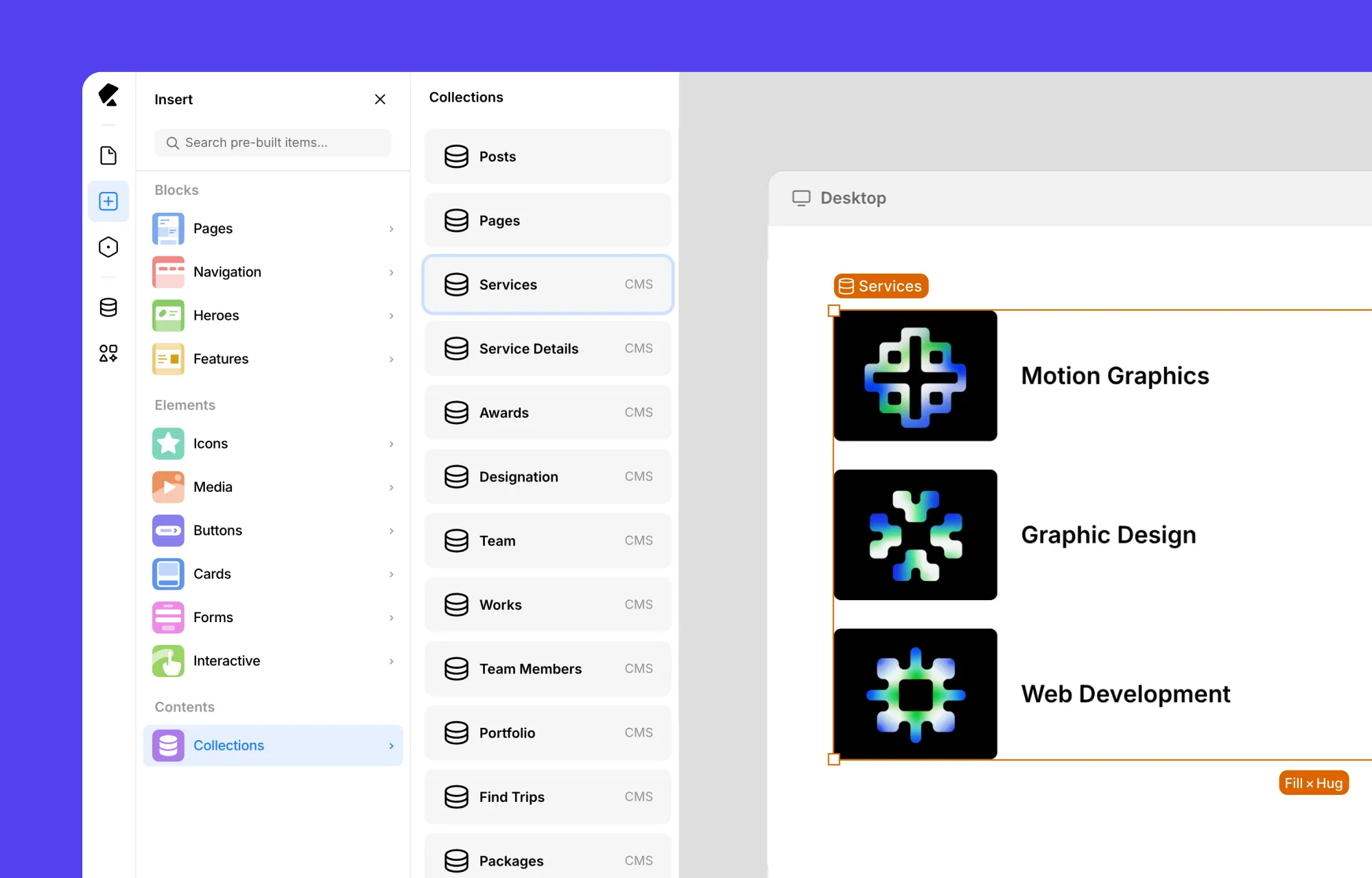
The Collection element just got a serious glow-up.
Now when you drop it on any page, it comes pre-styled from the start – no more raw placeholders to fix up yourself.
Your core fields are mapped automatically too: Got an image? That takes the spotlight. No image? Video steps in. And of course your name/title field always comes along for the ride.
Dynamic Settings: Less Digging, More Doing
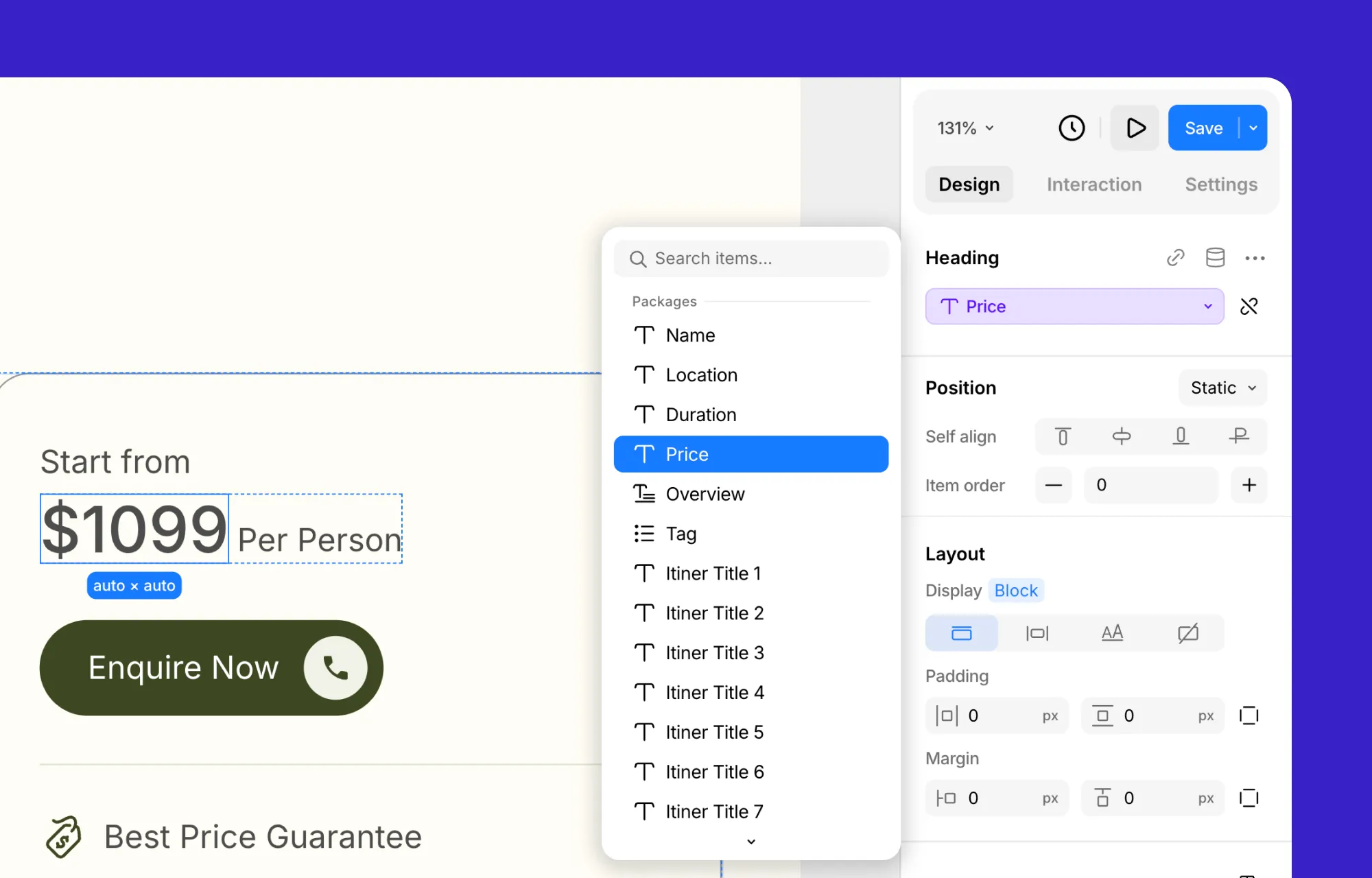
Dynamic Settings on the Right Panel packs a serious punch – but that much power can get overwhelming fast.
So we gave it the same treatment as page creation: the fields you actually want are now front and center, with everything else just a click away.
This Update’s Ready for Modern Sites – Are You?
That’s everything new & improved in this release!
For the full changelog, check out Kirki’s Release Notes.
And updating Kirki is simple: just head to your WordPress dashboard, go to Plugins, and update Kirki like you would any other plugin.
Kirki is ready for modern websites. Are you?

