


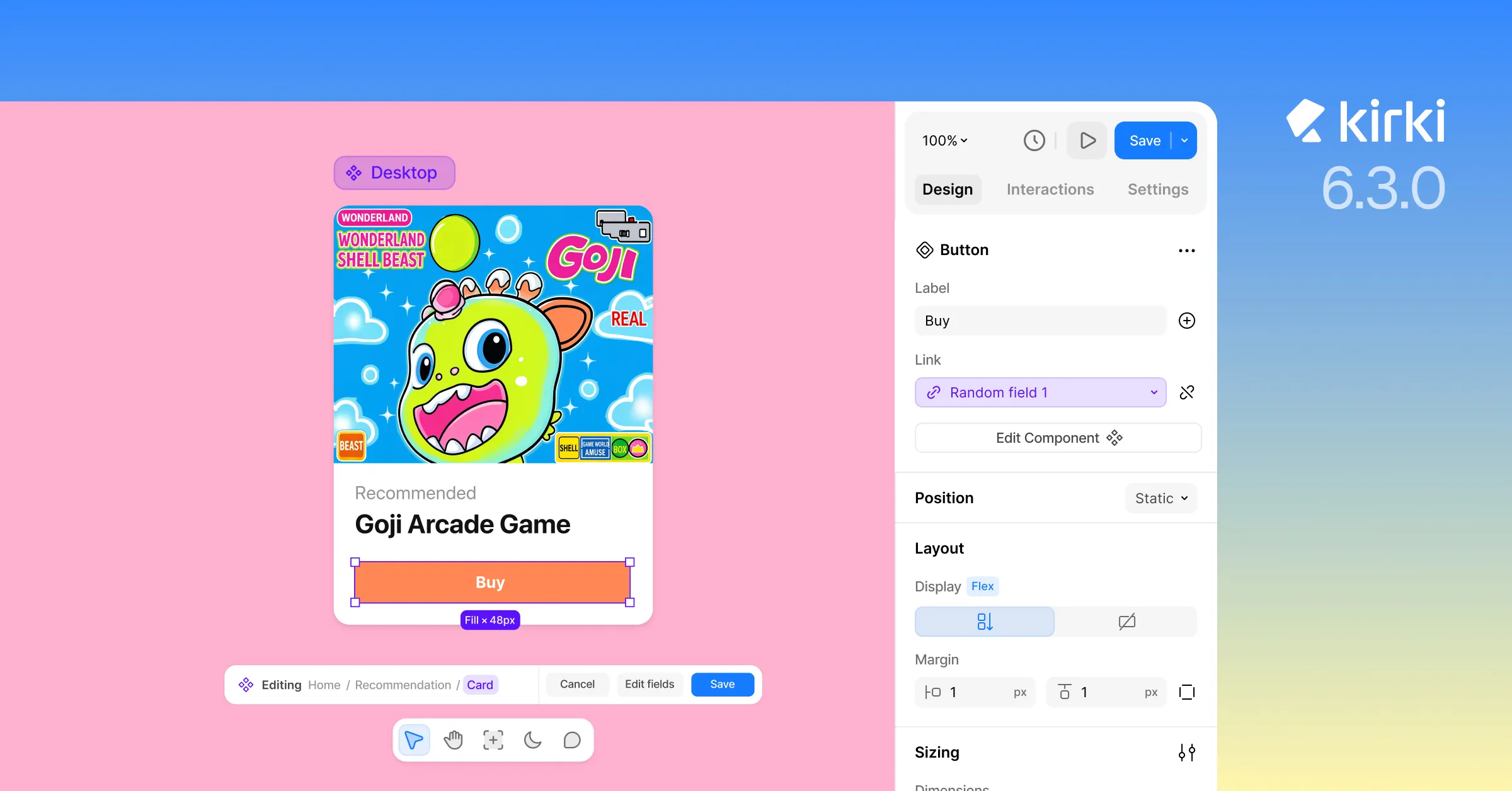
Kirki just got a significant upgrade in this release.
Components, one of the most-used features in the builder, got a major overhaul with two new capabilities: Component Fields and Nested Components.
Alongside that, elements can now be placed freely on the canvas, visually, with Freeform Positioning. A handful of smaller improvements round out the release, tightening up the overall building experience.
Here’s the full rundown.
Component Fields: Customize Without Breaking Cohesion

We all know and love Components in Kirki – build something once, turn it into a component, and reuse it everywhere on your site.
What we don’t love: having to choose between keeping every instance identical to preserve the connection, or detaching one to customize it and losing that connection for good.
But not anymore.
Meet Component Fields. Define exactly what’s editable in each instance of a Component, so team members or clients can update the parts that should change (text, images, links), without risking the parts that shouldn’t.
This is the update that finally makes Components feel truly reusable, not just repeatable.
Get Granular Level Consistency With Nested Components
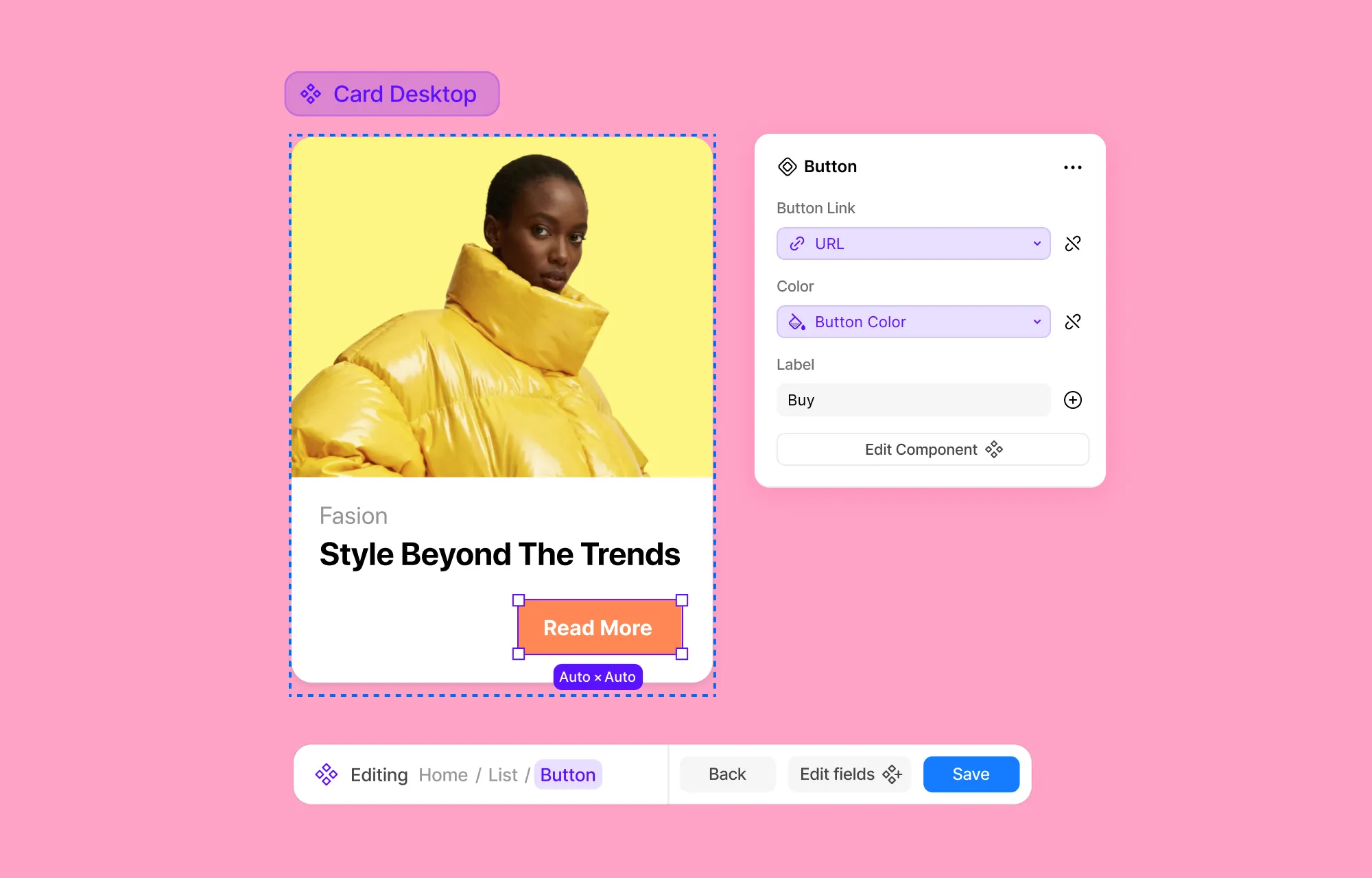
Components inside Components. Yes, that’s a thing now.
Think of your favorite button, the one you’ve rebuilt inside your hero section, about section, and nav, over and over.
With Nested Components, that’s no longer necessary.
Turn it into a Component once, and reuse that same button in any section – hero, nav, cards – that you plan on turning into Components of their own, giving you consistency down to the smallest element.
And that nested Component stays fully editable, even from within its parent Component.
Paired with Component Fields, it goes even further. That nested button can also carry its own Fields too, just like any other component, so team members or clients can update its text, image, or link per instance, without risking the parent Component.
Place Elements Anywhere Visually With Freeform Positioning
No more fighting complex layouts or offset values just to float something out of the normal flow.
Now with Freeform Positioning, you can place elements wherever you want, visually, just by dragging them there using absolute and fixed positioning.
Where this helps:
- No offset math: Place elements by eye instead of calculating pixel values.
- Easier fine-tuning: Drag and adjust in real time instead of guess-and-check.
- More intuitive for freeform layouts: Design overlapping or off-grid compositions without fighting the flow.
Also in This Release
Updated Media Element Placeholder Design
Empty image and video elements now stand out clearly, so nothing gets missed, even on the biggest projects.
Smarter Interaction Copy/Paste
Interaction Copy/Paste has been improved to better account for element structure and hierarchy, so operations land more accurately
The Bottom Line
With this release, Component Fields solves a real limitation: reusable blocks could either stay identical or lose their connection entirely. Now they do both, with shared structure and individual content.
Nested Components take that further, letting Components build on Components without losing editability at any level.
Adding Freeform Positioning to the mix, Kirki’s builder just got sharper at every level, from the smallest nested element to full-page layout.
And that’s not all. Check out the full release notes for everything else that shipped.
Ready to build with the new & improved Kirki? Updating takes seconds: head to your WordPress dashboard, go to Plugins, and update Kirki like you would any other plugin.
Note: Automatic updates can take up to 24 hours to roll out. You can update now manually or wait a few hours for it to appear automatically on your dashboard.

