
Kirki eCommerce 1.0.0 is now available on WordPress.org.
After months of work and plenty of feedback from early testers, we’re excited to finally make it available to everyone on WordPress.org.
We built Kirki eCommerce to give WordPress store owners a lightweight, fast, and easy-to-use eCommerce solution without compromising on the features they need. And yes, it’s completely free to use. We don’t charge transaction fees on your sales, either!
A quick note for alpha testers: If you tested an alpha version of Kirki eCommerce, don’t install v1.0.0 on top of it. Install it on a fresh site instead.
Already on WooCommerce? Your Store Comes With You.
If you are already running a WooCommerce store, you don’t have to start from scratch.
When you install Kirki eCommerce on a site with WooCommerce, it automatically detects your existing store and migrates your supported data during setup.
Your products, customers, orders, coupons, settings, and other supported data are automatically brought into Kirki eCommerce. There’s no manual exporting, importing, or extra migration steps. Your original WooCommerce data stays untouched.
What You Can Do With Kirki eCommerce
Here’s a closer look at what you can do with Kirki eCommerce.
Sell Products in Every Color, Size, and Material
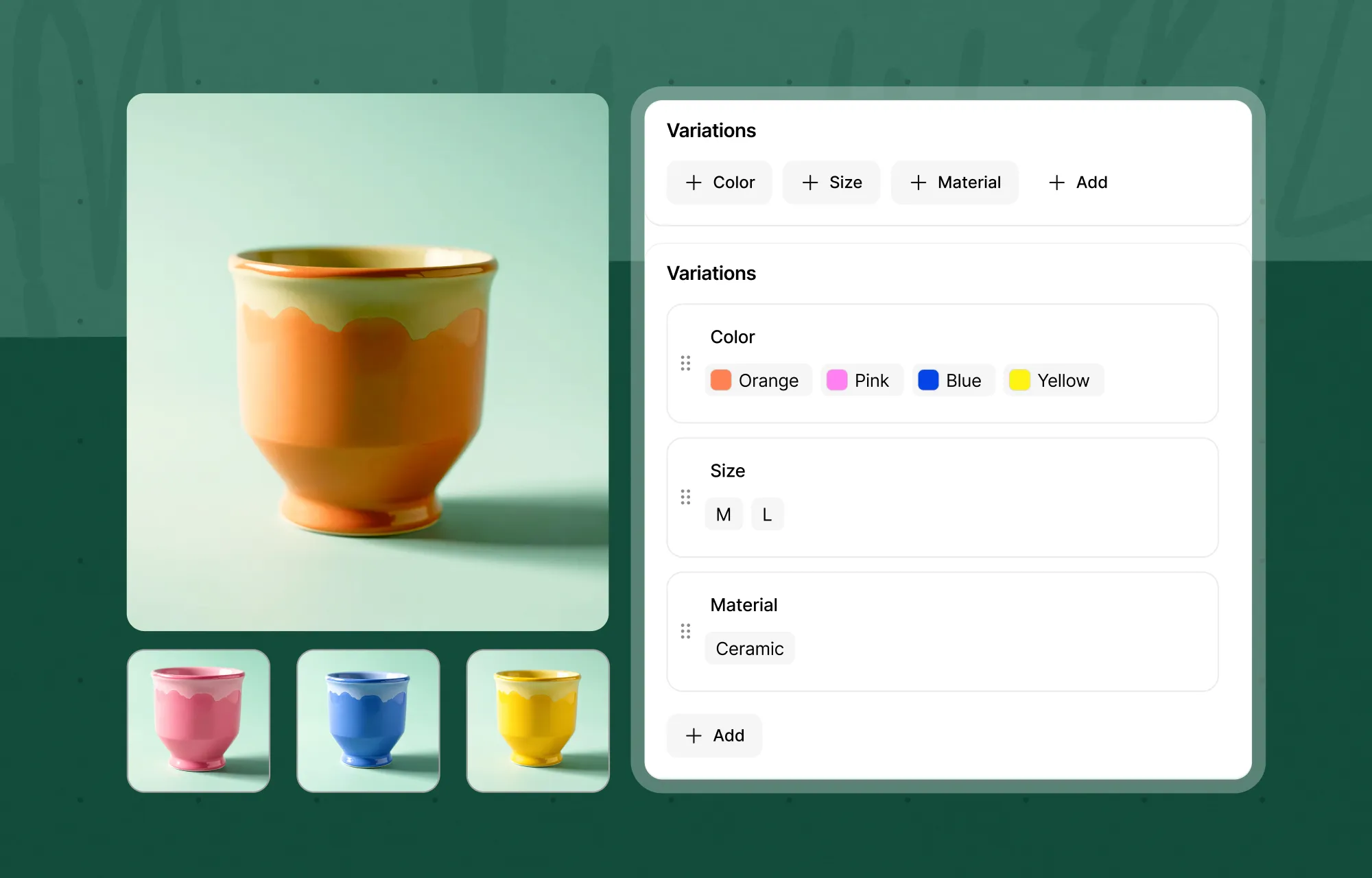
Create unlimited products and organize them with reusable attributes like color, size, and material. You can use these attributes to build product variants without creating each variation from scratch.
On the storefront, shoppers can select their preferred options using visual swatches or buttons.
Stock That Updates Itself With Every Order
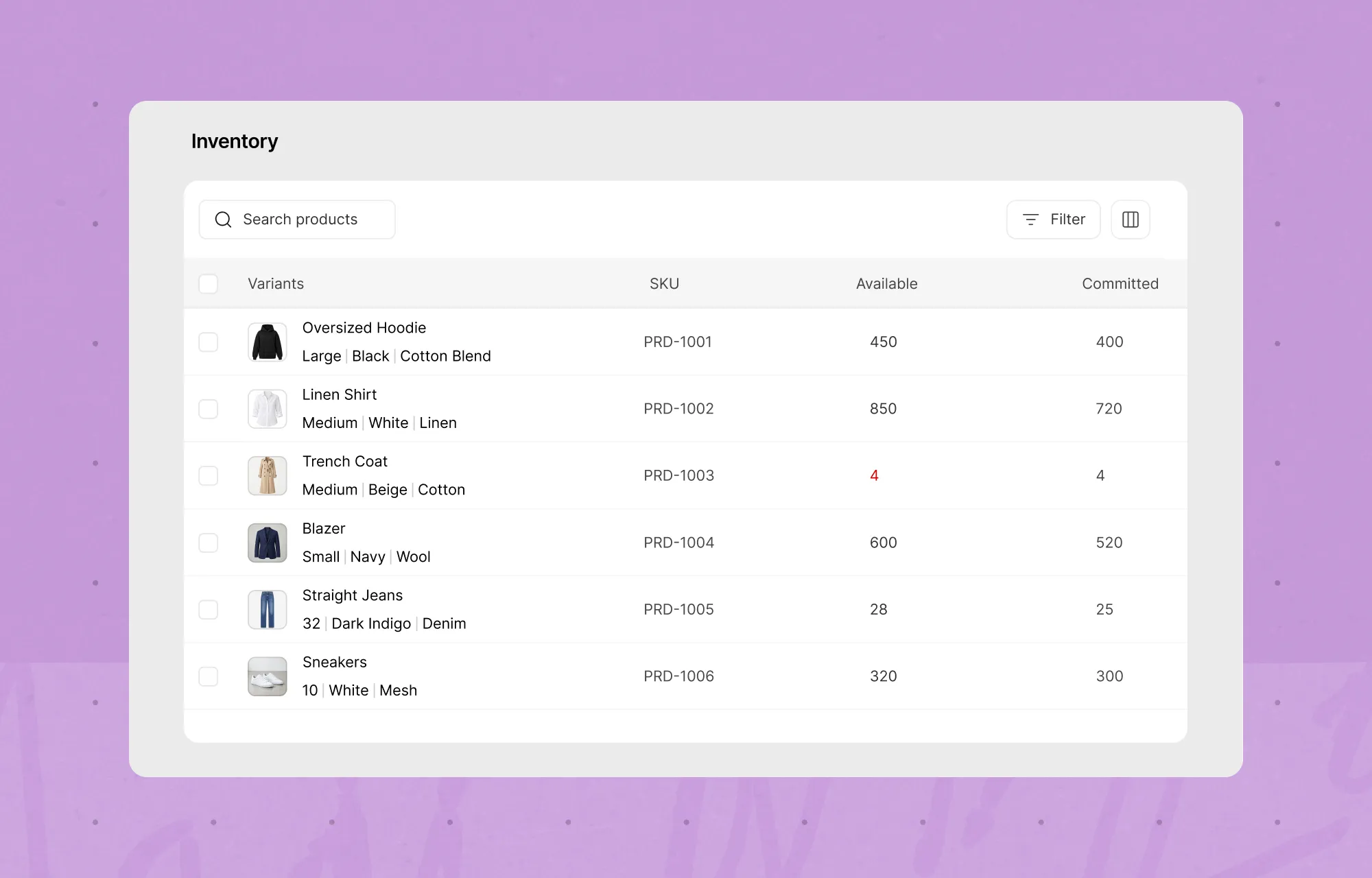
Nobody wants to spend their day updating stock quantities after every order. Kirki eCommerce takes care of that for you.
It tracks available and committed inventory for each product and variant. When a customer places an order, the ordered quantity moves into committed stock, giving you a clearer picture of what’s available to sell.
You can also set low-stock thresholds, allow backorders, and receive email alerts when inventory runs low.
Track Every Order From Payment to Delivery
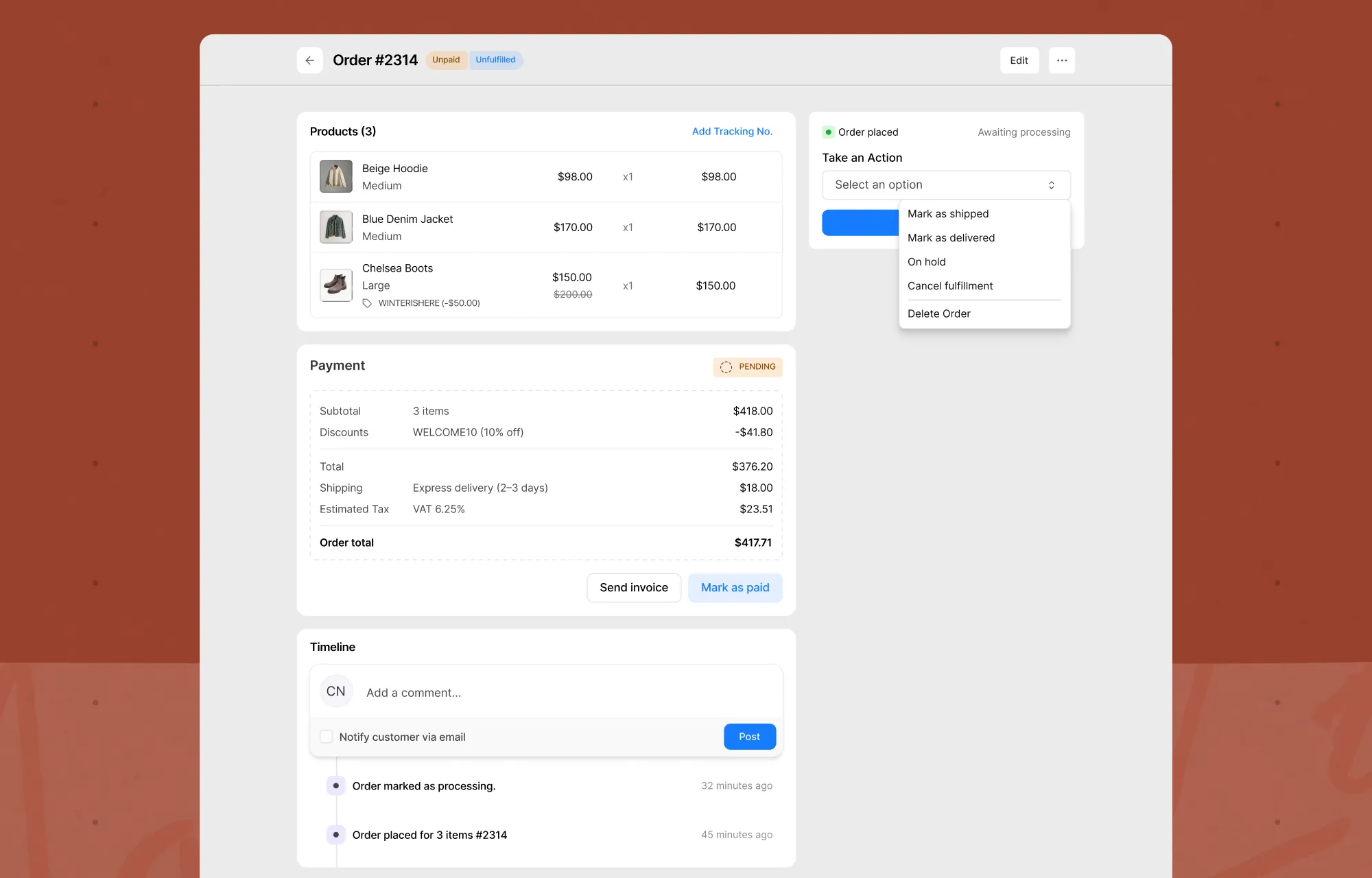
An order doesn’t end at checkout. You still need to track payments, prepare shipments, and keep customers informed.
Kirki eCommerce handles payment and fulfillment statuses separately, so you can see exactly where each order stands.
Mark orders as paid, move them through processing, shipped, and delivered, or put them on hold. You can also add tracking numbers and follow order updates through the activity timeline.
Run Promotions Your Way
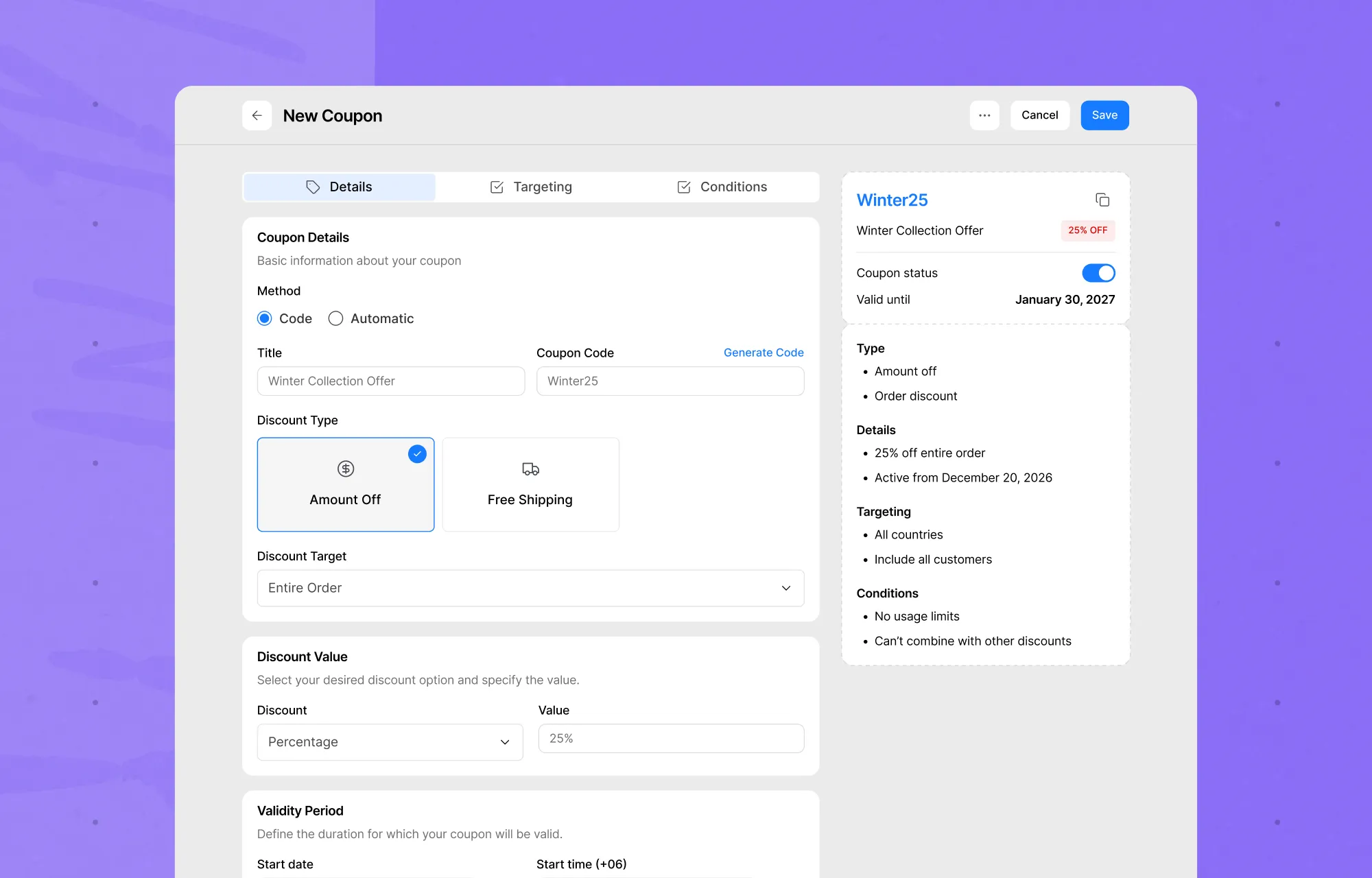
Running a sale or offering a special discount? Create percentage-based, fixed-amount, or free-shipping coupons.
You can control where and how coupons apply by targeting specific products, categories, countries, or customers. Set usage limits and schedule promotions to run within a specific period.
Ship the Way Your Business Works
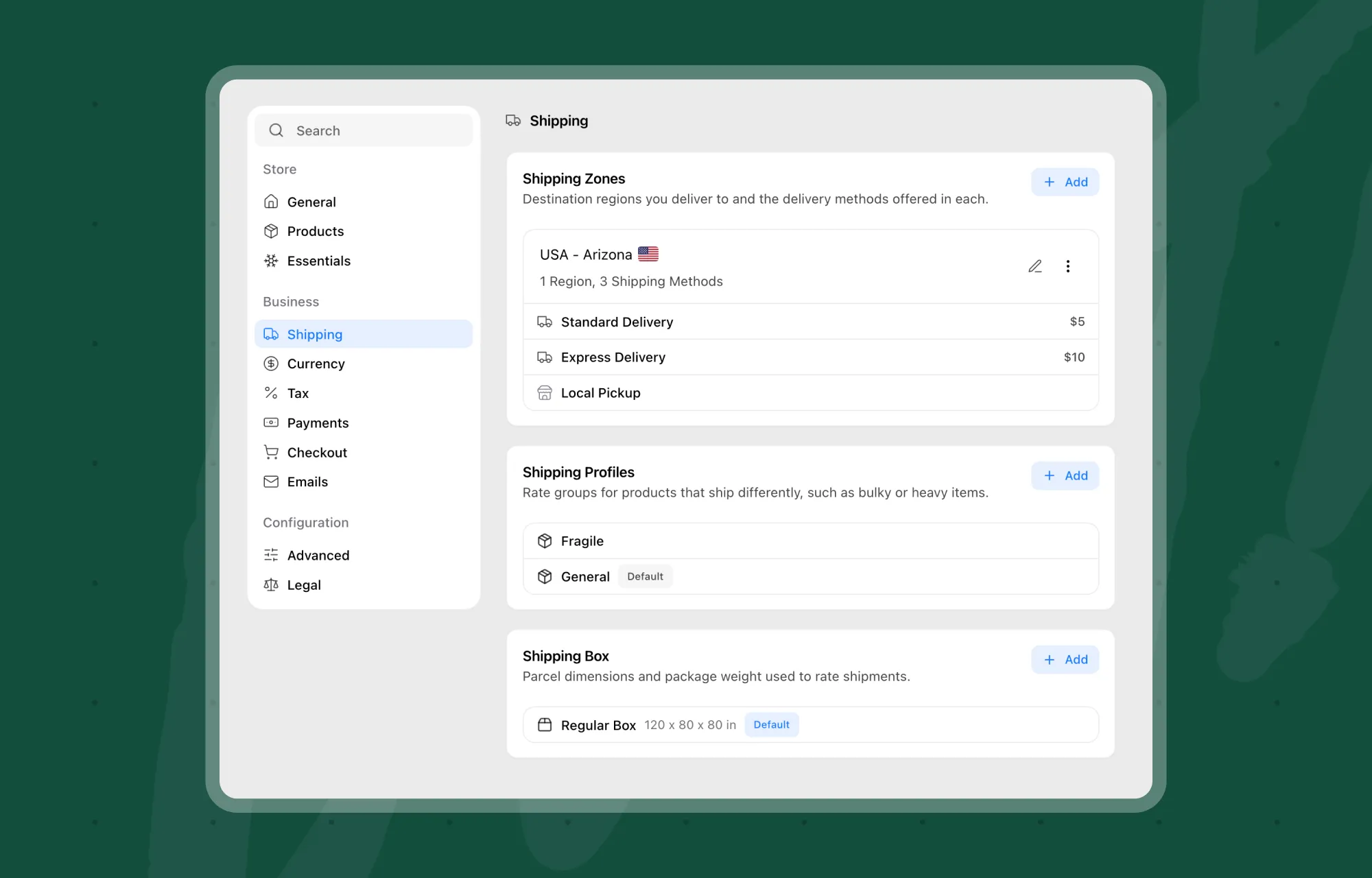
Whether you offer local pickup, flat-rate delivery, or charge based on package weight, you can configure your shipping methods around the way your business operates.
For more control, use shipping profiles for different product types, define shipping boxes, and configure carriers with tracking link templates.
You can also set shipping rules based on cart value, weight, destination, or product category.
Set Up Tax Once, for Every Region You Sell In
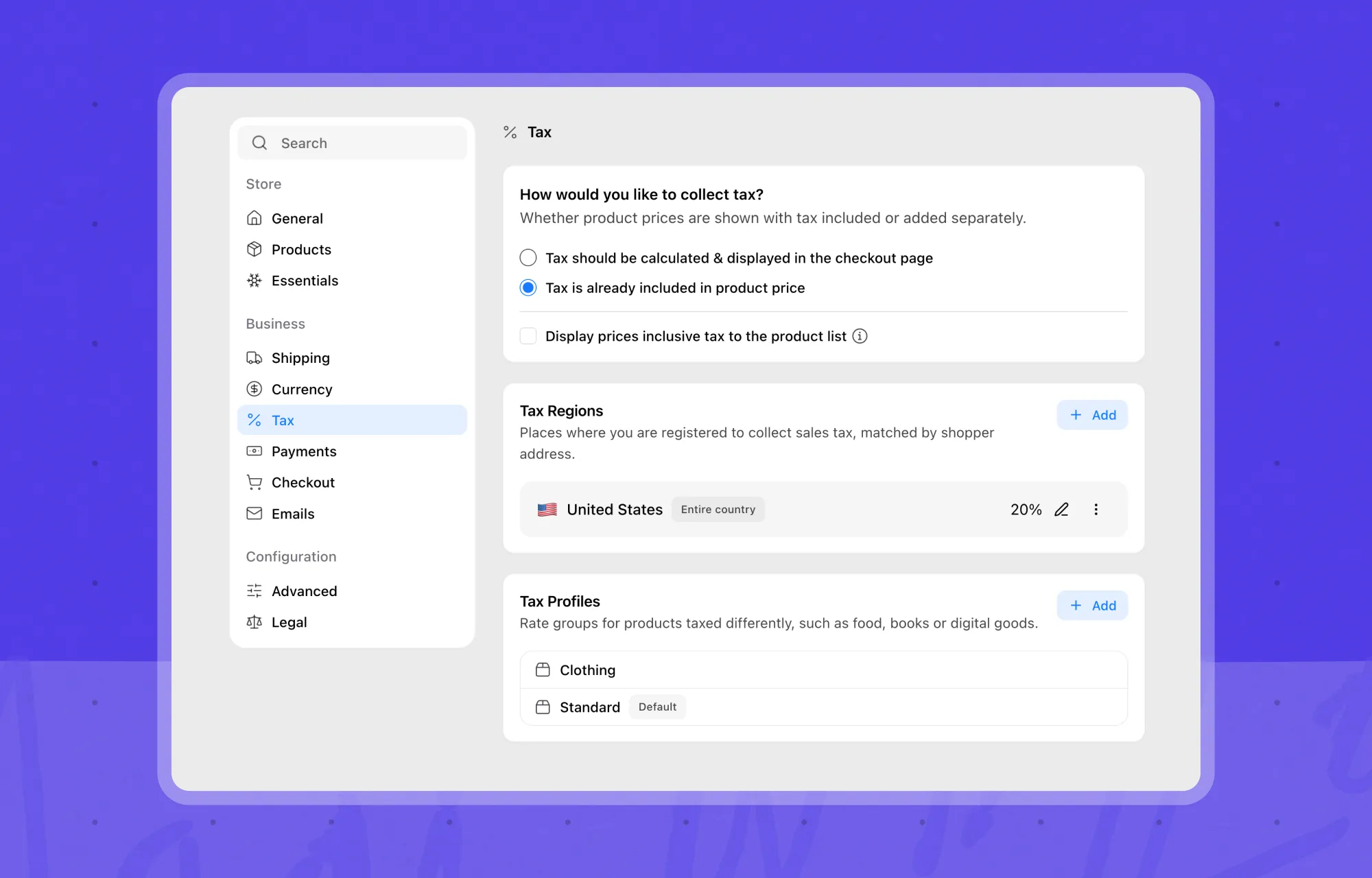
Set up tax regions, profiles, and rules to calculate taxes based on your store’s requirements.
You can choose whether product prices include tax and configure regional tax rules. Kirki eCommerce also includes EU VAT options, including One Stop Shop (OSS) and Micro Business schemes.
Let Customers Pay How They Prefer
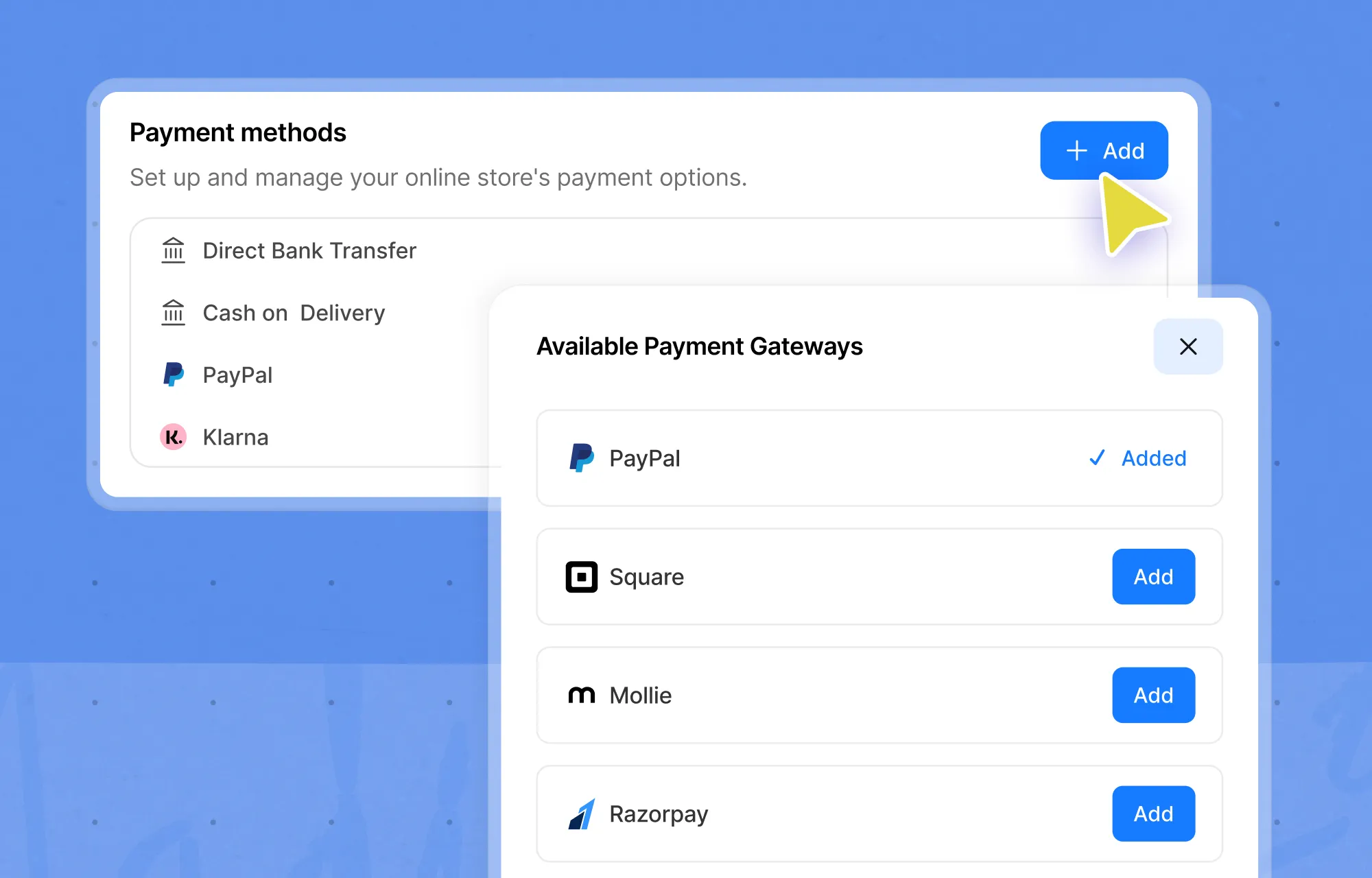
Get started with three built-in payment methods: PayPal, Cash on Delivery, and Direct Bank Transfer.
Need more options? You can extend your store with additional payment gateway companion plugins, including Stripe, Mollie, Square, Razorpay, and more.
Sell in Your Customers’ Currency
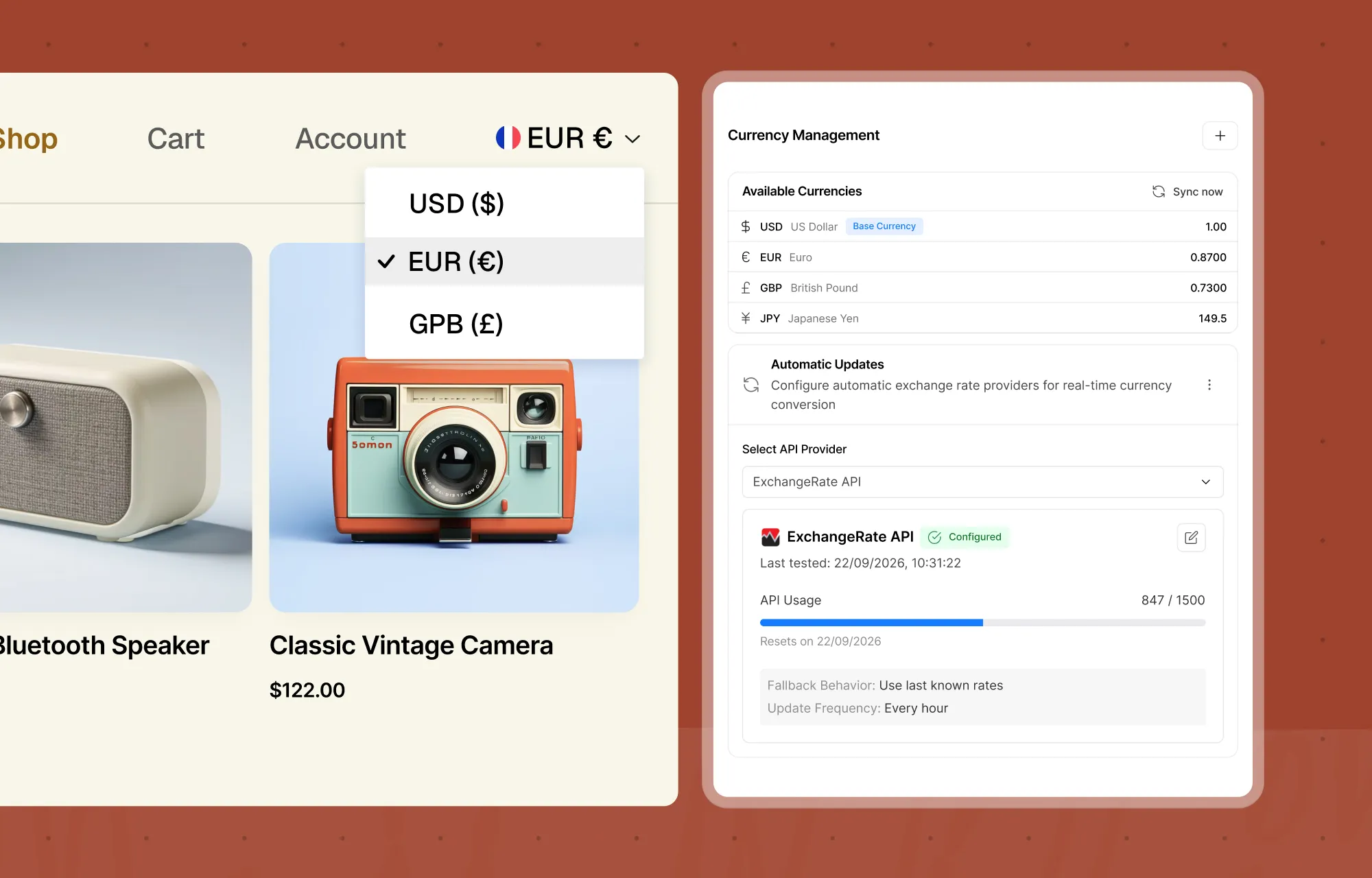
If you’re selling to customers in different markets, you can configure multiple currencies for your store.
Set exchange rates manually or update them automatically. You can also add a currency switcher to your storefront using a shortcode, allowing shoppers to view prices in their preferred currency.
Keep Customers Updated Automatically
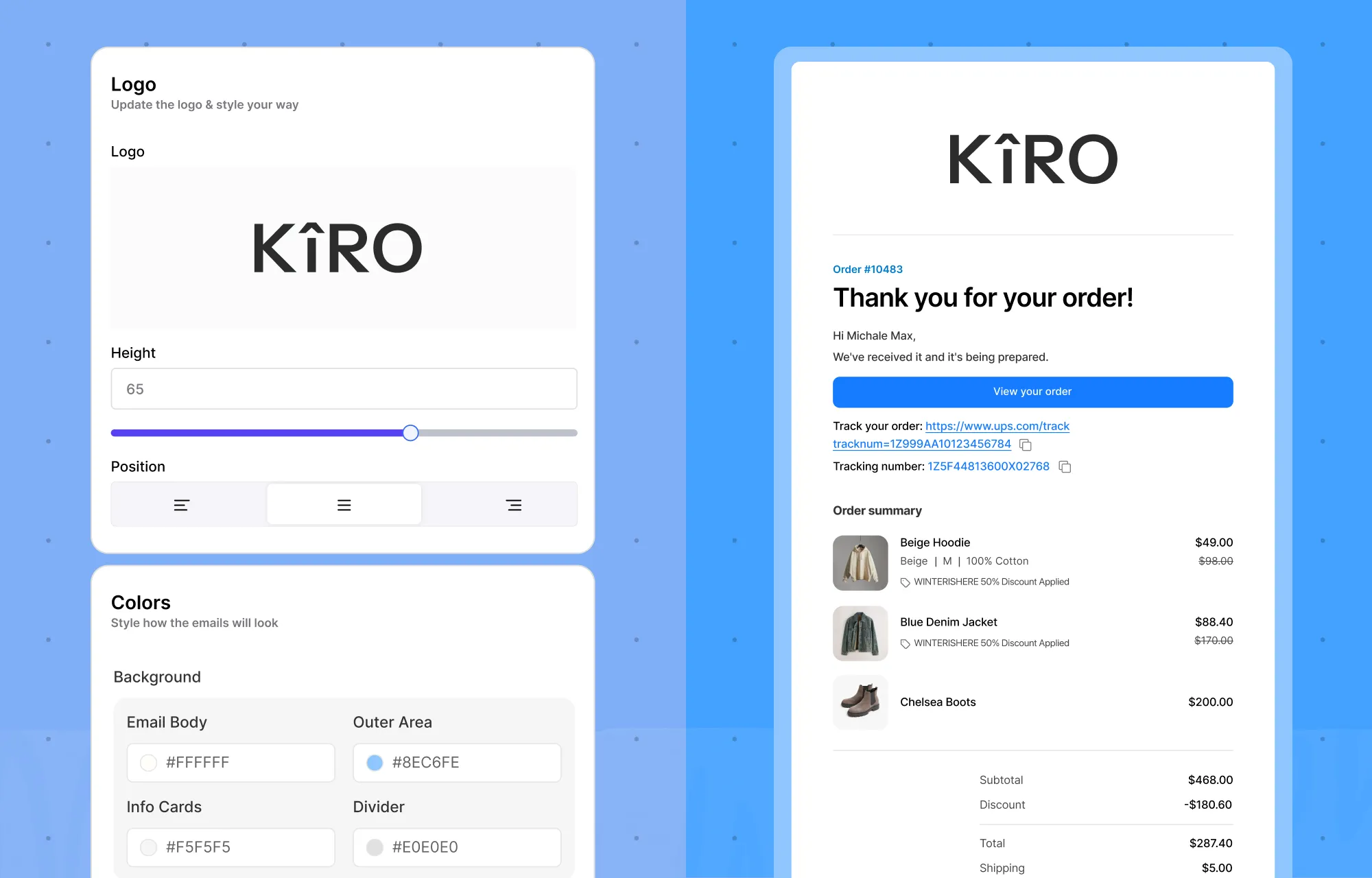
Kirki eCommerce automatically sends order and account-related emails to customers.
You don’t have to settle for generic email content, either. Customize each email’s subject, heading, and body. Preview your changes as you make them and send test emails before putting them into use.
See How Your Store Is Doing
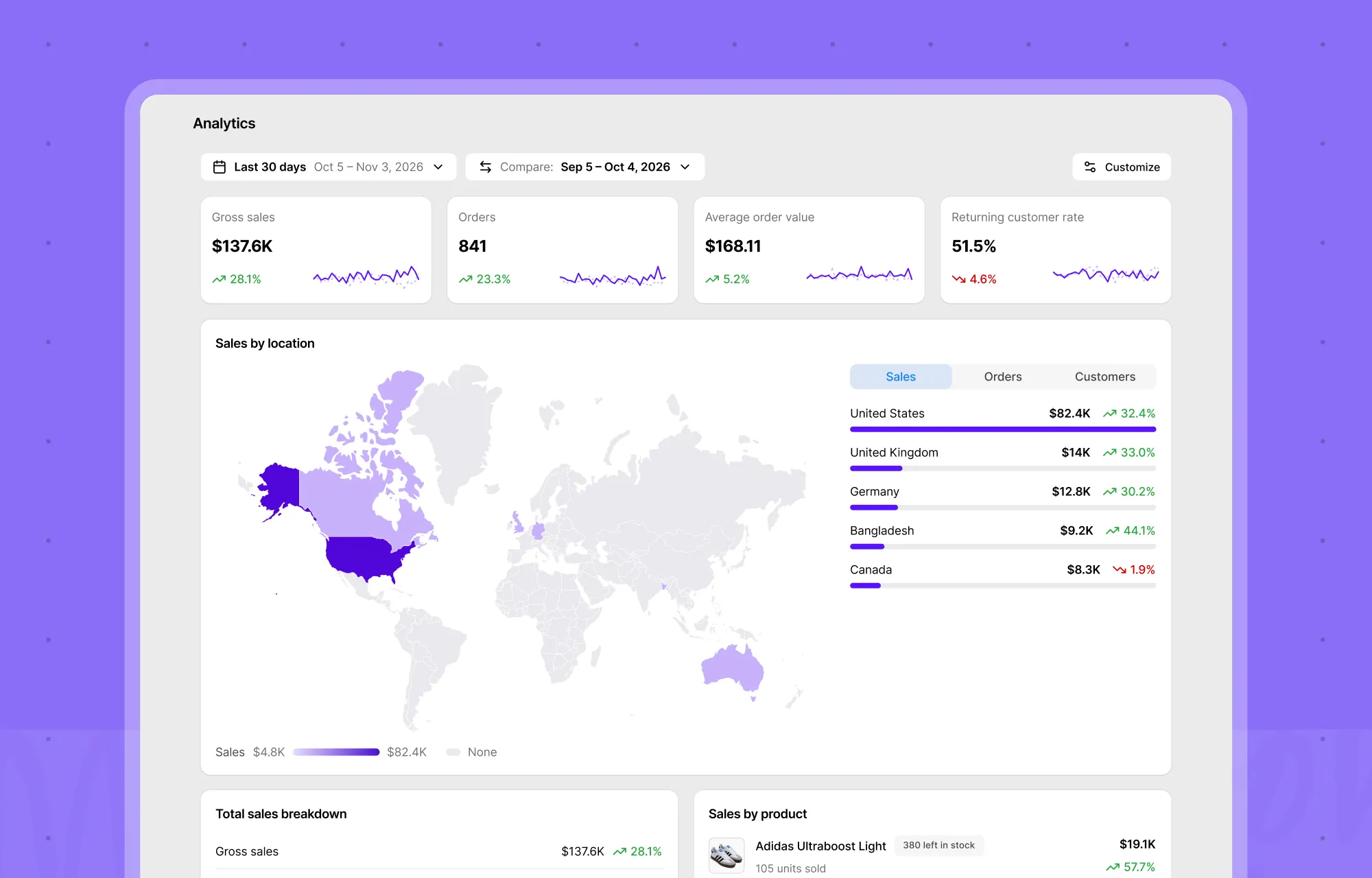
The Analytics dashboard gives you a closer look at your store’s performance, covering sales, orders, customers, and inventory health.
Compare any date range with the period before it to spot changes over time. Choose which metrics and cards you want to see, so the numbers that matter most to your business stay within reach.
Set Up Your Store in a Few Minutes
Getting started doesn’t require much.
- From your WordPress dashboard, go to Plugins > Add New Plugin.
- Search for Kirki eCommerce.
- Select Install Now, then Activate.
- Follow the setup wizard to configure your store.
- Head to the Home screen and work through the setup checklist to add products, configure payments, and set up shipping.
Your Shop, Cart, Checkout, and Account pages are created for you, so you can focus on adding products and getting your store ready for customers.
Want to explore first? Load sample data from the last screen of the setup wizard.
For more, see the Kirki eCommerce user guide.
Ready to Give Your Store a Fresh Start?
Whether you’re launching your first store or moving on from WooCommerce, Kirki eCommerce gives you a simpler way to sell on WordPress.
Give it a try. It’s free on WordPress.org, and setting up your store takes just a few minutes.
