Get comfortable inside Kirki’s Infinite Canvas, the space where you can design, build, and watch your site take shape in real time.
In this guide, you’ll learn how to pan across your workspace, zoom in for precision, customize the background, and more.
Side by Side Responsive Views
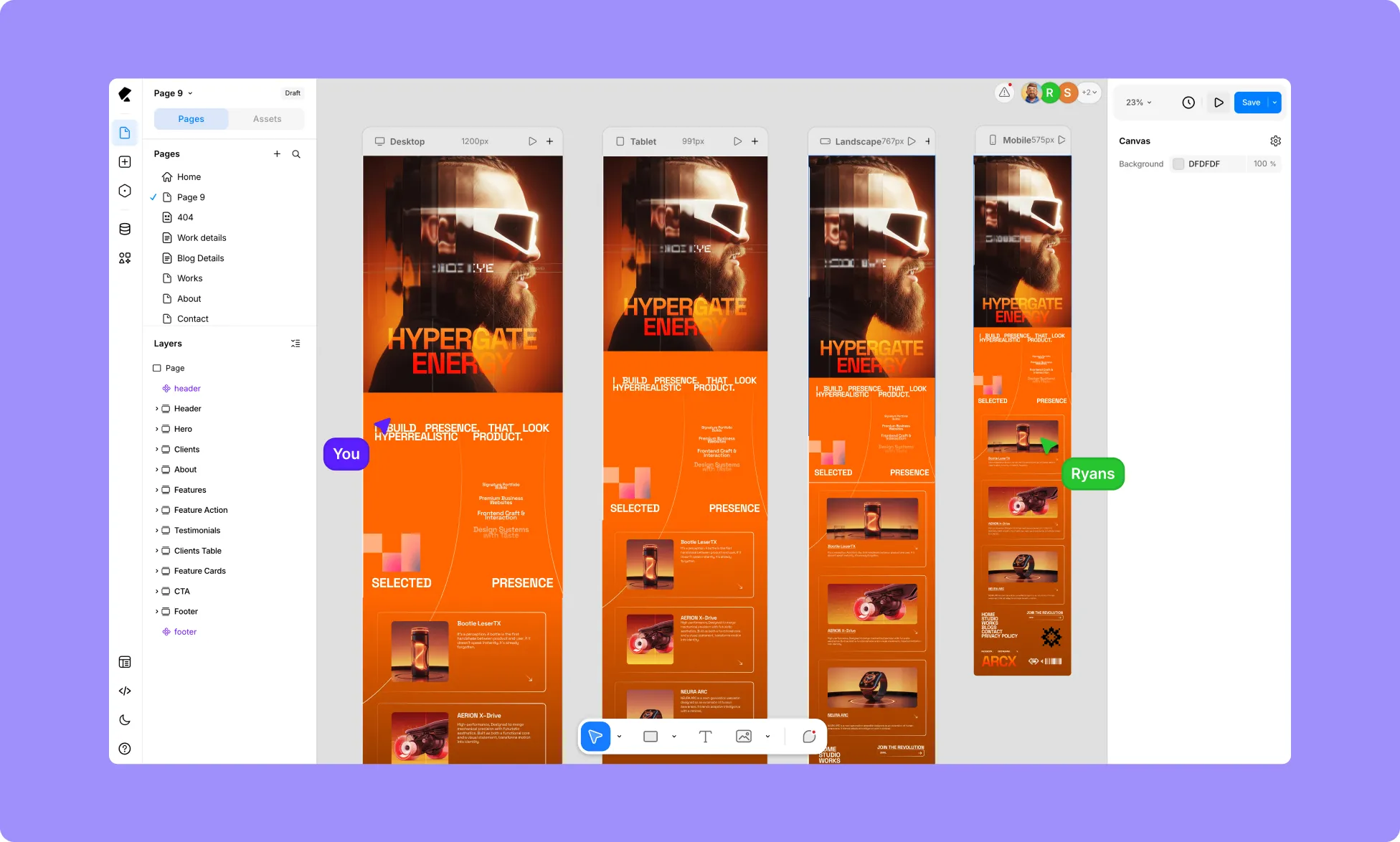
Kirki shows your page across four breakpoints simultaneously – Desktop (1200px), Tablet (991px), Mobile Landscape (767px), and Mobile Portrait (575px).
Each breakpoint is its own canvas column, and styles you apply to one automatically apply to others, giving you full view over how your site looks on every screen size.
Learn more about Breakpoints.
Panning
Navigate your Canvas with ease:
- On a trackpad, click and drag to move across your workspace.
- Or switch to the hand tool on the Element Island to do the same.
Zooming
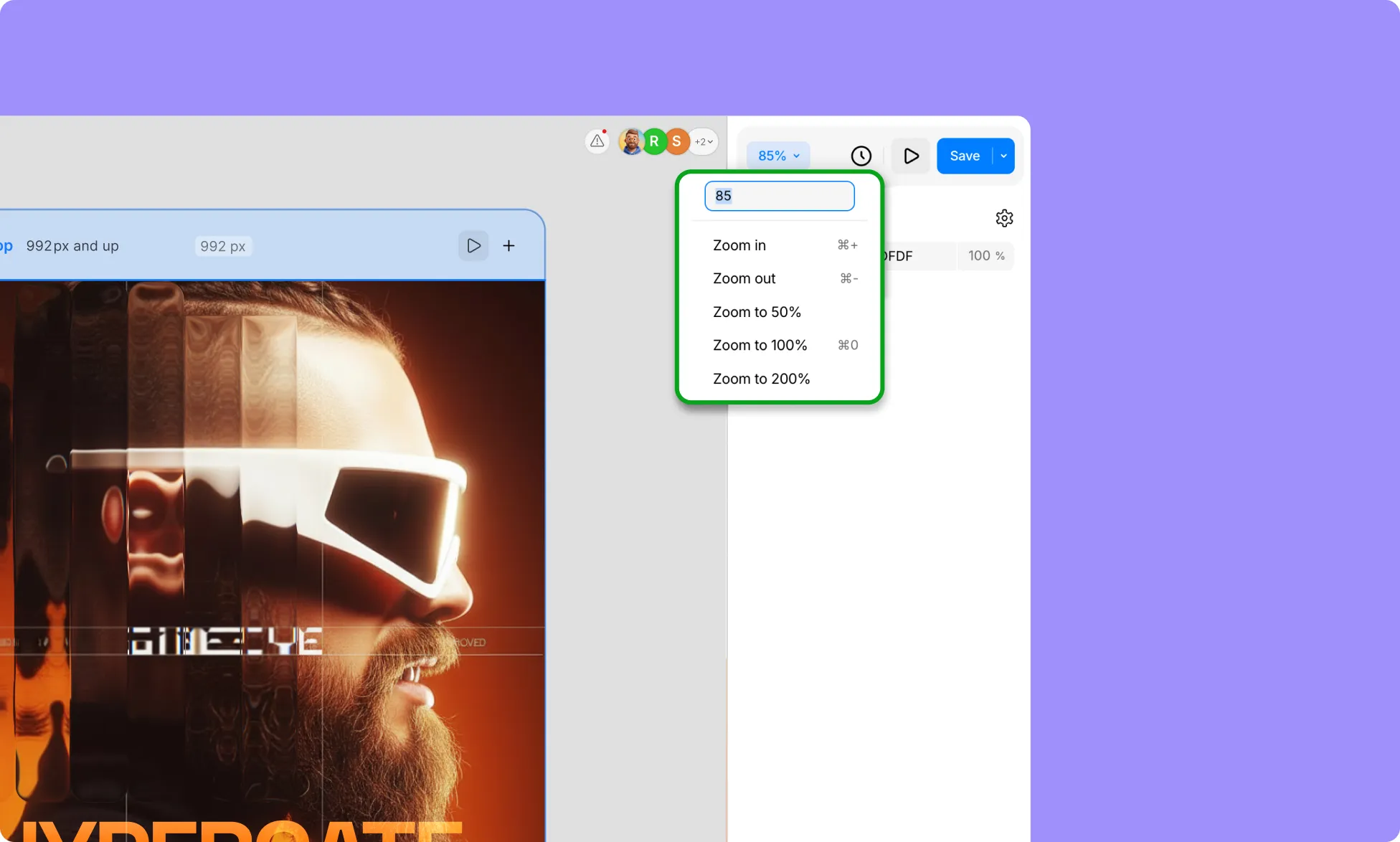
Adjust the zoom from the Zoom percentage dropdown at the top of the Right Panel.
For ease, you can also use the pinch gesture on your trackpad, as well as the following Keyboard Shortcuts:
- Zoom In: ⌘ +
- Zoom Out: ⌘ –
- Zoom: ⌘ Scroll
- Zoom to 100%: ⌘ 0
The Element Island
The toolbar floating at the bottom of the canvas is your Element Island. It gives you quick access to the core tools:
- Select – Select, move, and interact with elements while navigating the infinite canvas.
- Hand – Freely pan across the canvas without selecting elements.
- Div – Add a container for organizing elements neatly within your page.
- Section – Add a container for grouping major areas like headers, hero sections, and footers.
- Text – Add and edit text content on your page.
- Image – Insert images to enhance your design visually.
- Video – Embed video content directly into your page.
- Comment – Leave feedback, collaborate, and communicate with your team directly on the canvas.
Learn more about Element Island.
Change Canvas Background Color
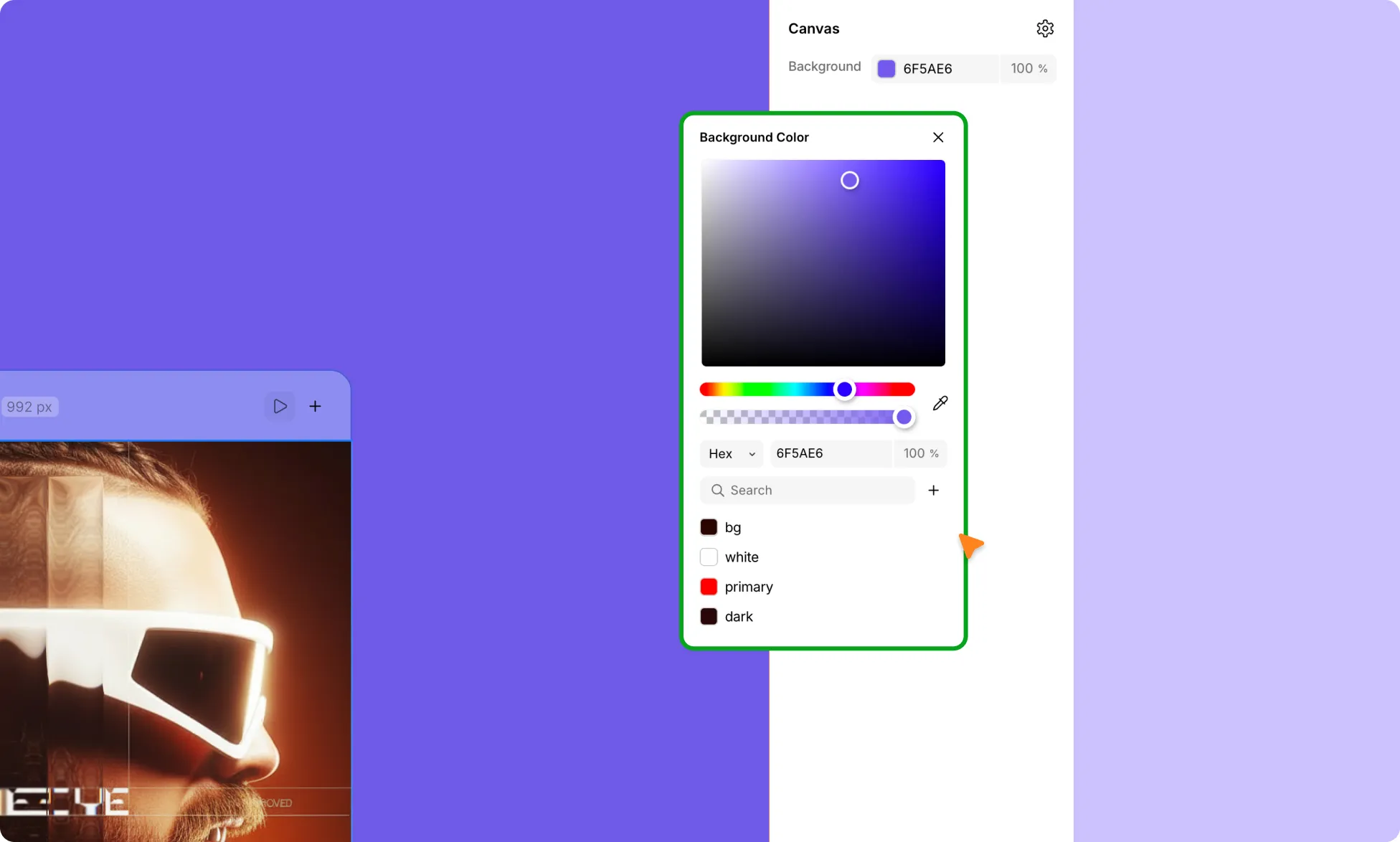
Customize your Canvas to match your workflow or improve visibility:
- Deselect any layers on the Canvas (this includes the Page).
- In the Right Panel, locate & click the Background Color fill.
- Use the color picker to select your preferred color.
How to Enable Device-Wise Guides
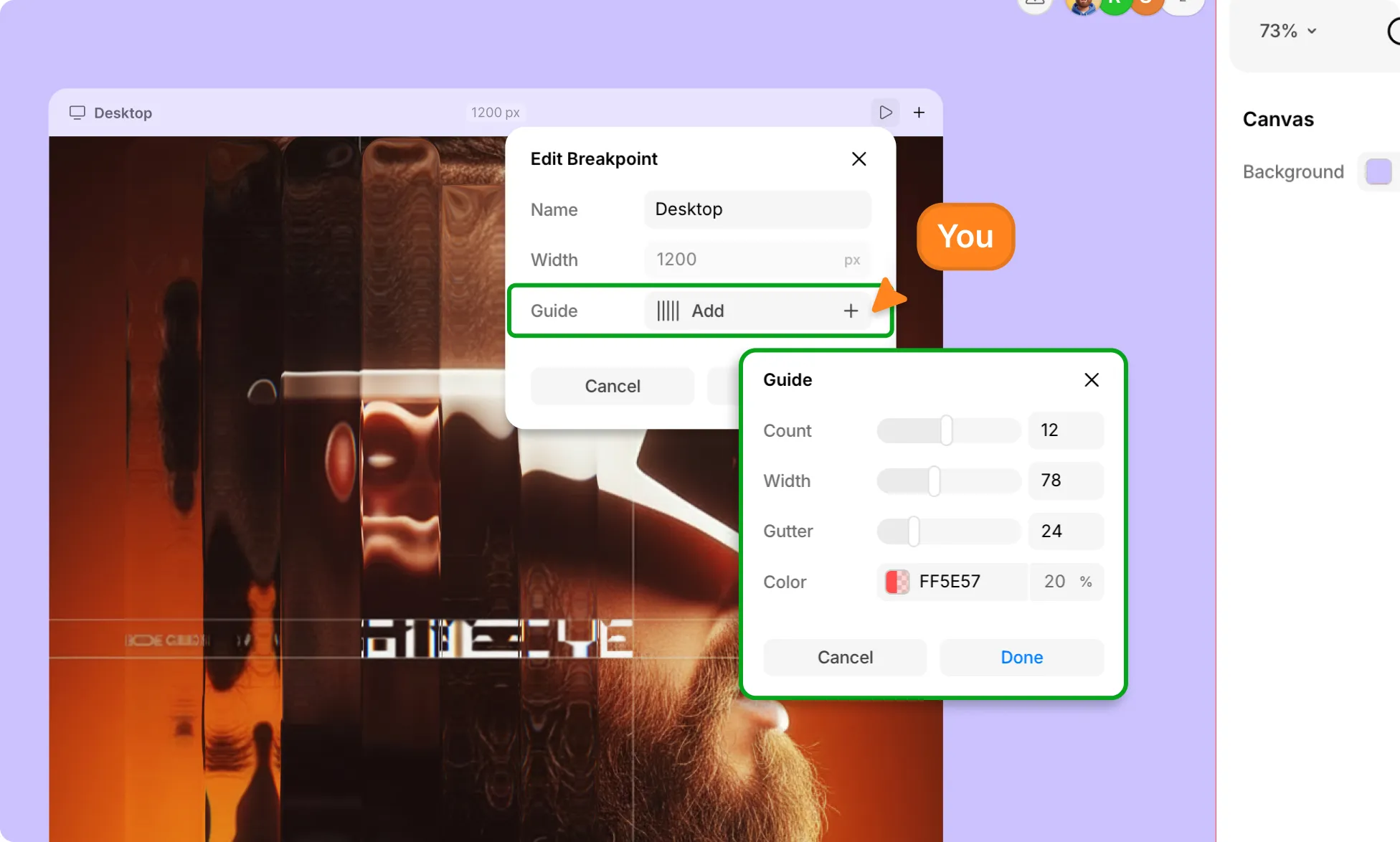
- Right-click on the screen size at the top of your page.
- Select Edit to open the Edit Breakpoints panel.
- Click Add next to Guide.
- Adjust the Guide settings as needed.
- And click Done to save your changes.