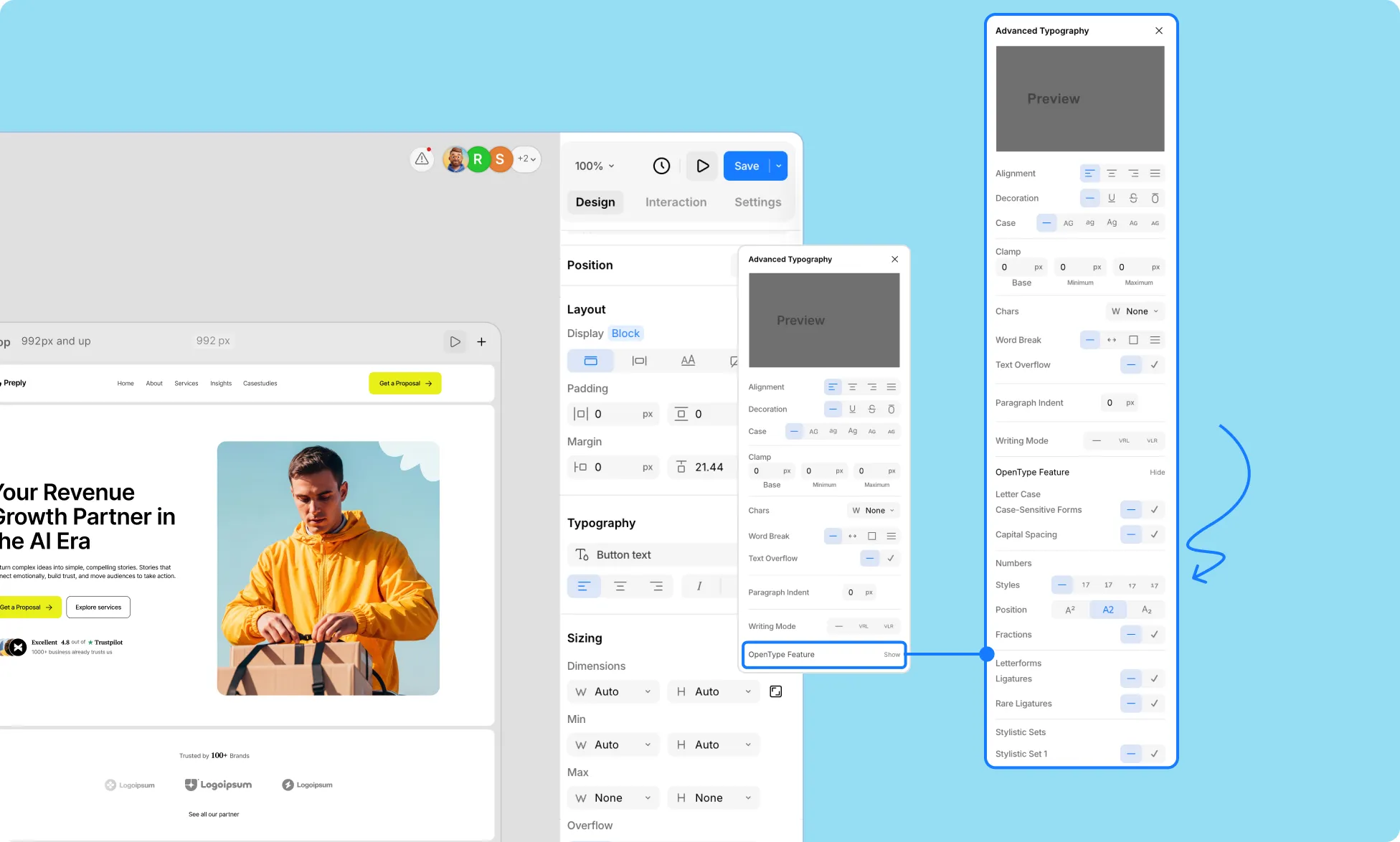
Access even more advanced typographic features supported by the font, such as ligatures, stylistic alternates, or special character styles, by clicking Show beside OpenType Features under Advanced Typography Settings.
Letter Case
Control how letters are displayed and styled for your font.
- Case-Sensitive Forms – Adjust punctuation and symbols to match uppercase letters for a cleaner look.
- Capital Spacing – Add extra spacing between capital letters for improved readability.
Numbers
Customize the appearance and positioning of numbers in your typography.
- Styles – Choose between different number styles:
- None
- Normal
- Slashed Zero
- Tabular Numbers
- Old Style Numbers
- Position – Adjust the vertical placement of numbers:
- Superscript
- Normal
- Subscript
- Fractions – Automatically format numbers into fraction style when applicable.
Letterforms
Refine the shapes and connections of letters in your text.
- Ligatures – Combine certain letter pairs for smoother, more elegant typography.
- Rare Ligatures – Enable uncommon ligatures for stylistic or decorative purposes.
Stylistic Sets
Apply alternative letter designs available in some fonts to give your text a unique look.
Horizontal Spacing
Control spacing between letters for readability and visual balance.
- Kerning Pairs – Adjust the spacing between specific letter pairs for a more polished look.
More Features
- Fractional Denominators – Customize the size and placement of denominator numbers in fractions.
- Fractional Numerators – Customize the size and placement of numerator numbers in fractions.