


Unsplash is a stock photo platform with a large library of free, high-resolution photos. Connect Unsplash through Kirki Apps to search for and insert Unsplash photos directly from the Kirki media picker.
What Is the Unsplash App?
The Unsplash app is an integration available in Kirki Apps. Once connected, it links your Kirki editor to the Unsplash photo library using an Access Key from your Unsplash account.
This allows content creators and site builders to quickly find and use free, high-quality images without leaving the Kirki editor.
What You Need Before Connecting Unsplash?
- An Unsplash account
- A registered Unsplash application
- An Unsplash Access Key
You’ll create an application through the Unsplash API website and use the Access Key from that application to connect Unsplash to Kirki.
How to Get Your Unsplash Access Key?
- Go to the Unsplash API website: https://unsplash.com/developers
- Sign in to your Unsplash account or create a new account.
- Navigate to the API Keys section.
- Click New Application.
- Fill in the required application details, including the Name and Description.
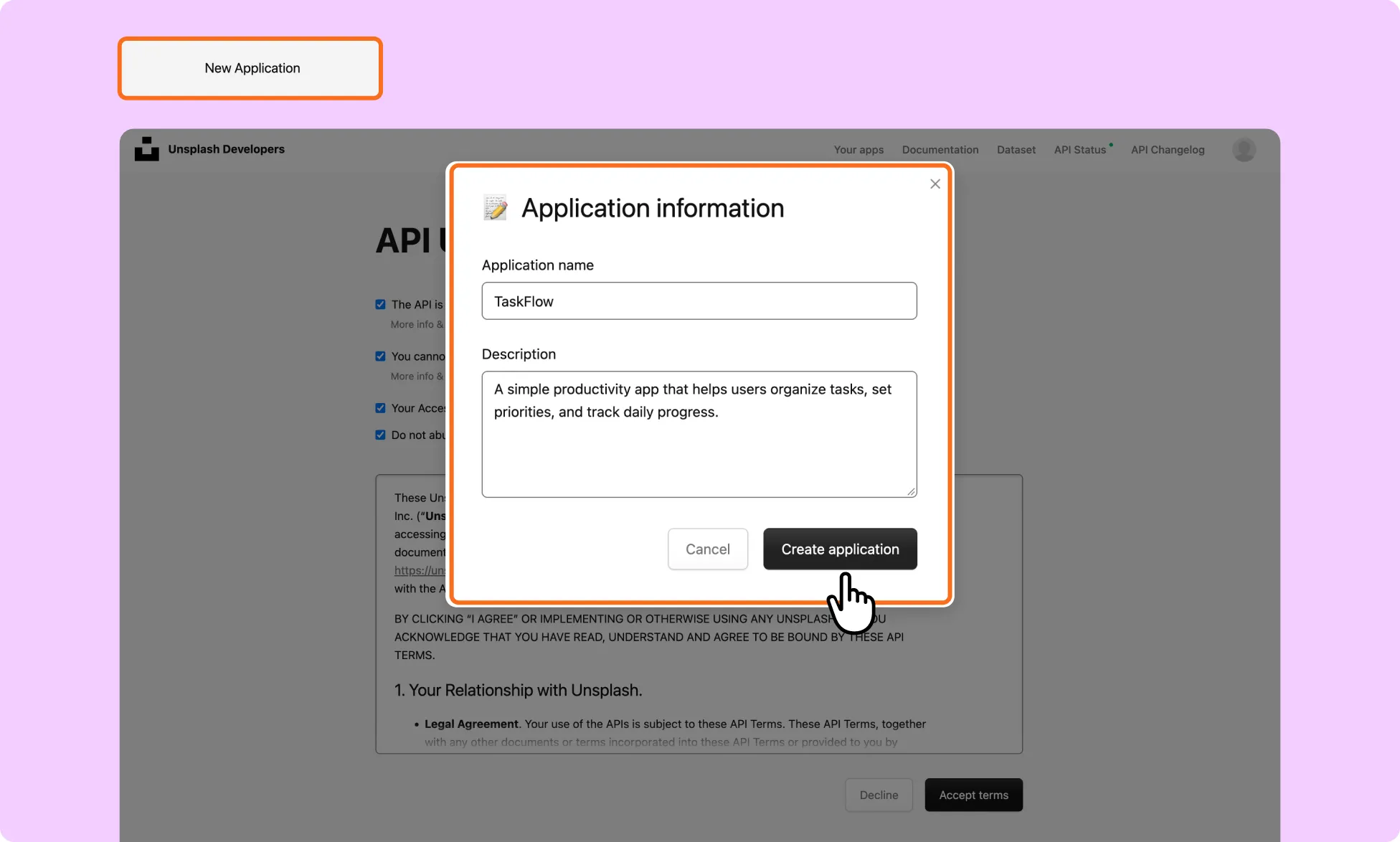
- Create your application.
- Once the application is created, Unsplash will provide you with an Access Key.
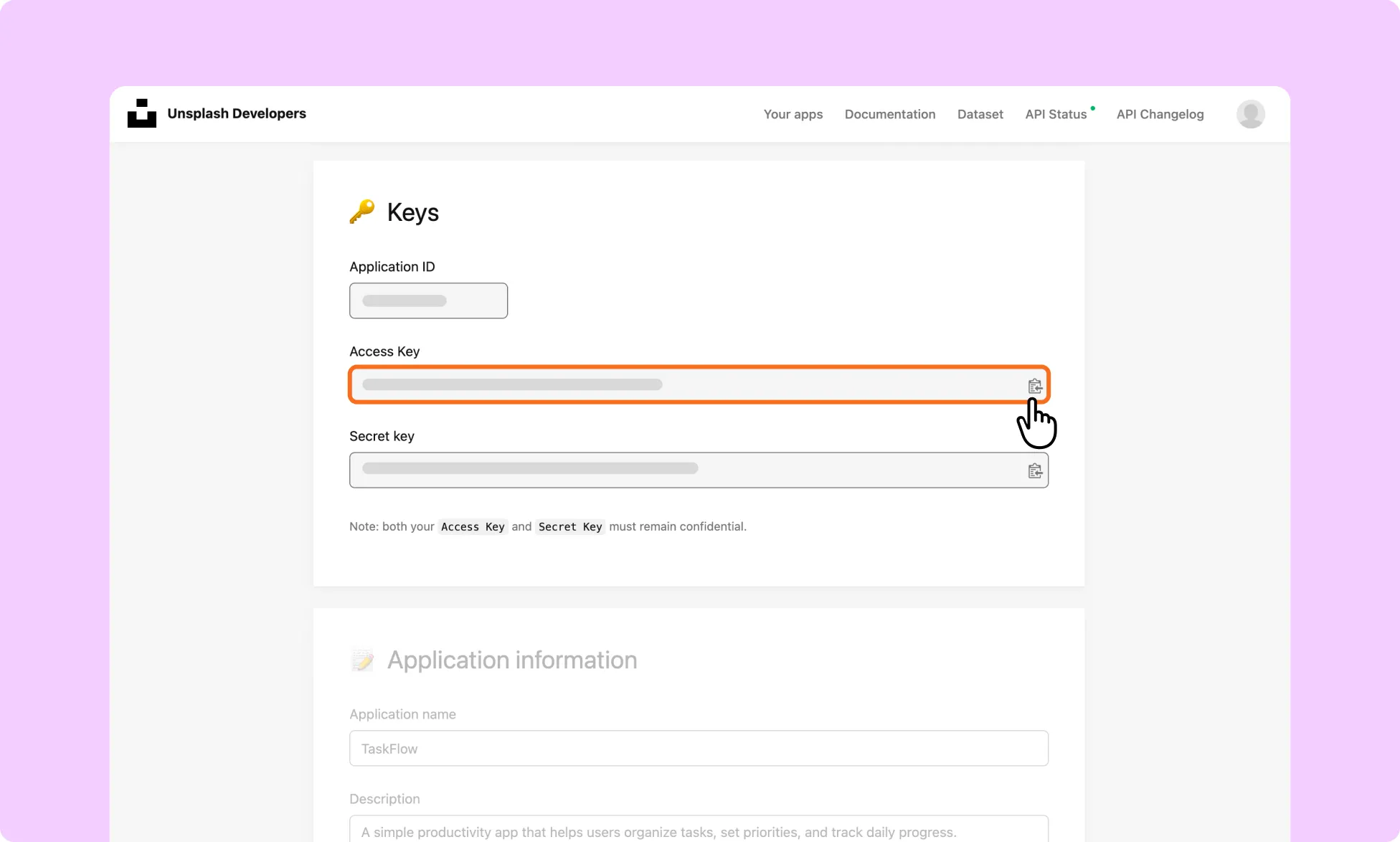
- Copy the Access Key and keep it somewhere safe. You’ll need it to connect Unsplash to Kirki.
How to Install the Unsplash App in Kirki?
- In the Kirki editor, navigate to Apps from the left sidebar.
- Search for Unsplash.
- Click Install.
How to Configure the Unsplash App?
- Once the app is installed, click the ellipsis (…) icon next to it.
- Select Configure.
- Enter your Unsplash Access Key in the provided field.
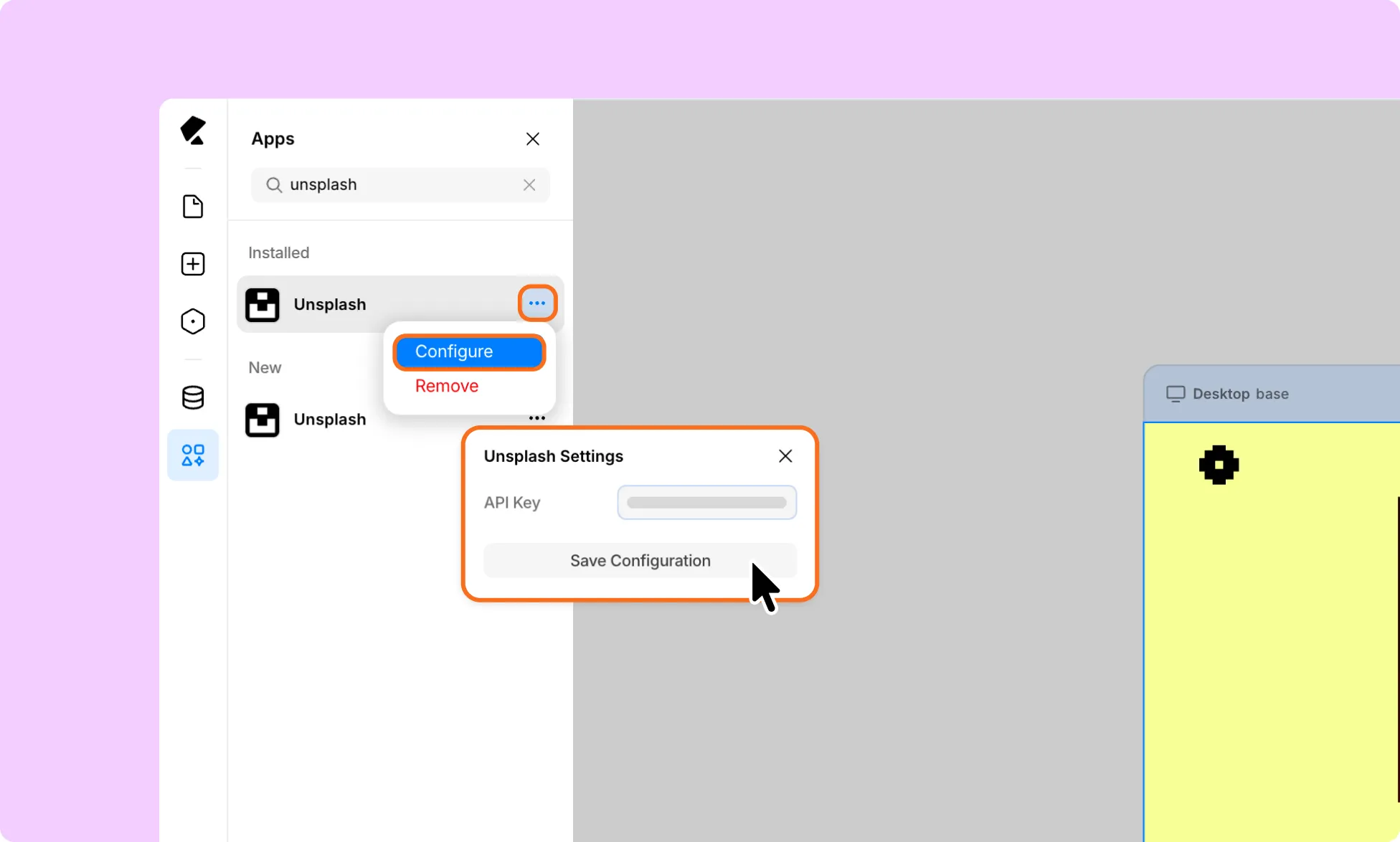
- Click Save Configuration.
Your Kirki editor is now connected to your Unsplash account, and the app is ready to use.
How to Test the Unsplash Integration
- Open the media or image picker in the Kirki editor, and find the Unsplash integration.
- Search for an image using a keyword, such as “Model Image“.
- Confirm that Unsplash search results load correctly.
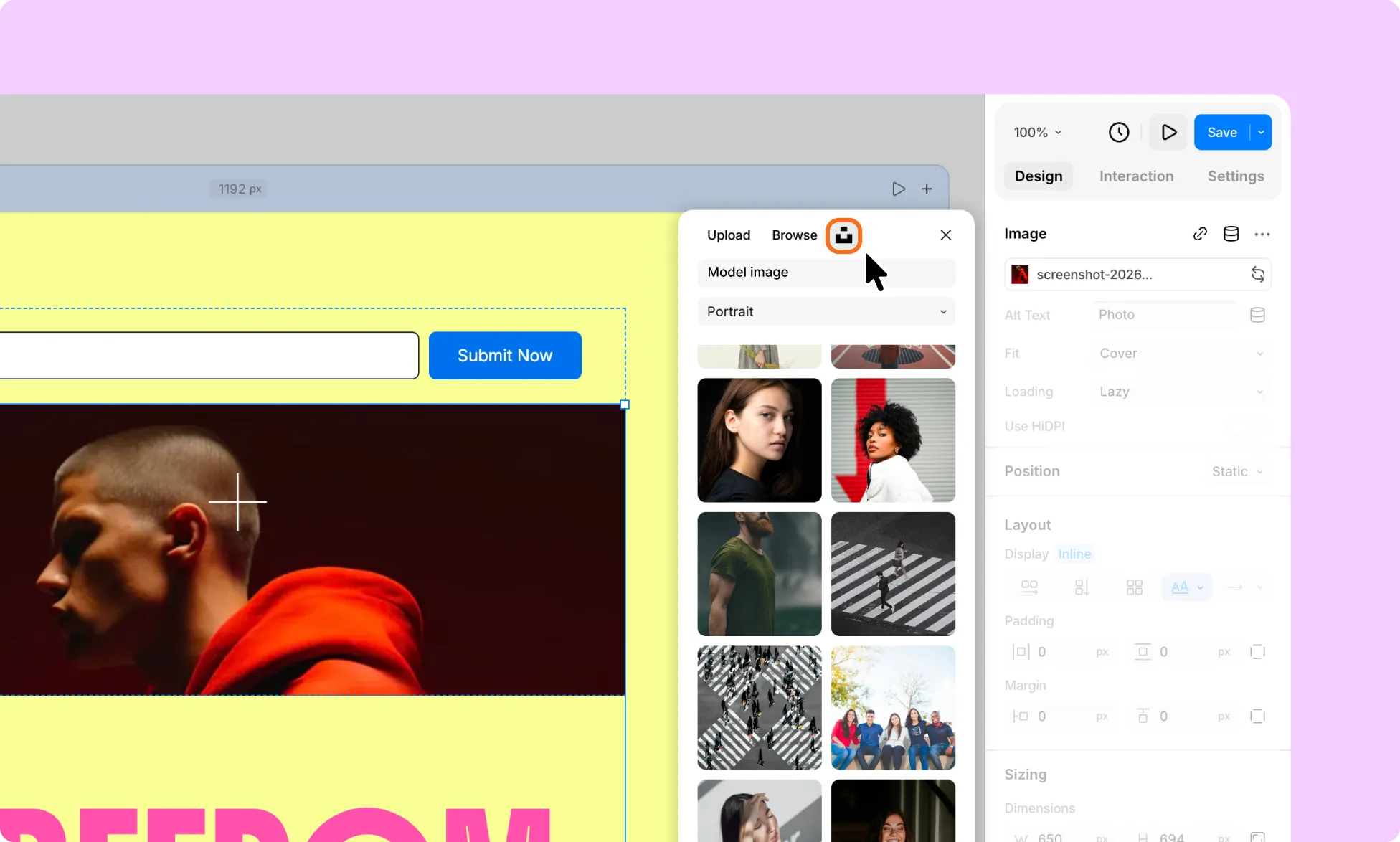
- Select an image from the results.
- Insert the image into your page.
- Confirm that the image appears correctly with the required attribution.