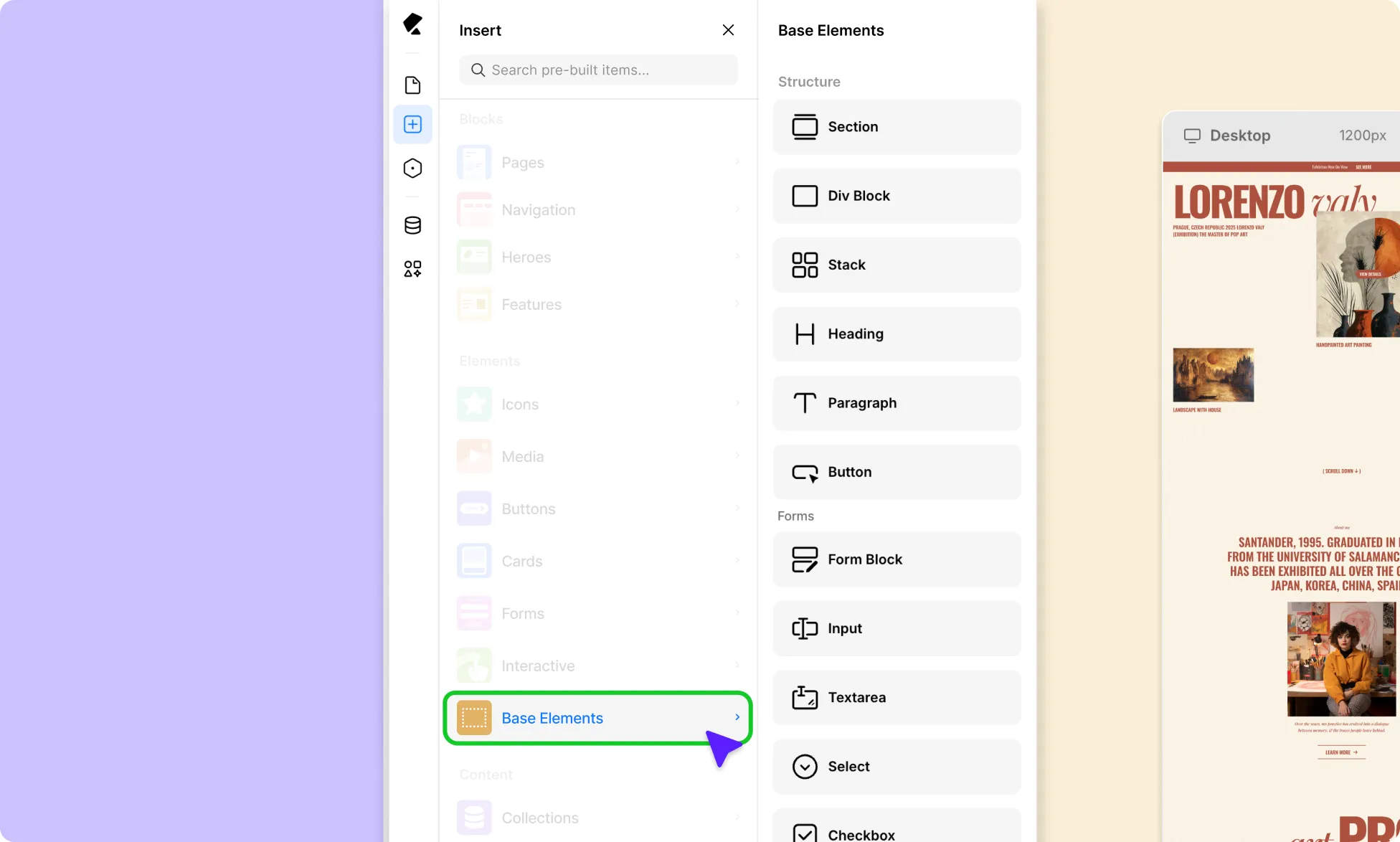
Your most-used elements are always within reach on the Element Island, giving you quick access while you design.
Everything else, you can access from the Base Elements Panel. This is where you’ll find a broader set of components, be it structural blocks, alternative media elements, interactive elements, and more.
How to Add Base Elements
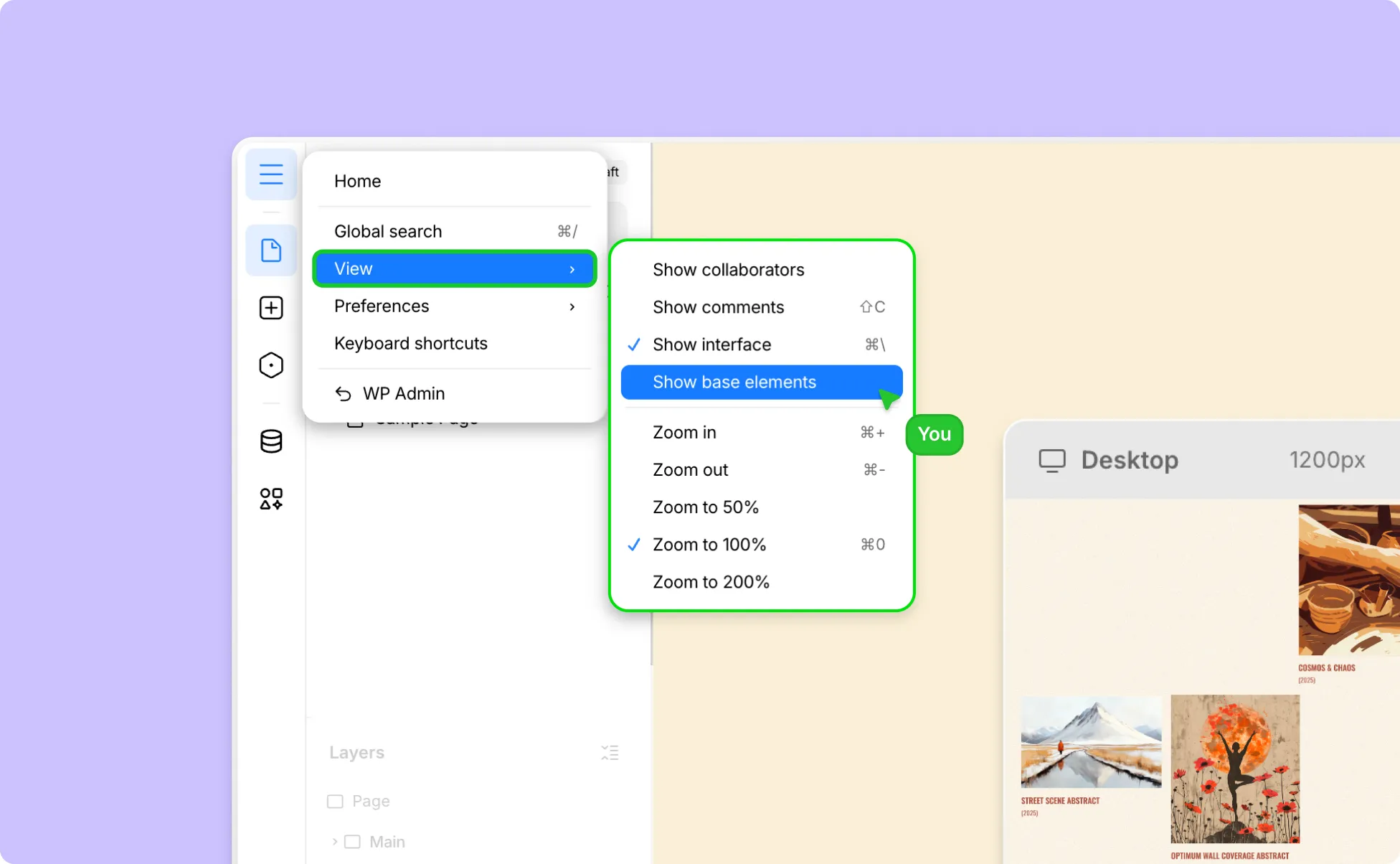
Here’s how to add Base Elements to your page:
- Click on Kirki’s logo in the top-left corner to access the Hamburger menu.
- From View, enable Show Base Elements.
- Next, go to Insert → Base Elements from the left sidebar.
- Click or click and drag any element from this list to add it to your design.