Lottie animations can be used to add interactivity, enhance visual appeal, and improve user engagement on your page.
Before You Begin
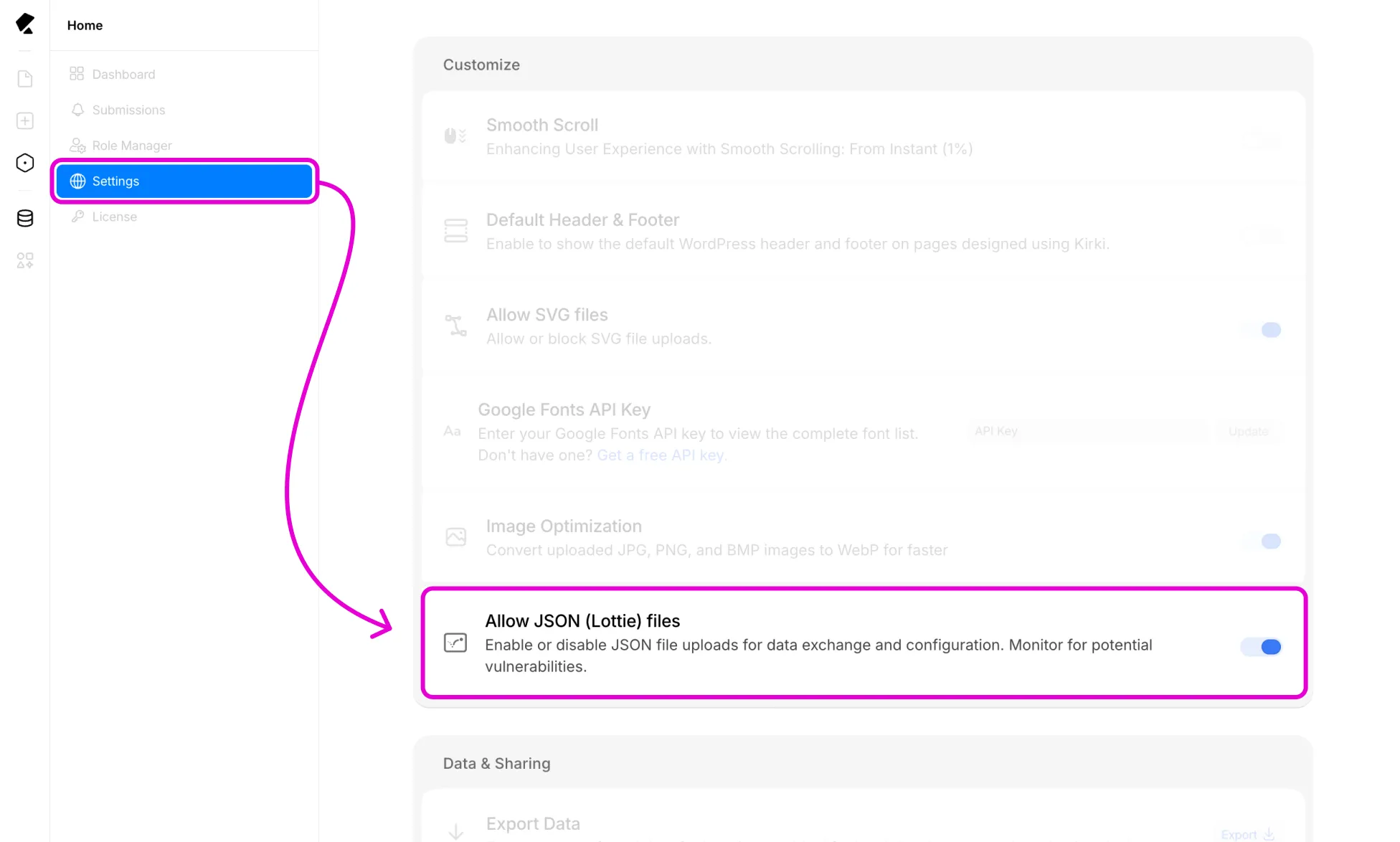
To use the LottieFiles element, make sure JSON file uploads are enabled first:
- Go to your Kirki Dashboard → Settings from the main menu at the top-left corner.
- Enable Allow JSON (Lottie) files.
Add a LottieFiles Element
To find free Lottie animations, you can explore sources like LottieFiles, UI8, and Iconscout, which offer both free and premium animations available for download.
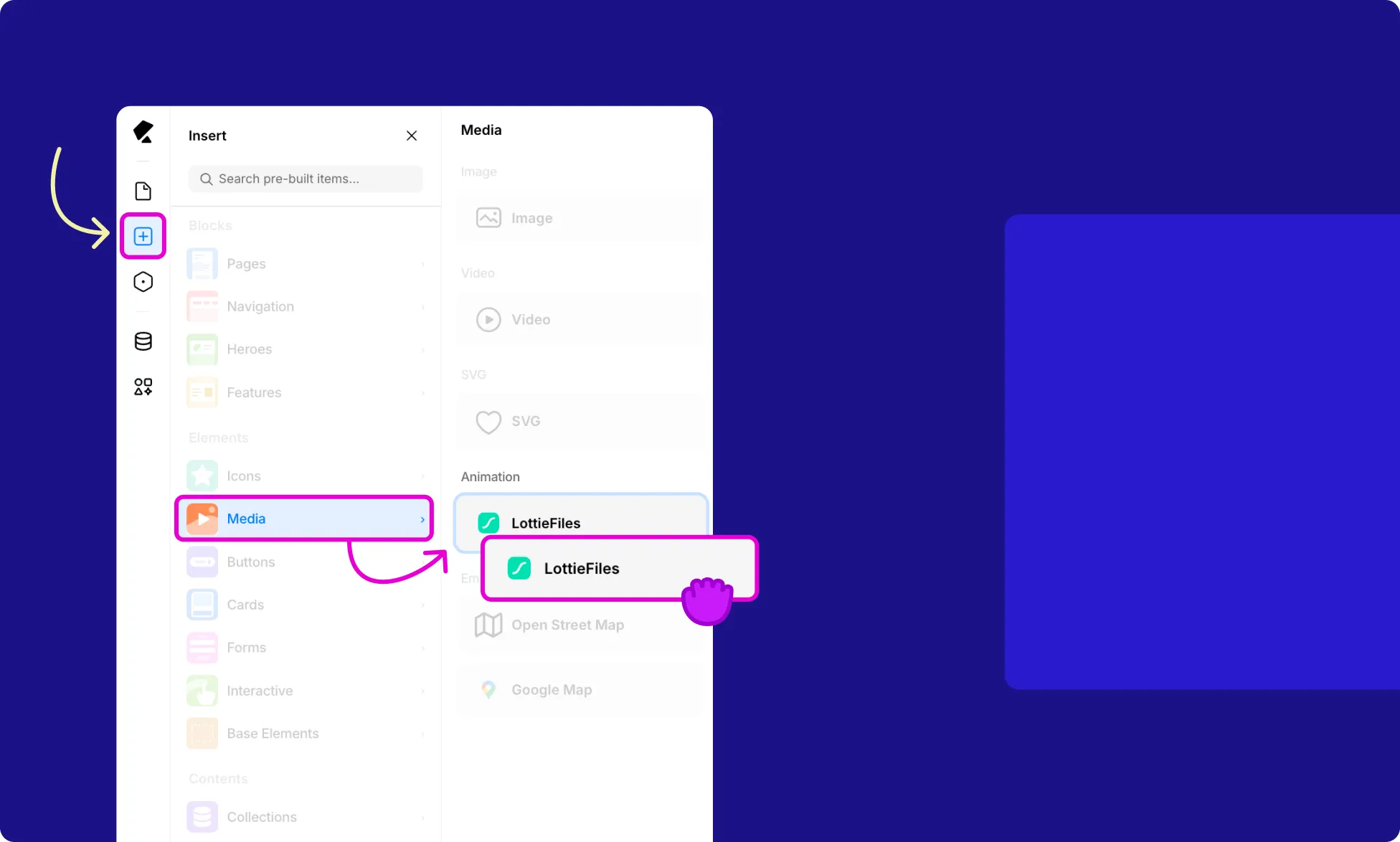
To add a LottieFiles element to your page:
- Open the Insert panel from the Left Sidebar.
- Select Media from the Elements section.
- Click or drag the LottieFiles element onto the canvas.
Insert / Replace Lottie File
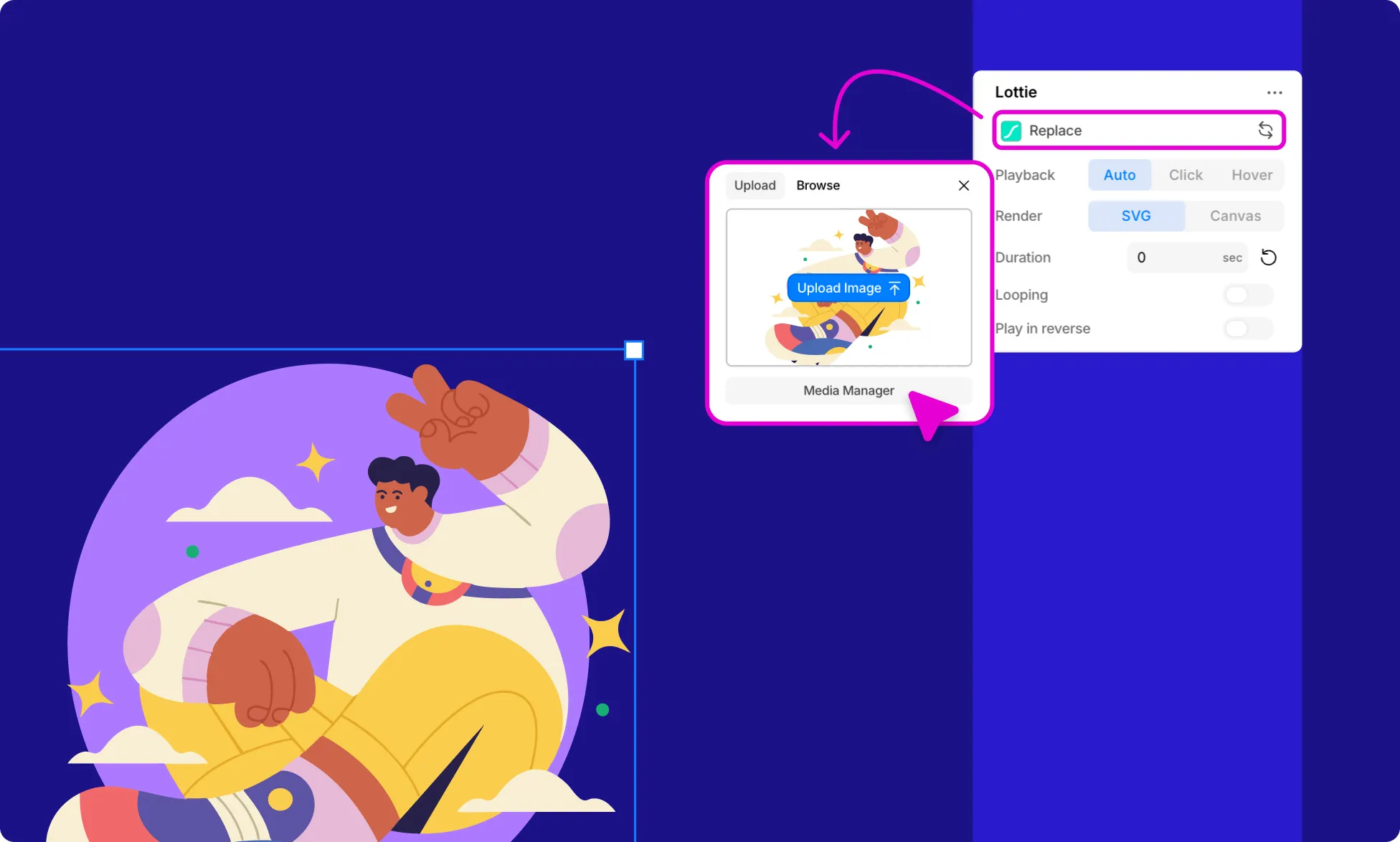
Once the element is on the canvas, go to the LottieFiles Settings under the Design tab in the right panel and click Replace to add your file using one of these ways:
- Click Upload File to upload a file from your computer.
- Browse the Media Manager to select an existing file from your media library.
Lottie Settings
Once a Lottie file is added, from the Design tab on the right panel, access the other settings:
Playback
Set how the animation is triggered:
- Auto – Plays automatically when visible.
- Click – Plays when the user clicks on it.
- Hover – Plays when the user hovers over it.
Render
Choose how the animation is rendered:
- SVG – Renders the animation as an SVG, maintaining quality at any scale.
- Canvas – Renders the animation using the HTML5 Canvas element.
Duration
Specify the duration of the animation in seconds to control its speed or sync it with other elements on the page.
Looping
Enable to have the animation play continuously; disable to play it once.
Play In Reverse
Enable to play the animation backward, creating a rewind effect.