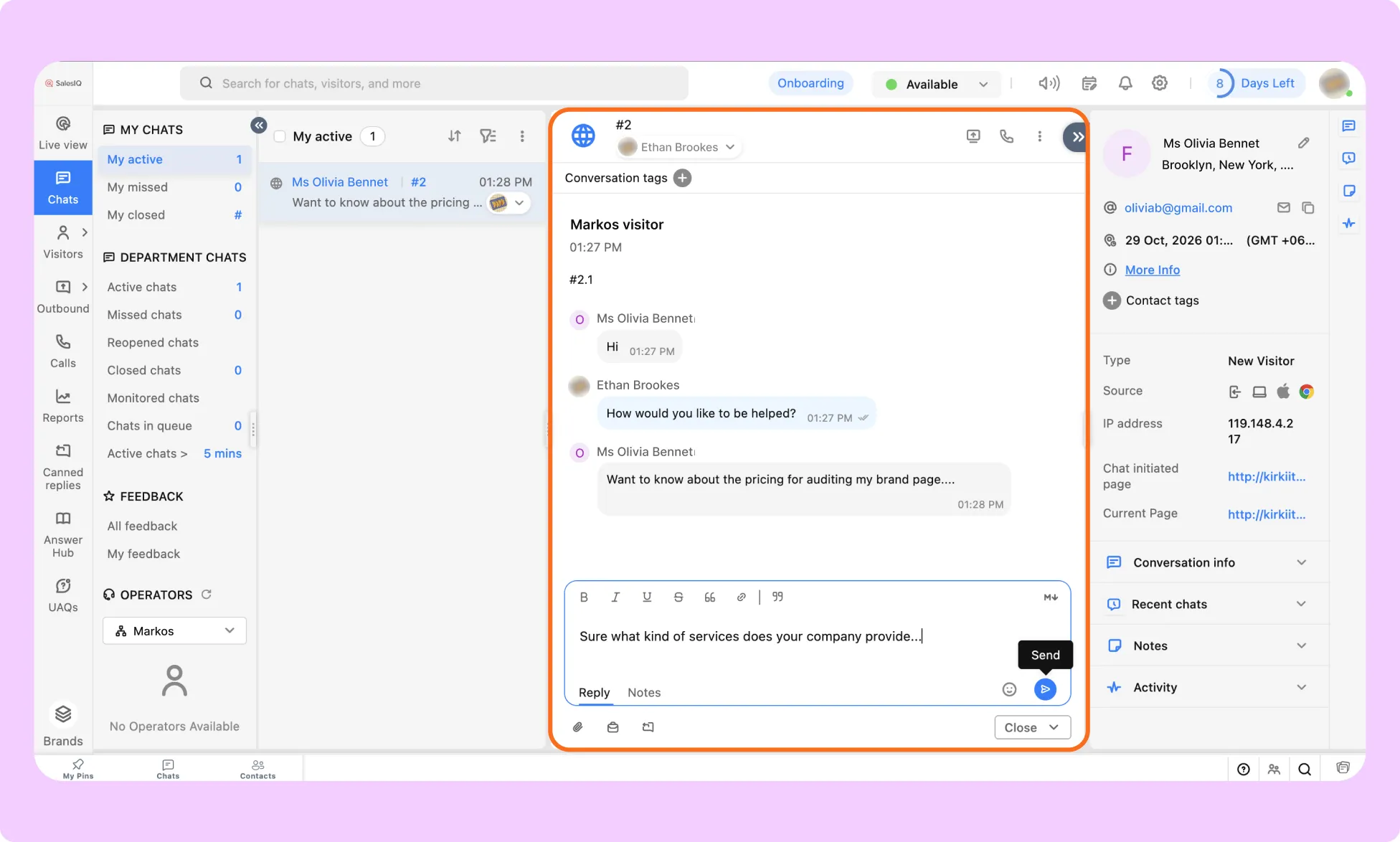
Zoho SalesIQ is a live chat and visitor-tracking platform within the Zoho ecosystem. The integration adds the SalesIQ chat widget to your website so you can communicate with visitors and monitor their activity in real time.
What Is the Zoho SalesIQ App
The Zoho SalesIQ integration connects your website to your Zoho SalesIQ account by displaying a live chat widget. Visitors can use the widget to start conversations with your team, while your team can manage chats through the SalesIQ Operator console.
This integration is useful for sales and support teams that already use Zoho products and want website visitor chat within the same ecosystem.
What You Need Before Connecting Zoho SalesIQ
Before configuring the integration, make sure you have:
- An active Zoho SalesIQ account.
- At least one Brand configured in SalesIQ.
- Access to the selected Brand’s website installation settings.
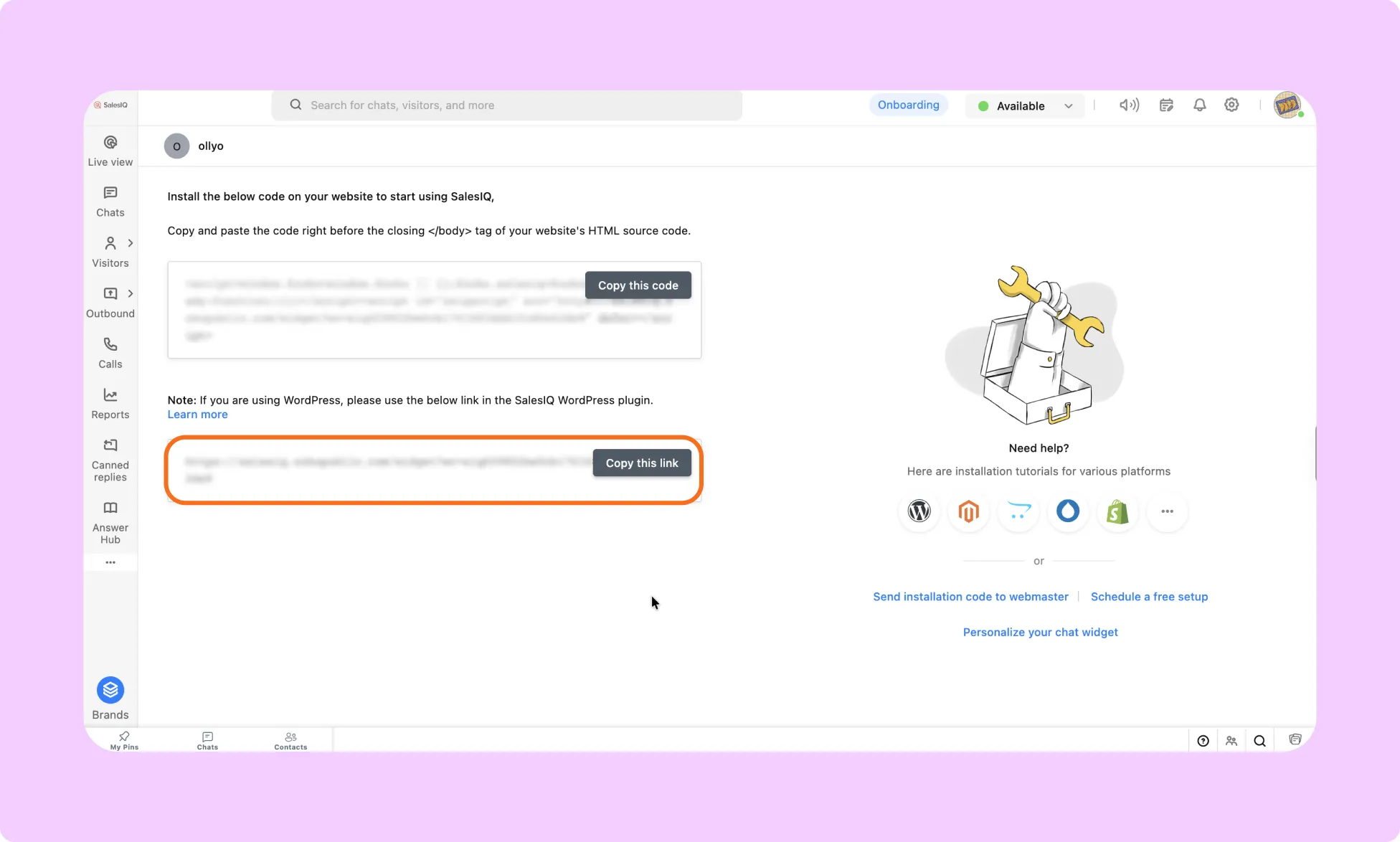
How to Get Zoho SalesIQ Widget Code
- Log in to your Zoho SalesIQ Operator console.
- Go to Settings → Brands.
- For WP sites, copy only the value after wc=, which starts with siq (for example, siqXXXXXXXXXXXX). Don’t paste the full script into Kirki.
How to Install the Zoho SalesIQ App in Kirki
- Go to Kirki → Apps.
- Locate Zoho SalesIQ.
- Click Install and Configure.
How to Configure the Zoho SalesIQ Integration
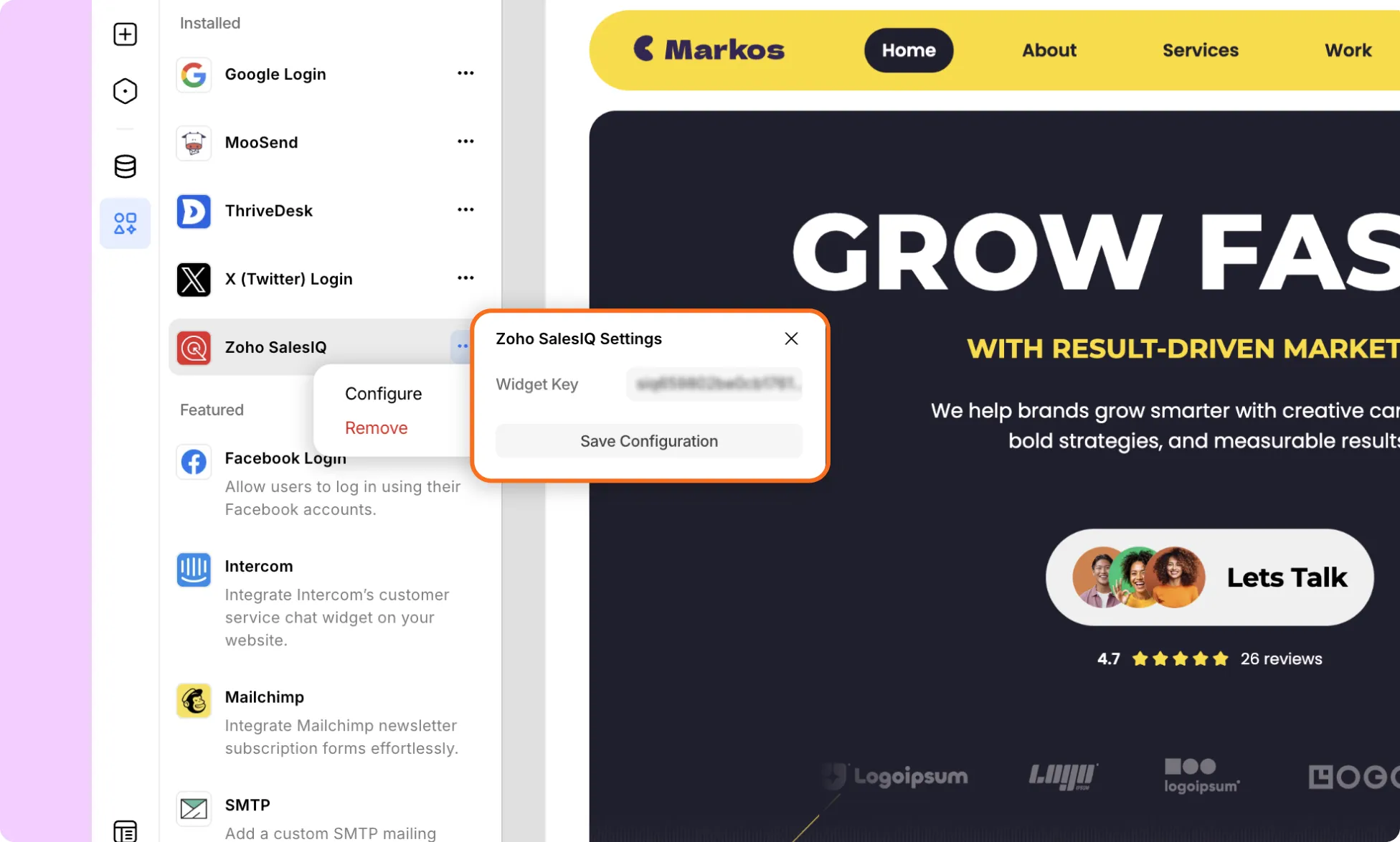
- From the ellipsis (…) icon click Configure to open the dialog.
- Paste the complete Zoho SalesIQ widget code into the provided field and click Save Configuration.
How to Test the Zoho SalesIQ Integration
- Open your website in a new browser window.
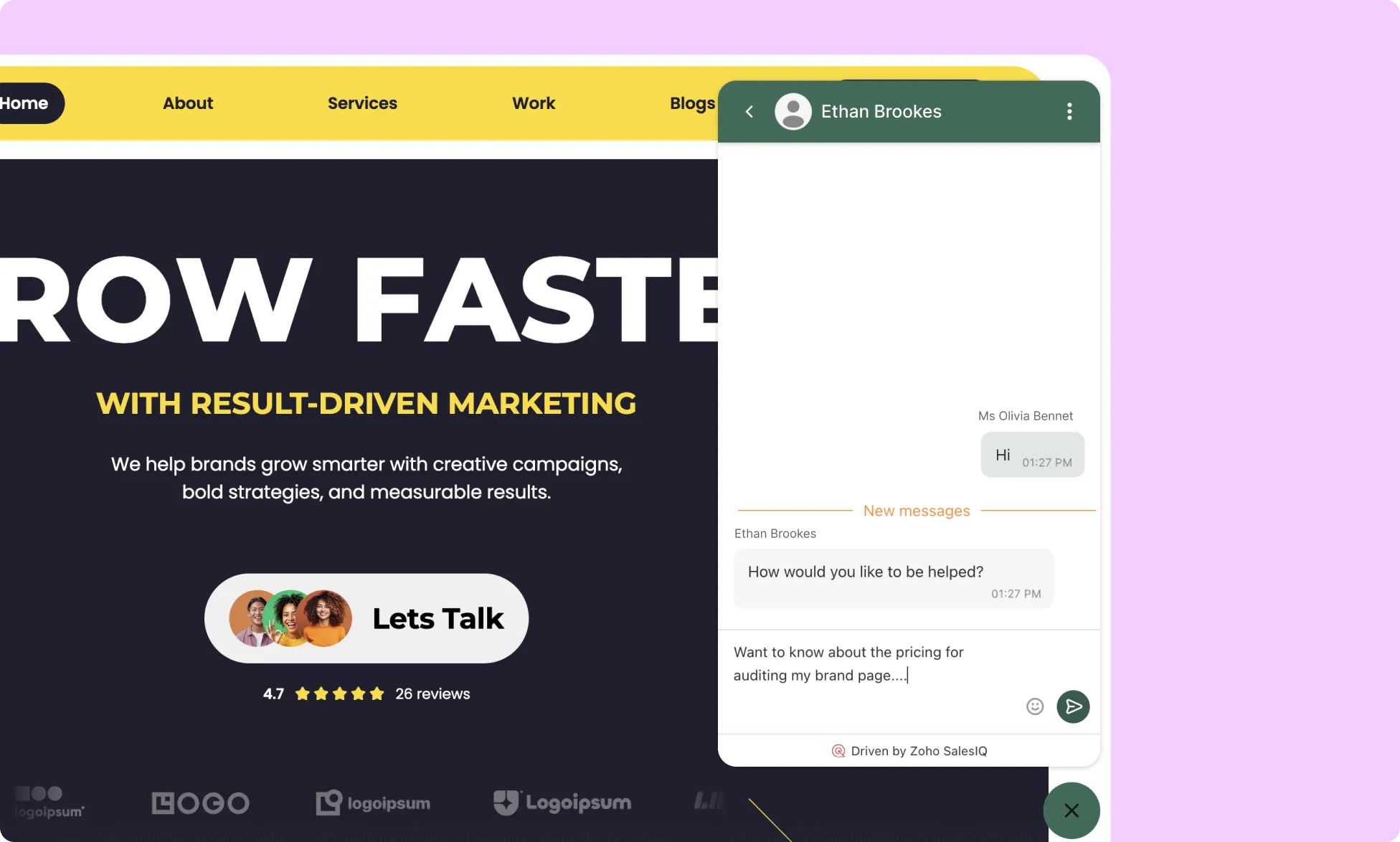
- Confirm that the Zoho SalesIQ chat widget appears.
- Send a test message through the widget.
- Log in to your Zoho SalesIQ Operator console.
- Confirm that the test conversation appears and you can reply to it.