The SEO & OpenGraph settings in Kirki help you optimize each page for search engines and control how your pages appear on search engine results and social media.
You can access SEO & OpenGraph options from the SEO tab in the Page Settings panel.
SEO Settings
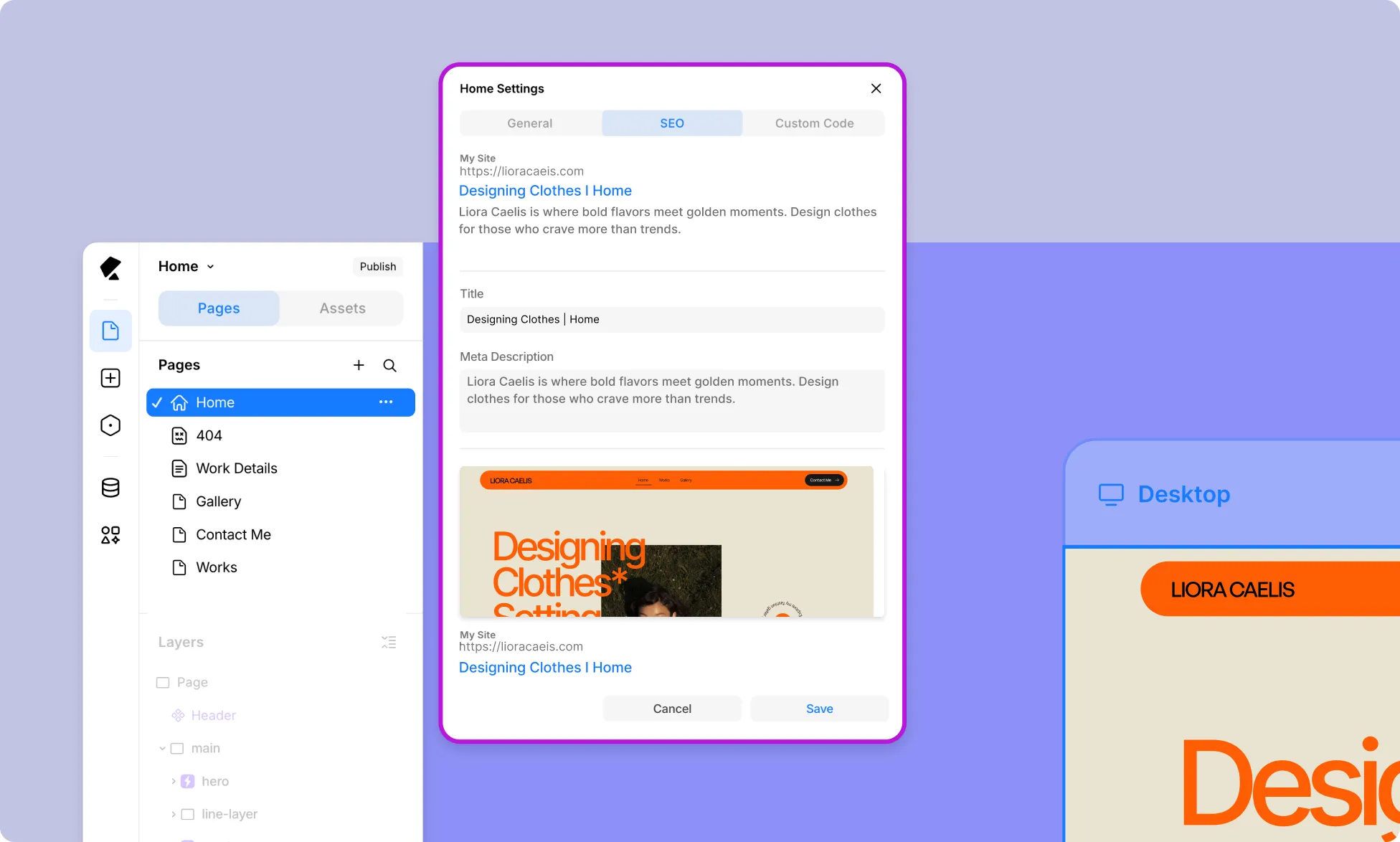
At the top of the tab, a live preview shows how your page will appear in search engine results. This updates as you fill in the fields below.
- Title – Define the page title that appears in search results.
- Meta Description – Add a brief description of the page to improve visibility in search results.
Open Graph
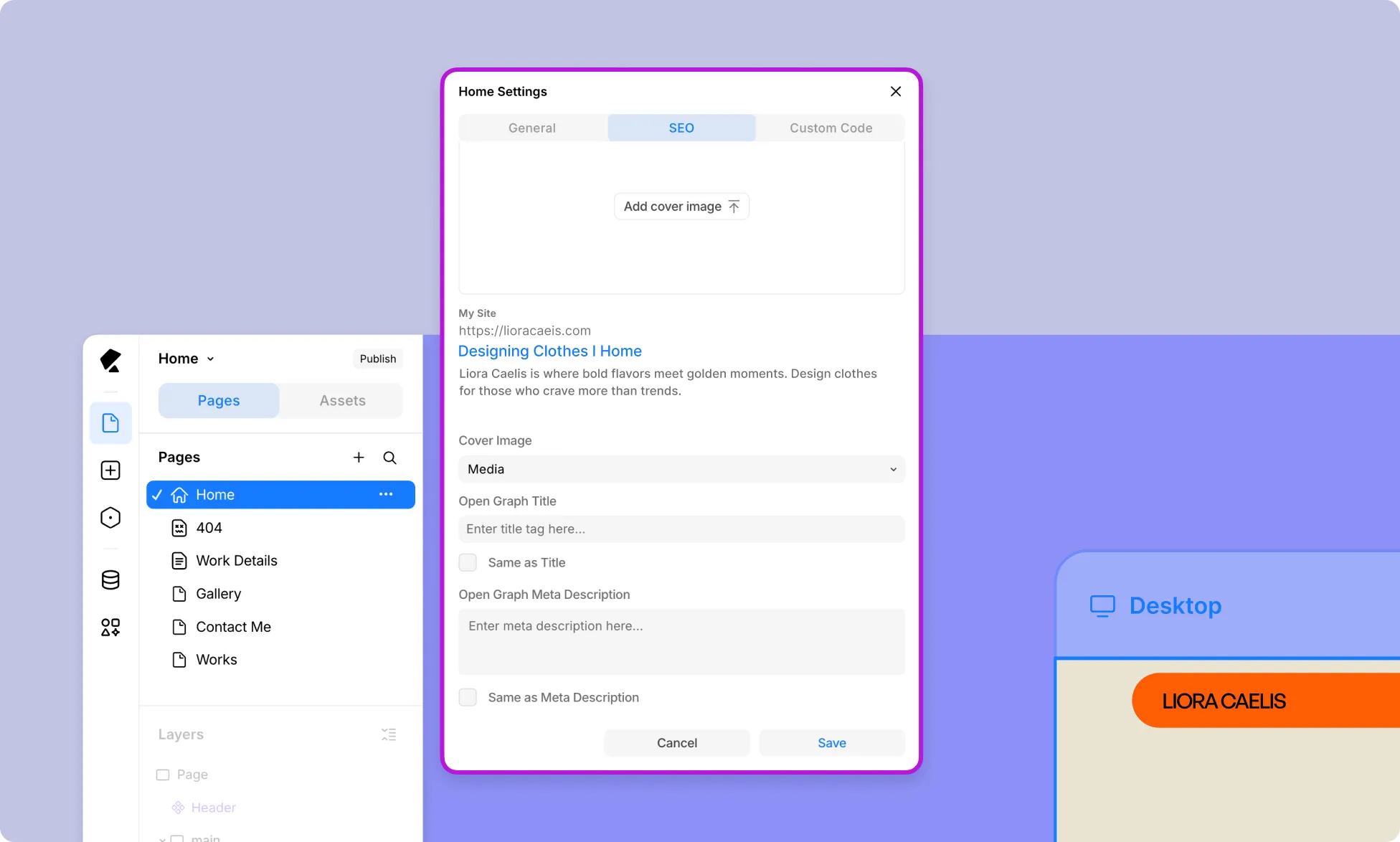
Customize how your page appears when shared on social media platforms.
- Cover Image – Set the image that appears as a thumbnail when your page is shared. Choose from two sources:
- Media – Upload an image directly from your media library.
- Feature Image – Use the page’s feature image as the Open Graph image. If not set, click Add Cover Image to upload it directly within the Kirki editor.
- Open Graph Title – Set a custom title for social media previews.
- Check Same as Title to automatically match it with your SEO title.
- Open Graph Meta Description – Set a custom description for social media previews.
- Check Same as Meta Description to automatically match it with your SEO meta description.
Dynamic SEO
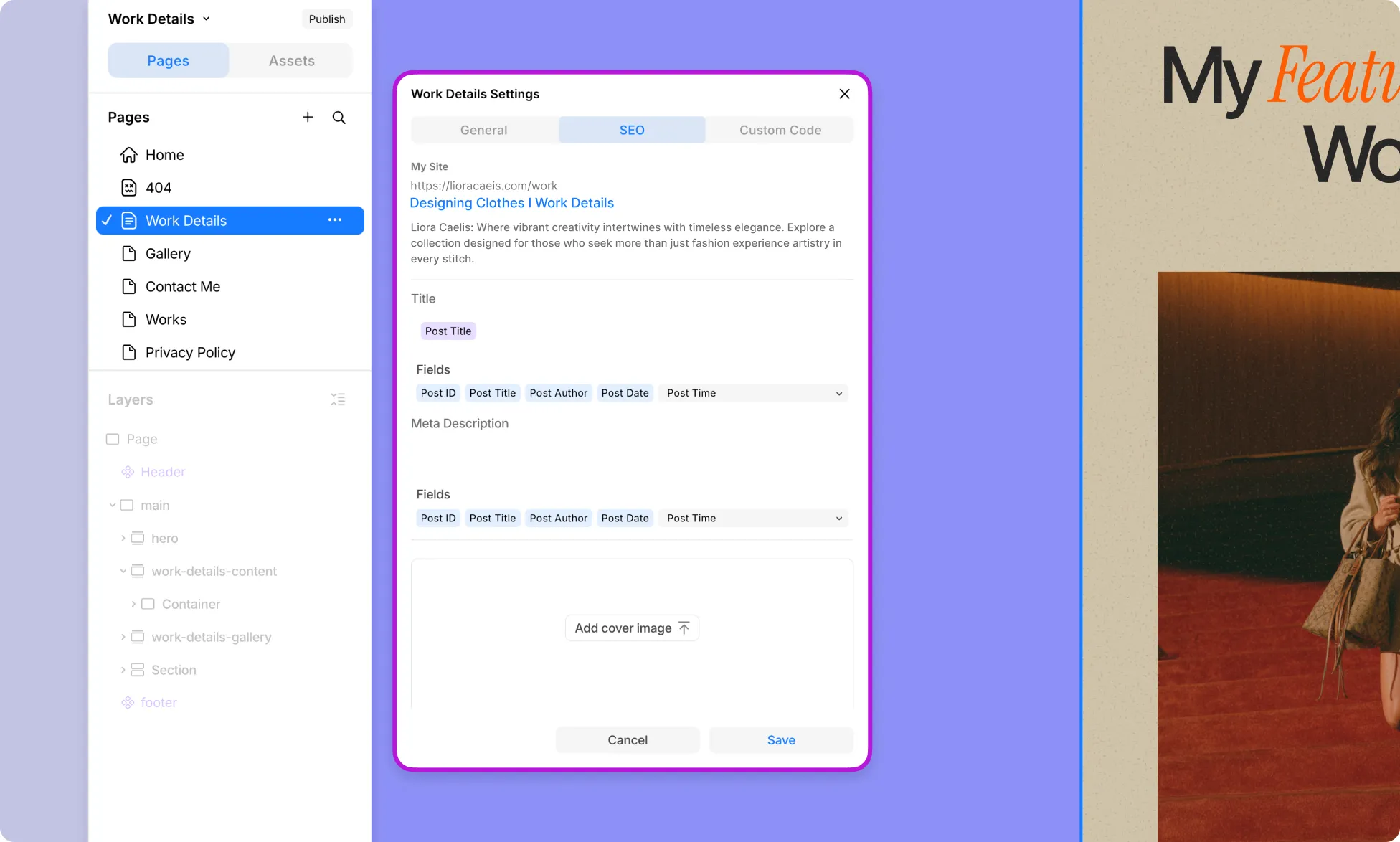
For Template pages, i.e., dynamic item detail pages, connected to a collection, SEO fields can be populated dynamically using data from the collection.
So instead of setting generic meta info that’s the same across all items, you can use dynamic fields to craft them uniquely for each item, making your pages more relevant to search engines and more compelling to users.
Title – Set the Meta Title using dynamic fields so it’s unique and relevant to each item rather than a generic title shared across all pages.
Meta Description – Set the Meta Description using dynamic fields to accurately reflect the content of each item, improving both SEO performance and click-through rates.
Available fields include Post ID, Post Title, Post Author, Post Date, Post Time, Post Excerpt, and more.
Dynamic OpenGraph
You can also define the OpenGraph content dynamically:
- Cover Image – Apart from uploading directly from Media or using the Feature Image, you can also dynamically use the Image field if the connected collection has one, ensuring each item’s Open Graph image is pulled directly from its own content.
- Open Graph Title – Like Dynamic SEO, use the dynamic fields so the title is unique and relevant to each item, rather than a generic one shared across all pages.
- Check Same as Title to automatically match it with your SEO title.
- Open Graph Meta Description – Like Dynamic SEO, use the dynamic fields so the description accurately reflects the content of each item, improving both social media visibility and click-through rates.
- Check Same as Meta Description to automatically match it with your SEO meta description.