Paragraph
Paragraph
A Paragraph is an essential element for adding blocks of text to your page. Using paragraphs, texts can be easily grouped with related content such as images, forms, and more.
Adding a Paragraph
From the Element Island
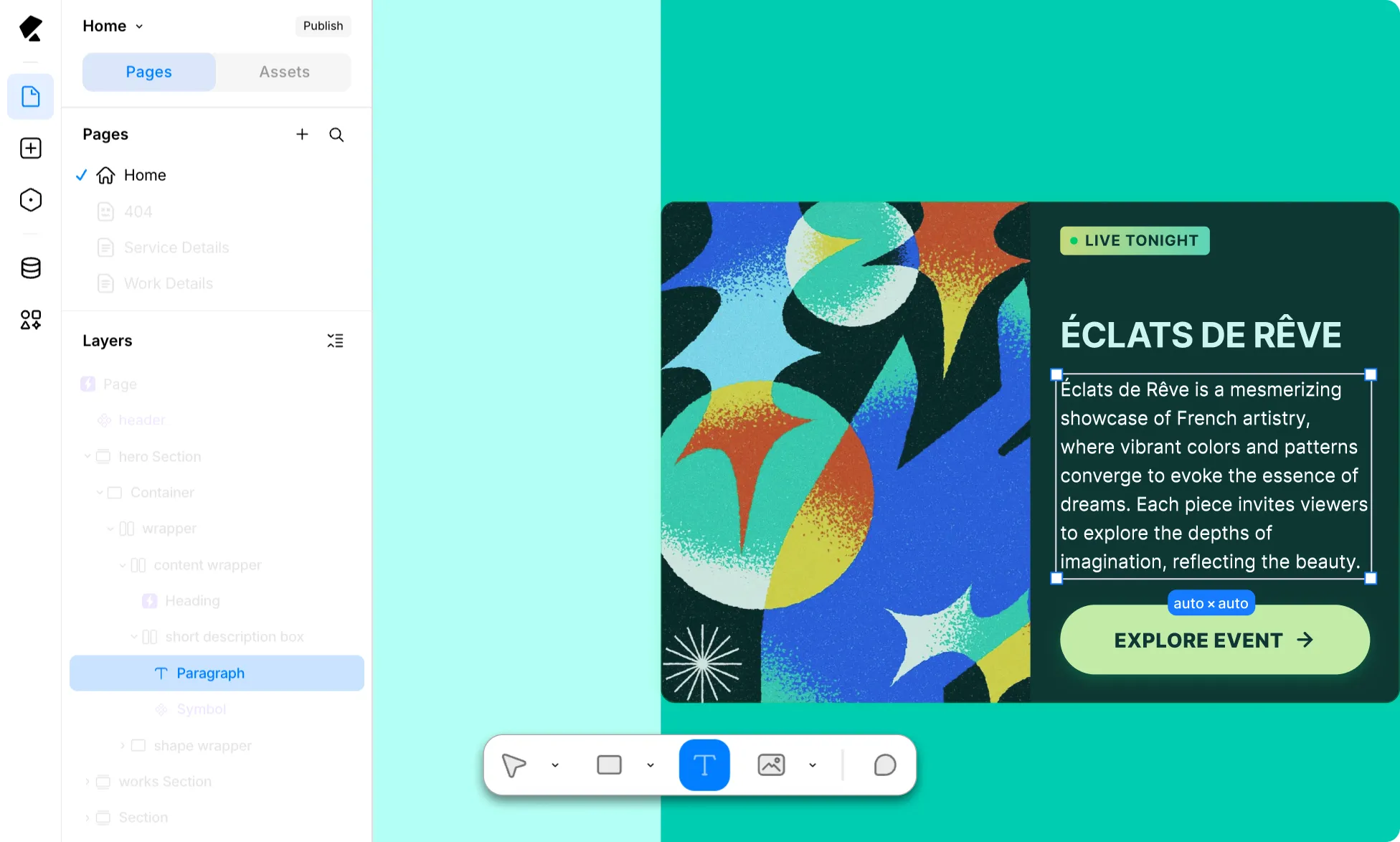
The fastest way to insert a Paragraph is directly from the Element Island, letting you stay focused on the editor.
From the Insert Panel
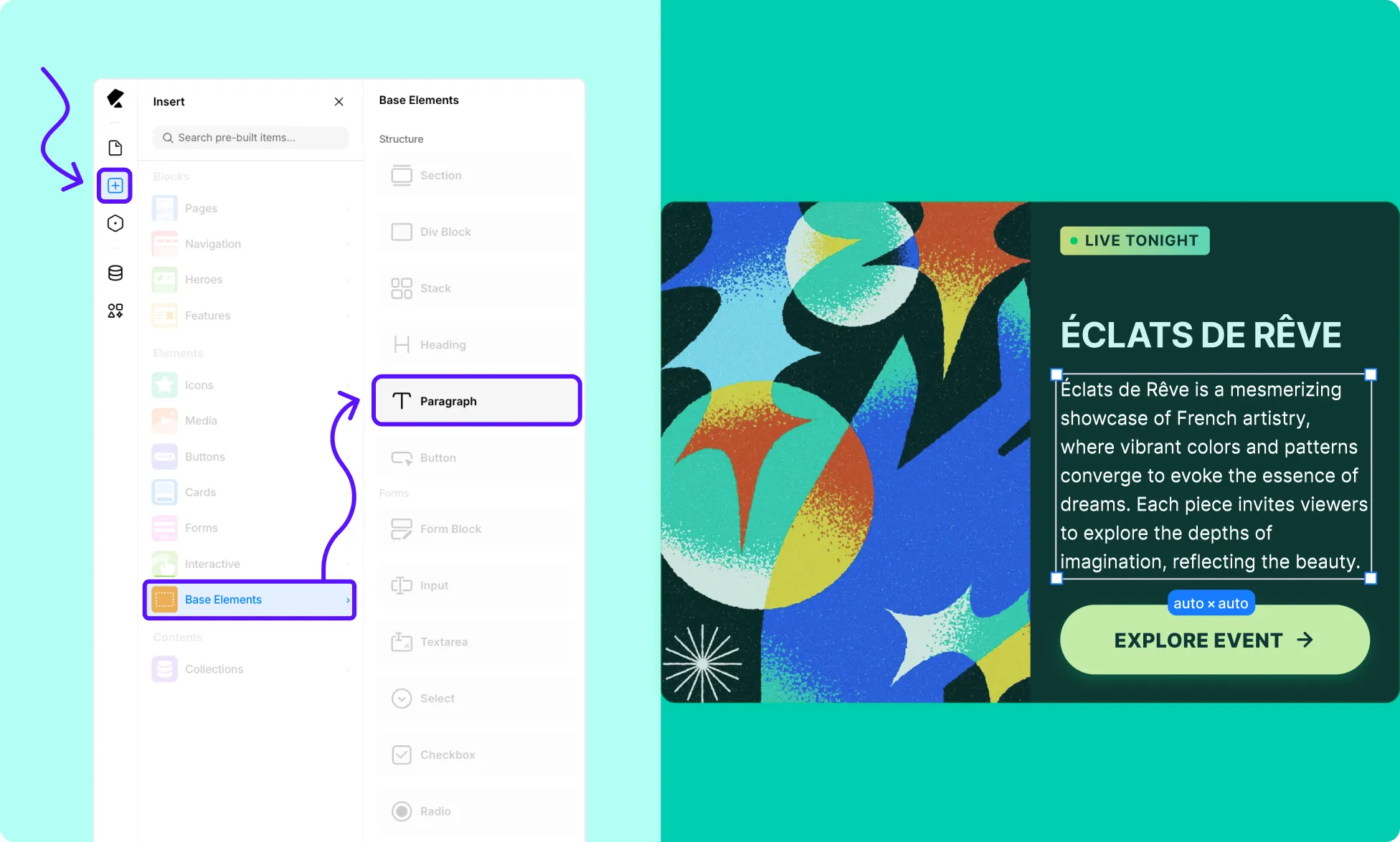
Alternatively, you can add a Paragraph through the Insert Panel by following these simple steps:
- Open the Kirki editor and navigate to the Insert Panel.
- Under Elements, select Base Elements.
- Locate the Paragraph element, then drag and drop it onto your editor.
📝 Note: If you can’t find the Base Element, go to Main Menu → View and toggle Show Base Elements.
Linking Paragraph
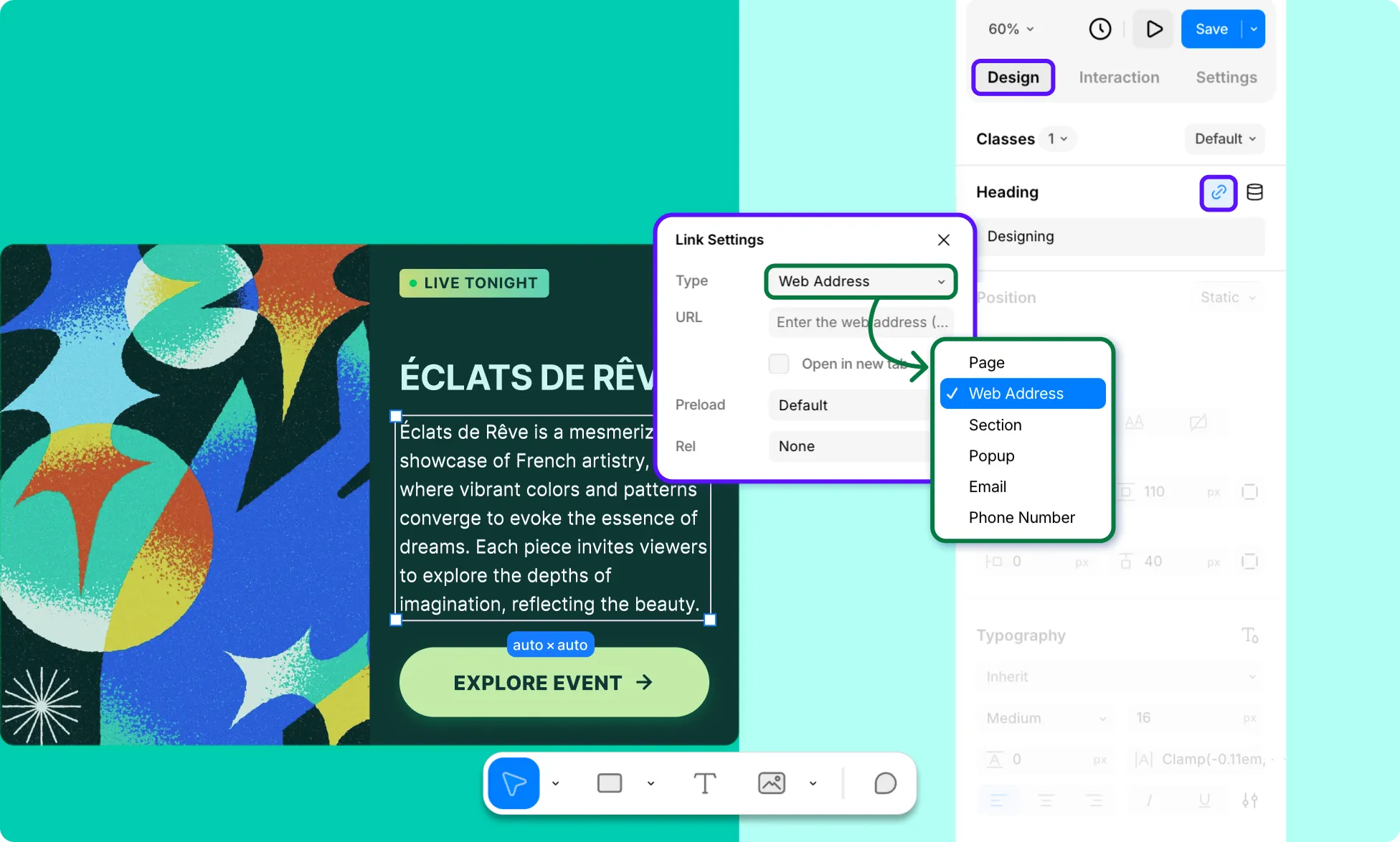
To turn a Paragraph into a clickable link, simply head over to the top of the Right Panel and set your desired redirect.
Dynamic Settings
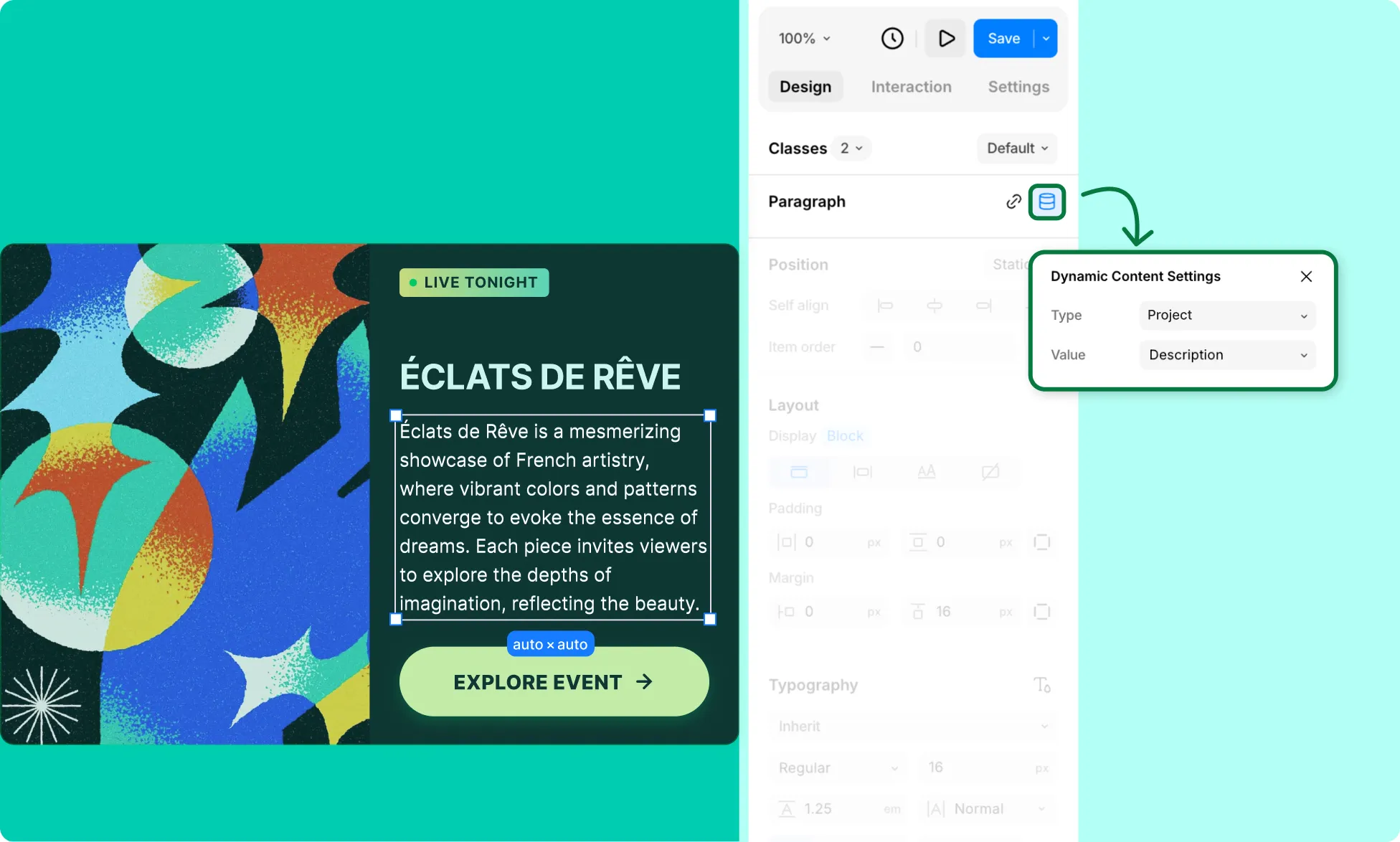
To pull Paragraph content, such as description, details, and more, directly from your collection, you can also make it Dynamic from the Right Panel.
Styling Paragraph
For styling options, refer to the Right Panel Overview. To reuse styles or apply variable fonts, check out Reusable Text Styles and Variable Fonts.
Was this page helpful?