Section
Section
The Section element in Kirki divides your webpage into separate, thematically related content blocks. Each section has its own heading and focus, making content easy to navigate.
Common uses: Hero banners, feature showcases, testimonials, contact information, and any standalone content block.
Add a Section
Kirki offers a library of pre-built section blocks designed to accelerate your workflow right from the start. The library is fully responsive, includes dark mode variations, and continues to expand over time.
If you prefer more control and want to build from the ground up, that option is available to you as well.
From the Element Island
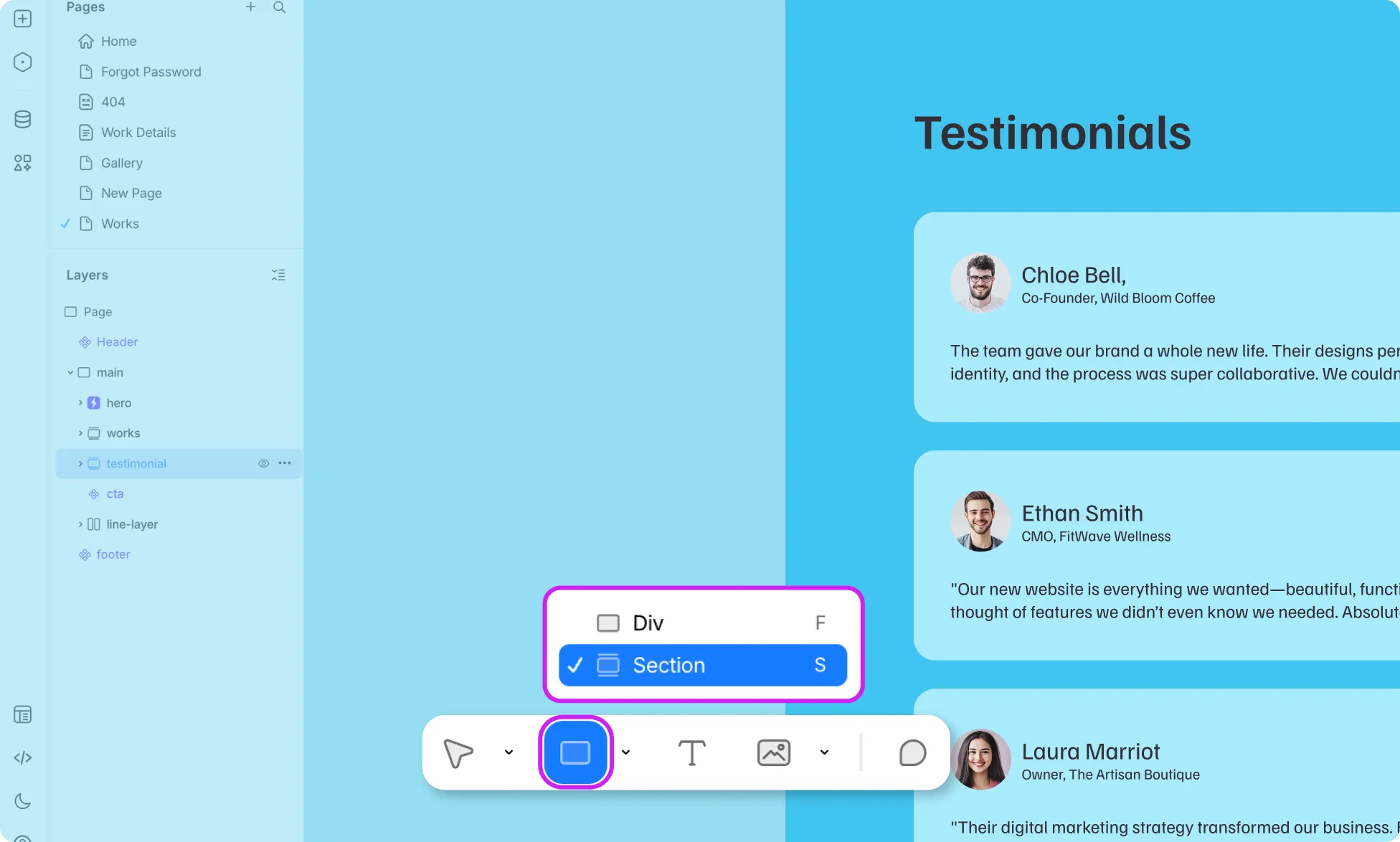
The quickest way to insert a Section is directly from the Element Island. Click the arrow beside the div icon and select Section — no need to leave the editor.
From the Insert Panel
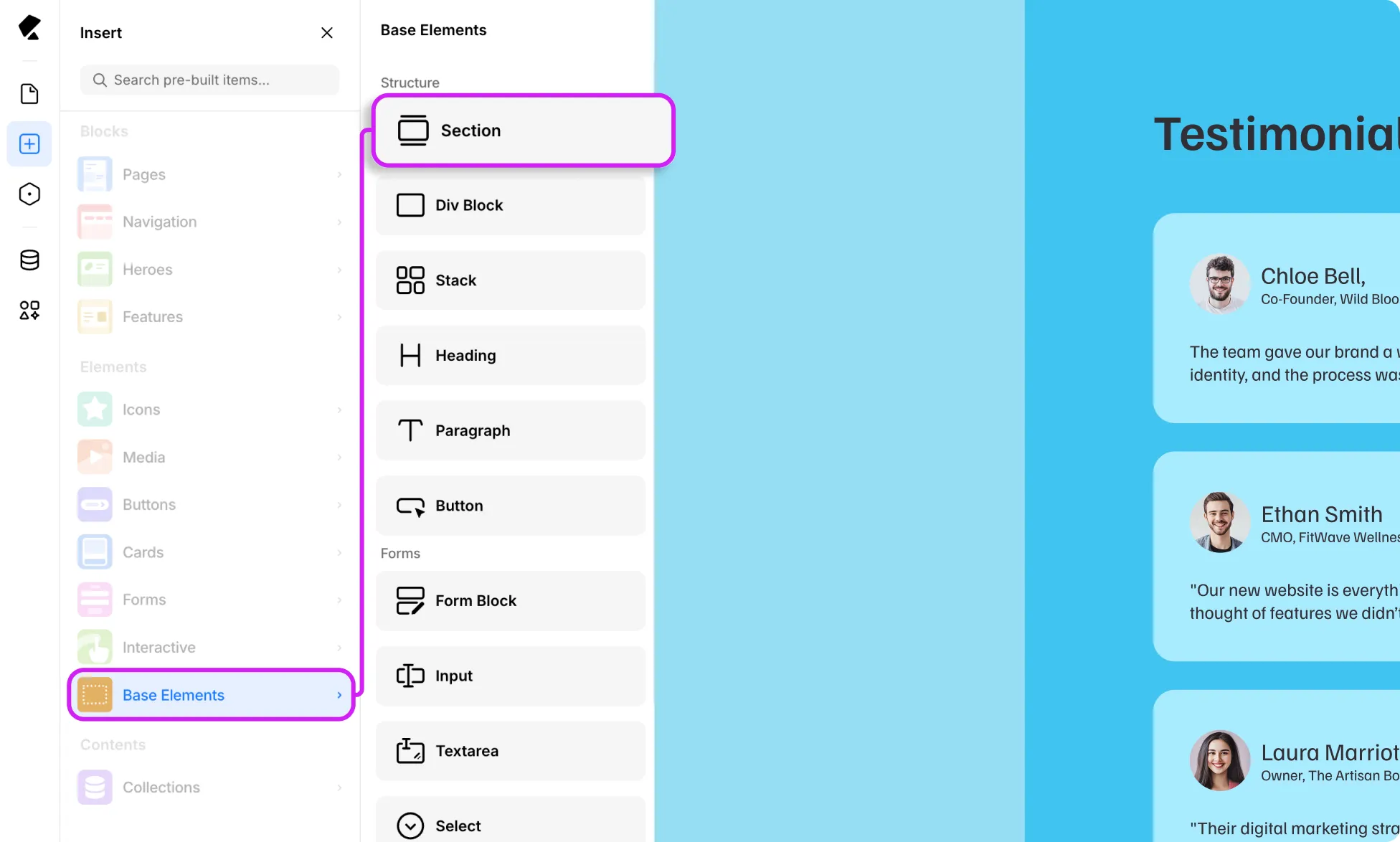
Alternatively, you can add a Section through the Insert Panel by following these simple steps:
- Open the Kirki editor and navigate to the Insert Panel
- Head over to the Elements block and find the Base Element
- Locate the Section, then drag and drop it onto your editor
📝 Note: If you can’t find the Base Element, go to Main Menu → View and toggle Show Base Elements.
Using the Keyboard Shortcut
To streamline your workflow even further, press the ‘S’ key to let the editor know you are inserting a Section. Simply draw the frame, and you’re good to go.
Styling a Section
A Section is a self-contained block, and one of the most common styling options is adjusting its dimensions, padding, and margins. You can also apply colors, interactions, and more to make each section visually unique and presentable.
Was this page helpful?