Open Type Feature Properties
Getting Started
Canvas
Building Your Pages
Elements
Layers
Customizing Your Pages
Text and Typography
Components
Classes
Variables
Dynamic Content Manager
Dynamic Data Basics
Form Builder
Pop-up Builder
Collaboration
Media Manager
Figma to Kirki
API Integrations
SEO & OpenGraph
Review and Publish
Migration
Getting Started
Canvas
Building Your Pages
Elements
Layers
Customizing Your Pages
Text and Typography
Components
Classes
Variables
Dynamic Content Manager
Dynamic Data Basics
Form Builder
Pop-up Builder
Collaboration
Media Manager
Figma to Kirki
API Integrations
SEO & OpenGraph
Review and Publish
Migration
Open Type Feature Properties
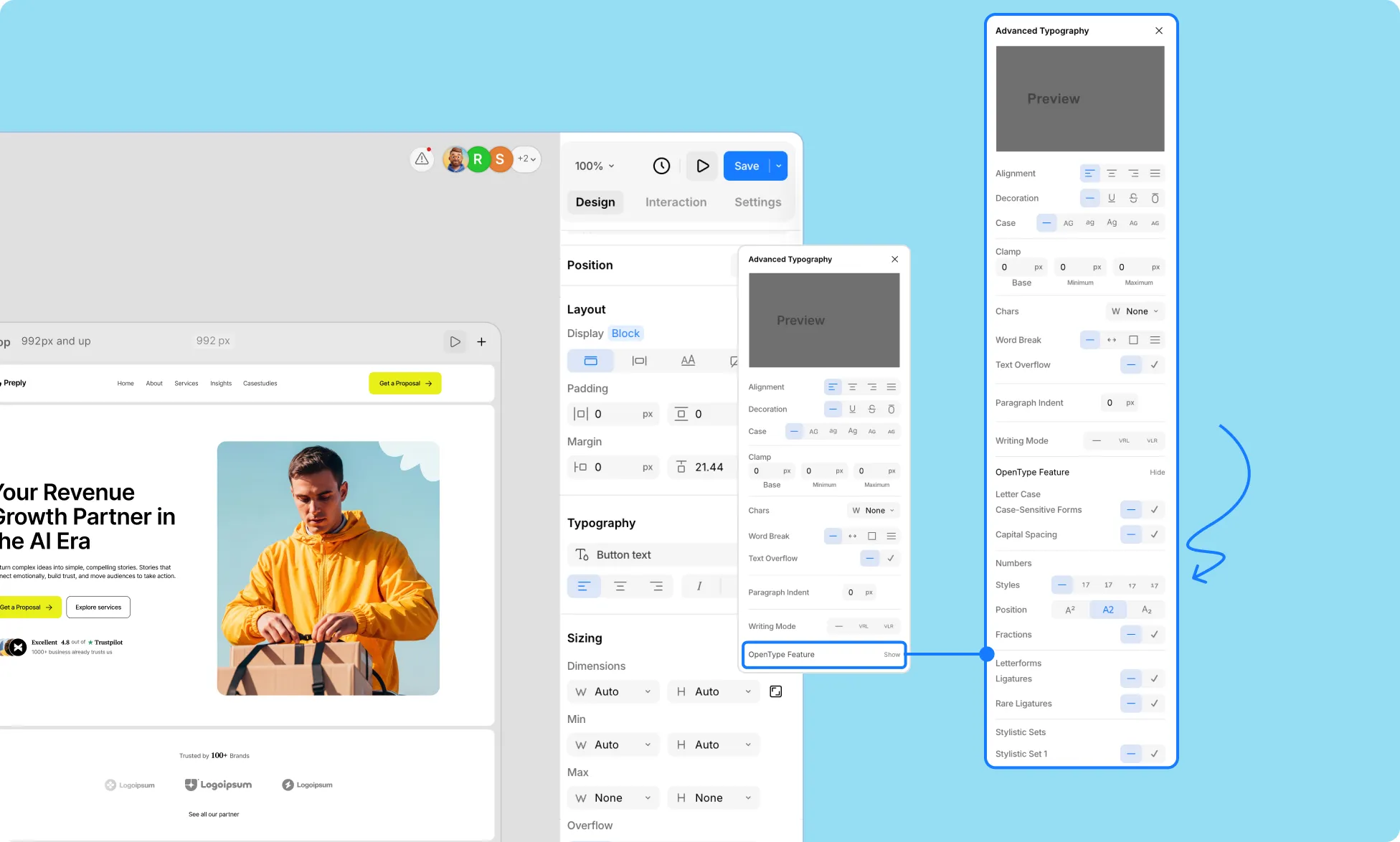
Access even more advanced typographic features supported by the font, such as ligatures, stylistic alternates, or special character styles, by clicking Show beside OpenType Features under Advanced Typography Settings.
Letter Case
Control how letters are displayed and styled for your font.
- Case-Sensitive Forms – Adjust punctuation and symbols to match uppercase letters for a cleaner look.
- Capital Spacing – Add extra spacing between capital letters for improved readability.
Numbers
Customize the appearance and positioning of numbers in your typography.
- Styles – Choose between different number styles:
- None
- Normal
- Slashed Zero
- Tabular Numbers
- Old Style Numbers
- Position – Adjust the vertical placement of numbers:
- Superscript
- Normal
- Subscript
- Fractions – Automatically format numbers into fraction style when applicable.
Letterforms
Refine the shapes and connections of letters in your text.
- Ligatures – Combine certain letter pairs for smoother, more elegant typography.
- Rare Ligatures – Enable uncommon ligatures for stylistic or decorative purposes.
Stylistic Sets
Apply alternative letter designs available in some fonts to give your text a unique look.
Horizontal Spacing
Control spacing between letters for readability and visual balance.
- Kerning Pairs – Adjust the spacing between specific letter pairs for a more polished look.
More Features
- Fractional Denominators – Customize the size and placement of denominator numbers in fractions.
- Fractional Numerators – Customize the size and placement of numerator numbers in fractions.
Was this page helpful?